What Is Open Source and How to Make Your First Contribution
· updated
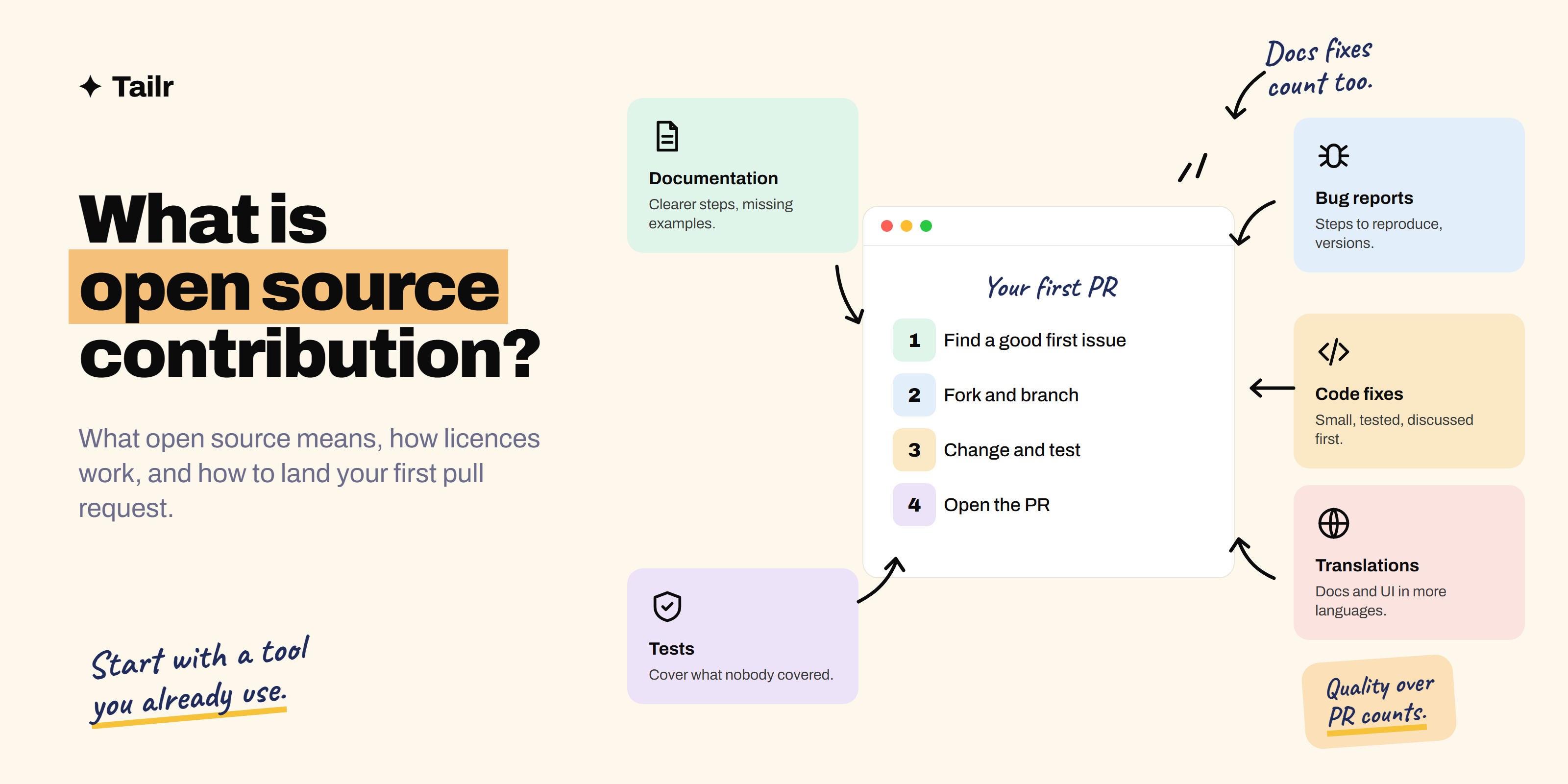
Most of the software you use every day runs on open source: the Linux servers behind nearly every website, the Python and JavaScript libraries inside every app, the browser engine you’re reading this in. Open source is also one of the best ways to get real-world experience before anyone hires you. This guide explains what open source means, how licences work, why contributing matters for your career, and exactly how to make your first contribution.
The short answer: Open source software is software whose source code is publicly available under a licence that lets anyone use, study, modify and share it. An open source contribution is any improvement you make to such a project that its maintainers accept: code, documentation, bug reports, tests, translations or design. To make your first one:
- Pick a project you use and read its
CONTRIBUTINGguide. - Find an issue labelled “good first issue” and comment to ask if you can take it.
- Fork the repository and make the change on a new branch.
- Test it.
- Open a pull request that explains what you changed and why.
- Respond to review feedback until it’s merged.
What open source means
“Source code” is the human-readable code that programmers write. With closed (proprietary) software like Microsoft Word or Photoshop, only the company sees and changes it. With open source, the code is published, usually on GitHub (github.com) or GitLab (gitlab.com), and the licence gives everyone the right to use and change it.
The Open Source Initiative (opensource.org) maintains the formal Open Source Definition. Its key points: free redistribution, source code available, modifications allowed, and no discrimination against people, groups or fields of use.
Open source doesn’t always mean free of cost or free of rules. Companies build paid products on open source, and licences come with conditions, like keeping the copyright notice.
Famous open source projects
- Linux: the operating system running most servers, Android phones and supercomputers.
- Python, Node.js, Rust, Go: programming languages and runtimes.
- React, Vue, Django, Kubernetes, PostgreSQL: frameworks, infrastructure and databases used by millions of apps.
- Firefox, Chromium, VLC, Blender, LibreOffice: everyday applications.
- Open-weight AI models such as Llama, Mistral and Qwen, whose model weights are downloadable, though their licences vary and some add restrictions, so not all meet the formal definition of open source.
Open source licences in plain English
The licence decides what you may do with the code. The common ones:
| Licence | Type | What it means for you |
|---|---|---|
| MIT | Permissive | Do almost anything, including in closed commercial products; keep the copyright notice |
| Apache 2.0 | Permissive | Like MIT, plus an explicit patent grant; note your changes |
| BSD | Permissive | Similar to MIT |
| GPL (v2, v3) | Copyleft | If you distribute modified versions, you must release your source under the GPL too |
| AGPL | Strong copyleft | Like GPL, but also applies when you run modified code as a network service |
| MPL 2.0 | Weak copyleft | Changes to the licensed files must stay open; the rest of your code can be closed |
A repository without a licence file is not open source, even if the code is public; by default, all rights are reserved. The site choosealicense.com (run by GitHub) explains the options if you’re publishing your own project.
Open source vs closed source vs “source available”
- Open source: code public, OSI-approved licence, you can modify and share.
- Closed source (proprietary): code private; you use the product under the company’s terms.
- Source available: code is public to read, but the licence restricts use (for example, no competing commercial service). Several well-known infrastructure projects moved to licences like this in recent years.
- Open weights (AI): model weights downloadable, but the training data and code may not be, and licences can restrict use.
Why contribute to open source
For your career
- Real experience: you work on software people actually use, with real code review and standards.
- Public proof: your merged pull requests are visible on your GitHub profile. That’s stronger than “familiar with Git” on a resume.
- Skills interviews test: reading unfamiliar code, debugging, writing tests, communicating in writing, taking feedback.
- Network: maintainers and fellow contributors are working engineers. Some contributors get hired by the companies behind the projects.
- Paid programmes: Google Summer of Code, Outreachy and the Linux Foundation’s LFX Mentorship pay contributors to work on open source with a mentor.
For you
You fix the thing that’s annoying you, you learn how good software is built, and you get your name on something used by thousands of people.
Types of open source contributions (not just code)
- Documentation: fix unclear instructions, add missing examples, update outdated screenshots. Maintainers love this and it’s the easiest start.
- Bug reports: a clear report with steps to reproduce, expected vs actual behaviour, and versions.
- Bug fixes: small, well-tested fixes to issues already reported.
- Tests: increasing coverage for untested code.
- Features: only after discussing in an issue first.
- Triage: reproducing reported bugs, labelling, closing duplicates.
- Translations: localising docs and interfaces.
- Design and UX: icons, website, accessibility improvements.
- Community: answering questions in issues, forums or Discord.
How to make your first open source contribution, step by step
1. Learn the basics of Git and GitHub
You need to know how to clone, branch, commit, push and open a pull request. GitHub’s own docs (docs.github.com) and the “first-contributions” practice repository on GitHub let you try the whole flow safely.
2. Pick the right project
Start with something you already use: a library in your last project, a tool you rely on, a framework you’re learning. You’ll understand the problem, and your fix matters to you.
Signs of a good first project:
- Recent commits and releases (it’s alive).
- Issues and pull requests get replies within days, not months.
- A
README, aCONTRIBUTING.mdand a code of conduct. - Issues labelled good first issue or help wanted.
3. Find a beginner-friendly issue
- Search GitHub:
is:issue is:open label:"good first issue" language:python(swap the language). - Browse goodfirstissue.dev and up-for-grabs.net, which collect beginner issues across projects.
- Look at the project’s own issues filtered by the good first issue label.
Choose one that’s small, clearly described and not already claimed.
4. Read the contributing guide and ask to take it
Read CONTRIBUTING.md fully: how to set up the project, code style, how to run tests, commit message format, and any AI-use policy. Then comment on the issue: “I’d like to work on this. My plan is to [one sentence]. Does that sound right?” Wait for a go-ahead if the project asks you to.
5. Fork, clone and branch
# Fork on GitHub first (the Fork button), then:
git clone https://github.com/yourusername/project-name.git
cd project-name
git remote add upstream https://github.com/original-owner/project-name.git
git checkout -b fix-typo-in-install-docs
6. Make the change and test it
Set up the project as the guide says, make the smallest change that fixes the issue, run the test suite, and add a test if you fixed a bug. Match the existing code style.
7. Commit, push and open a pull request
git add .
git commit -m "Fix broken link in installation docs (#1234)"
git push origin fix-typo-in-install-docs
On GitHub, click Compare & pull request. A good pull request description says:
- What the change does, in one or two sentences.
- Which issue it fixes (
Fixes #1234links and auto-closes it). - How you tested it.
- Screenshots for any visual change.
8. Respond to review
Maintainers may ask for changes. That’s normal and it’s the most valuable part: free code review from experienced engineers. Make the changes, push to the same branch (the pull request updates automatically), and thank them. If it goes quiet for a week or two, a polite follow-up comment is fine.
Open source etiquette, especially in the age of AI
- Quality over quantity. One thoughtful, tested pull request beats ten trivial ones. Hacktoberfest’s 2026 edition moved away from counting pull requests toward in-person and online “Fests” focused on building with open source AI, partly because low-effort pull requests, many AI-generated, were burning maintainers out.
- Understand every line. Using Claude or another assistant to understand a codebase or draft a fix is fine where the project allows it, but you must test it and be able to explain it. Check the project’s policy; many now ask you to disclose AI assistance.
- Don’t take issues you won’t finish. If you get stuck, say so and unassign yourself.
- Be patient and kind. Most maintainers are volunteers.
- Discuss before big changes. Open an issue before writing a large feature.
Open source programmes worth knowing
| Programme | What it is | Who it’s for |
|---|---|---|
| Google Summer of Code | Paid, mentored projects with open source organisations over the summer | Students and beginners to open source |
| Outreachy | Paid, remote internships in open source | People underrepresented in tech |
| LFX Mentorship | Linux Foundation mentored projects (CNCF, Hyperledger and more) | Students and early-career developers |
| Hacktoberfest | Annual October event; in 2026, community Fests and an online event around open source AI | Everyone |
Dates and eligibility change each year, so check each programme’s site before you plan around it.
How to put open source on your resume
Treat it like work experience. Under an “Open source” or “Projects” heading:
Contributor, [Project name] (open source, 12k GitHub stars)
- Fixed a memory leak in the file watcher affecting large repositories; merged after review (PR #4821).
- Added 34 unit tests to the config parser, raising coverage from 61% to 83%.
Link your GitHub profile, and pin repositories where you’ve contributed. Add them to your portfolio too; how to build a portfolio to get hired in 2026 shows where they fit.
Make your contributions count in every application
A merged pull request to a Kubernetes tool matters a lot to a platform team and less to a front-end role, so the bullet you lead with should change with the job. Tailr is a Chrome extension that tailors your resume to the job listing you’re viewing, using only your real experience (open source included), then drafts a cover letter and tracks the application.
Try TailrConclusion
Open source is software anyone can use, study, change and share, and contributing means improving it in any way the maintainers accept, from a docs fix to a new feature. Start with a project you use, find a good first issue, follow the contributing guide, and open a small, tested pull request. Keep going and you’ll build skills, a public track record and a network that no course can give you. Need a project to practise on first? Try one of these weekend projects to build with Claude and publish it as open source yourself.
Frequently asked questions
01What is open source in simple words?
Open source software is software whose source code is public, and whose licence lets anyone use, study, change and share it. Linux, Firefox, VS Code's core, Python and React are all open source. Anyone can suggest improvements, and the project's maintainers decide what gets accepted.
02What is an open source contribution?
An open source contribution is any improvement you make to an open source project that the maintainers accept. That includes code fixes and features, but also documentation, bug reports, tests, translations, design work, answering questions and reviewing others' changes. Most code contributions are made as pull requests on GitHub.
03Do I need to be an expert to contribute to open source?
No. Many projects label beginner-friendly tasks as good first issue, and documentation fixes, typo corrections, clearer error messages and missing examples are welcome contributions that need little code. What you do need is patience to read the contributing guide and follow the project's process.
04Does open source contribution help you get a job?
Yes. It's public proof that you can read an unfamiliar codebase, work with others, take code review and ship changes to real software used by real people. Recruiters and engineers can see your merged pull requests on GitHub, and maintainers sometimes become references or refer contributors for jobs.
05How do I find open source projects to contribute to?
Start with tools you already use, since you understand the problem. Then search GitHub for issues labelled good first issue or help wanted in your language, or browse goodfirstissue.dev and up-for-grabs.net. Pick an active project with recent commits, responsive maintainers and a CONTRIBUTING file.
06Can I use AI to make open source contributions?
You can use AI to understand a codebase and draft changes, but you must understand, test and stand behind every line you submit, and follow the project's AI policy, since many projects now require disclosure or restrict AI-generated pull requests. Maintainers are overwhelmed by low-effort AI pull requests, so quality matters more than ever.