A resume extension that lives where the jobs are.
Tailr sits in Chrome’s side panel. Open a posting and it’s already read it, already compared it to your resume, and already knows what to change. No new tab, no pasting the job description anywhere.
Free to start. About a minute to set up.
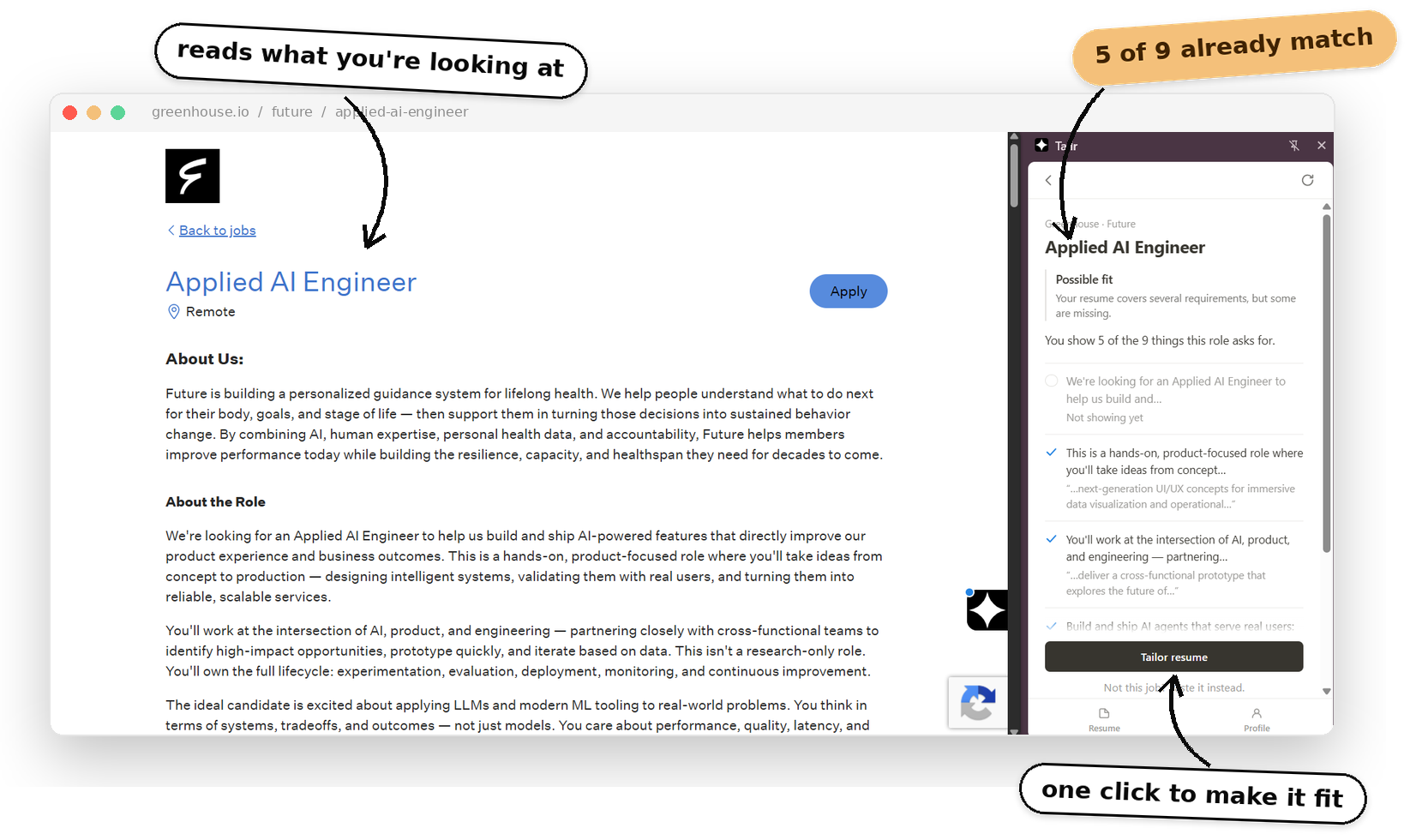
Why an extension, and not another website.
Most resume tools work like this: find a job, copy the description, open the tool in a new tab, paste it in, upload your resume again, wait, download, go back to the job. Seven steps before you’ve applied to anything, and by the fifth posting of the night you skip them all.
A Chrome extension can see the page you’re on. So Tailr does the reading for you. The posting is right there, your resume is already uploaded, and the side panel opens next to the job instead of on top of it. You tailor, download, and hit the site’s own apply button without leaving.
Works wherever the posting is.
Job boards, applicant tracking portals, a startup’s own careers page — Tailr reads the posting from the page itself, so it isn’t tied to any one site. If it ever misses one, paste the text into the panel and carry on.
- Greenhouse
- Lever
- Any careers page
LinkedIn · Linear
Product Engineer
Strong fit
Most requirements are already on your resume.
You show 7 of the 9 things this role asks for.
Tailor resume
Not this job? Paste it instead.
Setting it up
- Add Tailr from the Chrome Web Store.
- Upload your resume as a .docx. Once.
- Open any job posting. The side panel does the rest, and the tracker fills in as you go.
What it can see
The job posting you’ve opened, when you open the panel. Your resume and your application history live in your Chrome profile. When you tailor, the posting and your resume are sent off to write the suggestions, then discarded. Nothing is ever submitted on your behalf. The privacy policyis short enough to actually read.
Add it once. It shows up on every posting.
Install from the Chrome Web Store, upload your resume, and open the next job you find. That’s the whole setup.