Best Tools for Creating a Portfolio in 2026
· updated
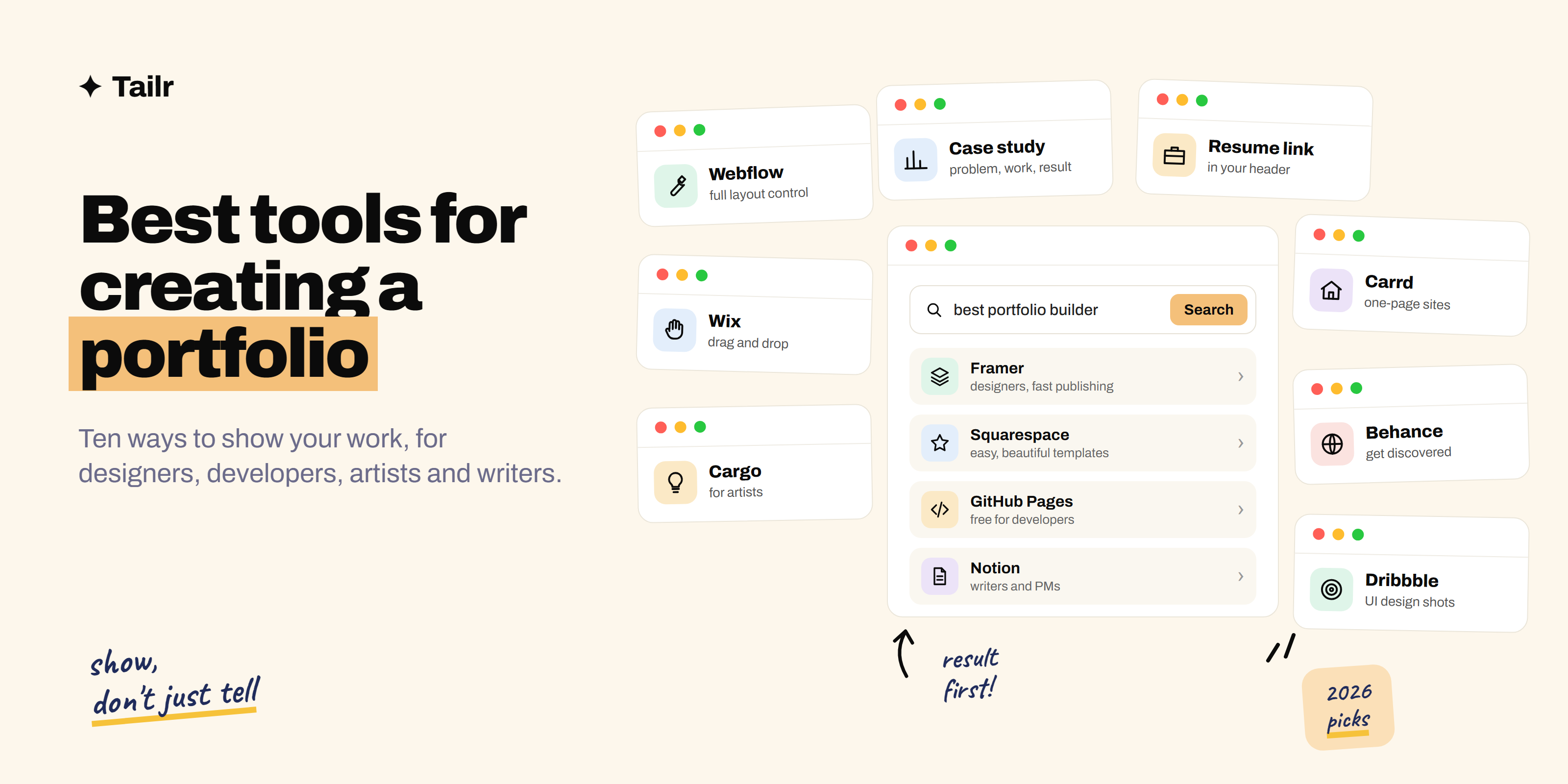
A portfolio is the part of your application that shows instead of tells. A resume says you redesigned a checkout flow; a portfolio lets the hiring manager see it. The tool you build it with matters less than people think, but picking the wrong one can cost you weeks fiddling with templates instead of writing up your work.
The short answer: the best tools for creating a portfolio in 2026 are:
- Framer: best for designers.
- Webflow: best for full control.
- Squarespace: easiest all-rounder for photographers and artists.
- Wix: most flexible drag-and-drop.
- Cargo: best for artists who want something unusual.
- Carrd: best one-page portfolio.
- Behance and Dribbble: best free showcases for getting discovered.
- GitHub Pages: best free option for developers.
- Notion: fastest for writers and product people.
Designers should start with Framer, developers with GitHub Pages, and everyone else with Squarespace or Notion.
What your portfolio needs to prove
Start from what the reader needs to see, then pick the tool:
- Designers need case studies: the problem, the process, the final screens, and the outcome. You want a tool that handles big images and long pages well.
- Developers need working code and a live demo, plus a short explanation of the decisions. A tool that connects to GitHub helps.
- Photographers and illustrators need the work to look great, fast. Gallery layouts matter more than text.
- Writers, marketers and product people need clear writing samples and results. Anything that publishes a clean page will do.
Whatever the field, a hiring manager spends a few minutes at most. Make the first project your best and put the result in the first paragraph.
1. Framer
Website: framer.com
Framer (framer.com) has become the default portfolio tool for designers. It feels like working in a design tool, but what you make is a live, fast website. Templates are strong, animations are easy, and publishing takes seconds. There’s a free plan on a Framer subdomain, with paid plans for a custom domain.
Why use it:
- Designer-friendly canvas, similar to Figma.
- Polished templates built for case studies.
- Fast publishing and good performance.
Best for: product, UX, and visual designers who want a modern portfolio quickly.
2. Webflow
Website: webflow.com
Webflow (webflow.com) gives you close to the control of writing code without writing it. You build layouts with real web concepts, like boxes, grids and classes, and it has a built-in content system that’s handy if you want a blog alongside your case studies. The learning curve is steeper than Framer or Squarespace.
Why use it:
- Precise control over layout and responsiveness.
- Built-in content system for case studies and blog posts.
- Skills transfer to real web design work.
Best for: web designers and anyone who wants their portfolio site to double as proof they can build for the web.
3. Squarespace
Website: squarespace.com
Squarespace (squarespace.com) is the easiest way to get a good-looking portfolio online. Its templates are known for strong image layouts, and everything you need, from hosting to a domain to contact forms, is in one place. It’s a paid service with a free trial.
Why use it:
- Beautiful templates that work with little effort.
- Everything in one subscription.
- Good gallery and image handling.
Best for: photographers, artists, and anyone who wants a polished site without learning a new tool.
4. Wix
Website: wix.com
Wix (wix.com) is a drag-and-drop site builder with hundreds of templates, including portfolio-specific ones. You can place elements anywhere on the page, which is freeing if you want an unusual layout. It has a free plan with Wix branding and a subdomain.
Why use it:
- Freeform drag-and-drop editing.
- Large template library.
- Free plan to start.
Best for: people who want lots of layout freedom without code.
5. Cargo
Website: cargo.site
Cargo (cargo.site) is a site builder popular with artists, studios, and design students. Its templates are more experimental than the mainstream builders, and the sites tend to look like an art project rather than a business. It’s a good pick if standing out visually matters more than conventional structure.
Why use it:
- Distinctive, experimental templates.
- Popular in art and design communities.
- Simple editor.
Best for: artists, illustrators, and creative studios.
6. Carrd
Website: carrd.co
Carrd (carrd.co) builds simple one-page sites. For a portfolio, that means a clean page with your intro, a few project links, and a contact button. It’s free to start, and the paid plans that add a custom domain are very cheap.
Why use it:
- One page, ready in an hour.
- Very low cost.
- Great as a link hub pointing to work elsewhere.
Best for: anyone who needs a simple, professional landing page for their work right now.
7. Behance
Website: behance.net
Behance (behance.net) is Adobe’s free showcase for creative work. You post projects as long scrolling case studies, and people browse and follow creators. It isn’t your own website, but it’s a strong place to be discovered, and recruiters for creative roles do browse it.
Why use it:
- Free and quick to set up.
- Built-in audience of creatives and recruiters.
- Works well alongside a personal site.
Best for: graphic designers, illustrators, and brand designers.
8. Dribbble
Website: dribbble.com
Dribbble (dribbble.com) is a showcase community for designers, centred on short visual shots rather than long case studies. It has a job board and a way for clients to hire designers directly. It’s best as a second channel, not your main portfolio, because it shows the final pixels more than the thinking behind them.
Why use it:
- Visibility with design-focused clients and hiring teams.
- Job board and freelance projects.
- Quick to post small pieces of work.
Best for: UI and visual designers, especially freelancers.
9. GitHub Pages
Website: pages.github.com
GitHub Pages (pages.github.com) hosts a static website straight from a GitHub repository, for free (how to deploy a website on GitHub Pages shows how). You can write plain HTML, use a static site generator, or start from a portfolio template. It shows you can ship something, and every project can link to its code.
Why use it:
- Free hosting, including a custom domain.
- Lives next to your code on GitHub.
- The site itself is proof of your skills.
Best for: software developers, data scientists, and anyone technical.
10. Notion
Website: notion.com
Notion (notion.com) lets you publish any page to the web. For writers, marketers, and product managers whose work is mostly words and results, a tidy Notion page with a short intro and links to writing samples or case studies is often enough, and you can have it live in an afternoon.
Why use it:
- Fastest way from notes to a public page.
- Free plan works.
- Easy to update as you go.
Best for: writers, marketers, and product people.
Comparison at a glance
| Tool | Free option | Custom domain | Learning curve | Best for |
|---|---|---|---|---|
| Framer | Yes | Paid | Low | Designers |
| Webflow | Yes | Paid | High | Web designers |
| Squarespace | Trial | Included | Low | Photographers, artists |
| Wix | Yes | Paid | Low | Freeform layouts |
| Cargo | Limited | Paid | Low | Artists, studios |
| Carrd | Yes | Paid, cheap | Very low | One-page portfolios |
| Behance | Yes | No | Very low | Creative discovery |
| Dribbble | Yes | No | Very low | UI designers |
| GitHub Pages | Yes | Free | Medium | Developers |
| Notion | Yes | Paid | Very low | Writers, product people |
How to build a portfolio quickly
- Pick three projects. Your best, your most relevant to the jobs you want, and one that shows range.
- Write each one as a short case study. Problem, your role, what you did, result. Lead with the result.
- Use a template. Don’t design the portfolio from scratch unless the portfolio itself is the proof.
- Add a short bio, contact link, and resume. Make it easy to take the next step.
- Ship it in a weekend. Then improve one project a week.
A concrete example. Weak case study opening: “For this project I worked on the checkout page.” Stronger: “I redesigned the mobile checkout for a grocery app and cut drop-off at the payment step by 18%. Here’s how.” The second tells the reader why to keep scrolling.
Match your portfolio and resume to each job
A portfolio works best when your resume points to it. If a listing asks for experience with design systems, lead your resume with that and link the case study that proves it. If you’re applying for a data role, move the analysis project to the top.
Tailr is a browser extension that tailors your resume from the job listing you’re viewing, drafts a cover letter, and tracks the application, so the resume that goes with your portfolio always fits the role. For more on that, see how to tailor your resume to a job description, and if you’re early in your career, how to write a resume with no experience covers how to use projects in place of job history.
Conclusion
Designers should start with Framer, or Webflow if they want more control. Photographers and artists will get the best result for the least effort from Squarespace or Cargo. Developers should use GitHub Pages. Writers and product people can ship a strong portfolio in Notion in an afternoon. Add Behance or Dribbble if you want to be discovered, and Carrd if you just need a link hub.
Whichever you pick, the content matters more than the tool: three strong projects, each written up with the result first.
Try Tailr to tailor the resume that goes with your portfolio to every job you apply for.
Frequently asked questions
01What is the best tool to create a portfolio?
For most designers, Framer is the best tool in 2026 because it looks polished, works like a design tool, and publishes quickly. Squarespace is the easiest all-round choice for photographers and artists, and GitHub Pages is the best free option for developers. The right pick depends on what your portfolio needs to prove.
02Can I make a portfolio for free?
Yes. GitHub Pages hosts a portfolio site for free, Behance and Dribbble let you post projects at no cost, Notion can publish a page to the web on its free plan, and Framer, Wix and Webflow all have free plans with a branded subdomain. A custom domain usually costs extra.
03Do I need a personal website or is Behance enough?
Behance or Dribbble is enough to start and helps people discover your work. A personal website is better once you're applying seriously, because you control the layout, can write full case studies, and have a single link that looks like yours on a resume.
04What should a portfolio include?
Three to six of your strongest projects, each with the problem, what you did, and the result, plus a short bio, a way to contact you, and a link to your resume. Quality beats quantity: a hiring manager will look at two projects closely and skim the rest.
05Do developers need a portfolio?
It helps, especially early in your career. A simple site that links to two or three well-documented GitHub projects, with a live demo and a short write-up of the decisions you made, gives a hiring manager far more to go on than a resume line.
06Should I put my portfolio link on my resume?
Yes. Put it in your header next to your email and LinkedIn, and use a short, clean URL. If a job listing asks for a portfolio, also mention the most relevant project from it in your cover letter so the reader knows where to look first.