How to Deploy a Website on GitHub Pages (Free, Step by Step)
· updated
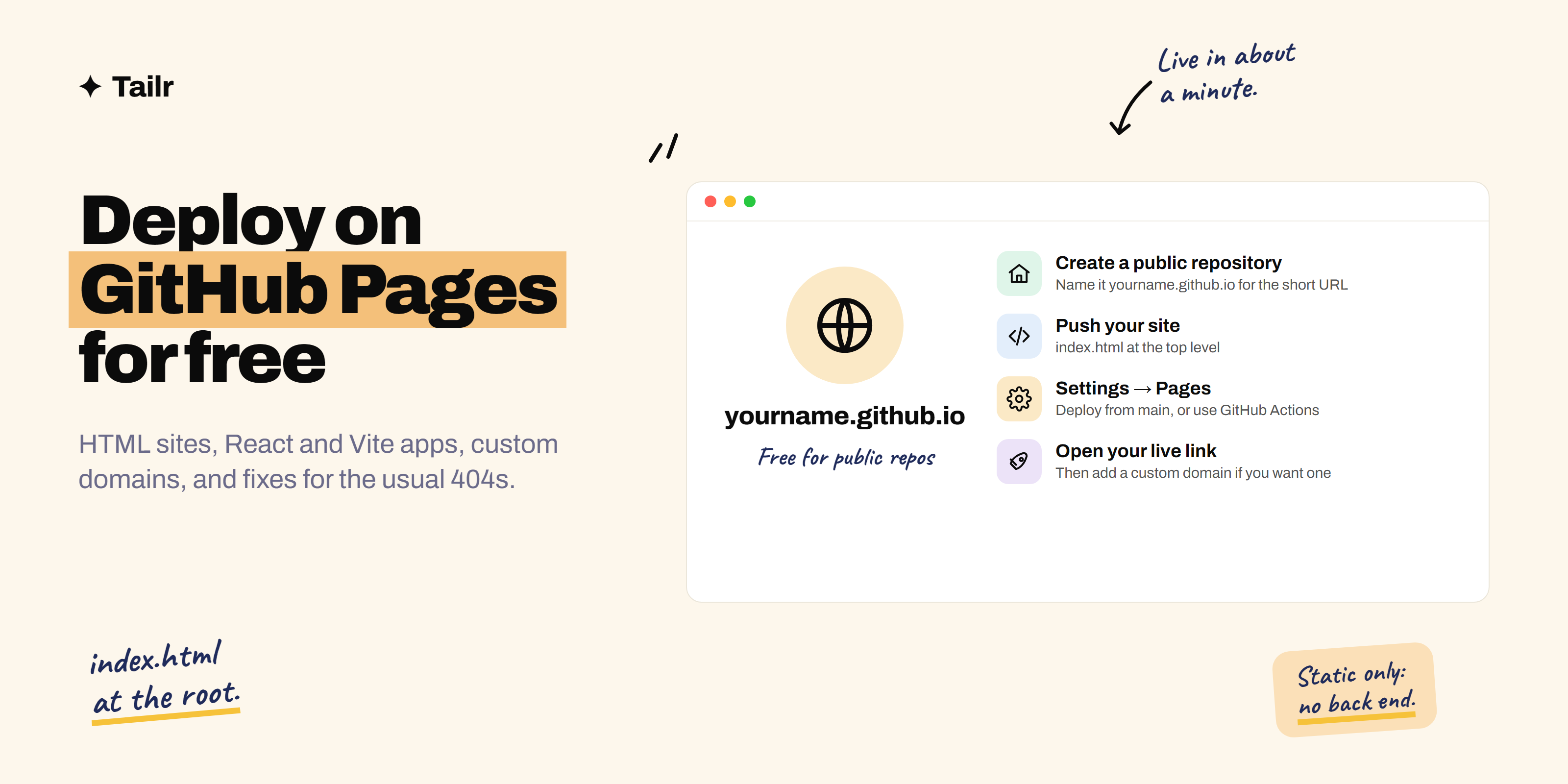
If you’ve built a website, a portfolio or a weekend project, the next step is putting it online so people can click a link instead of reading about it. GitHub Pages is the simplest free way to do that: you push your code to GitHub, flip one setting, and get a live address like yourname.github.io. This guide covers every common case, from a plain HTML page to a React app, plus custom domains and the errors almost everyone hits.
The short answer: To deploy a website on GitHub Pages:
- Create a public repository on GitHub.
- Upload or push your site so
index.htmlis at the root. - Go to Settings → Pages, set Source to Deploy from a branch, choose
mainand/ (root), and save. - Wait a minute and open
https://yourusername.github.io/repository-name/.
For a React, Vite or other framework app, set Source to GitHub Actions and use a workflow that builds the site and publishes the output folder. It’s free for public repositories, but it only hosts static files, not back ends or databases.
What GitHub Pages is and when to use it
GitHub Pages is free static hosting built into GitHub (github.com). “Static” means it serves files as they are: HTML, CSS, JavaScript, images, PDFs. There’s no server running your code.
Great for: portfolios, resumes, project demos, documentation, blogs built with static site generators (Astro, Jekyll, Hugo, Eleventy), and front-end apps built with React, Vue or Svelte.
Not for: anything that needs a server or database (login systems with your own back end, APIs, form processing). For those, use Vercel, Netlify, Render or Railway.
Limits worth knowing (from GitHub’s docs): published sites can be up to 1 GB, there’s a soft bandwidth limit of 100 GB per month, and a soft limit of 10 builds per hour when publishing from a branch. It’s free on public repositories; private repositories need a paid plan. It’s also not meant for commercial sites like online shops.
Before you start
- A free GitHub account.
- Your website files, with the home page named
index.html(lowercase). - Optional: Git installed on your computer, if you’d rather push from the command line than upload in the browser.
Method 1: deploy a plain HTML site (no command line)
Best for a simple portfolio or a site built as HTML, CSS and JavaScript files.
- Create a repository. On GitHub, click New repository. Name it anything (say
portfolio), set it to Public, and create it. - Upload your files. Click Add file → Upload files, drag in your site’s files and folders, and click Commit changes.
index.htmlmust be at the top level, not inside a folder. - Turn on Pages. Go to Settings → Pages. Under Build and deployment, set Source to Deploy from a branch, choose main and / (root), and click Save.
- Open your site. After a minute, the Pages settings page shows your address:
https://yourusername.github.io/portfolio/. Progress shows in the Actions tab.
Want the short address? Name the repository exactly yourusername.github.io. It then publishes at https://yourusername.github.io/ with no folder name, which is perfect for a personal portfolio.
Method 2: deploy with Git from your computer
Same result, but repeatable: every time you push, the site updates.
cd my-site
git init
git add .
git commit -m "First version of my site"
git branch -M main
git remote add origin https://github.com/yourusername/my-site.git
git push -u origin main
Then turn on Pages in Settings → Pages as in Method 1. From now on, updating the site is:
git add .
git commit -m "Update projects section"
git push
Method 3: deploy a React, Vite or other framework app with GitHub Actions
Framework apps need a build step (npm run build) that produces the real static files, usually in a dist or build folder. GitHub Actions can run that build for you on every push.
Step 1: set the base path (Vite). If your site will live at yourusername.github.io/my-app/, tell Vite about the folder name in vite.config.js:
import { defineConfig } from 'vite'
import react from '@vitejs/plugin-react'

export default defineConfig({
  plugins: [react()],
  base: '/my-app/',
})
Skip this if the repository is named yourusername.github.io or you’re using a custom domain; then the base is /.
Step 2: add the workflow. Create .github/workflows/deploy.yml:
name: Deploy to GitHub Pages

on:
  push:
    branches: [main]
  workflow_dispatch:

permissions:
  contents: read
  pages: write
  id-token: write

concurrency:
  group: pages
  cancel-in-progress: true

jobs:
  build:
    runs-on: ubuntu-latest
    steps:
      - uses: actions/checkout@v4
      - uses: actions/setup-node@v4
        with:
          node-version: 20
          cache: npm
      - run: npm ci
      - run: npm run build
      - uses: actions/upload-pages-artifact@v3
        with:
          path: ./dist

  deploy:
    needs: build
    runs-on: ubuntu-latest
    environment:
      name: github-pages
      url: ${{ steps.deployment.outputs.page_url }}
    steps:
      - id: deployment
        uses: actions/deploy-pages@v4
Change ./dist to ./build if you use Create React App, or to your framework’s output folder. Check the action versions against GitHub’s Pages docs if the run warns they’re outdated.
Step 3: switch the source. In Settings → Pages, set Source to GitHub Actions. Push to main, watch the run in the Actions tab, and the deploy step prints your live URL.
Framework notes:
- Astro, Next.js (static export), SvelteKit (static adapter), Hugo, Jekyll: GitHub’s Pages settings suggest starter workflows for many of these; use them.
- Next.js needs
output: 'export'in its config to produce static files. Features that need a server won’t work. - Single-page apps with client-side routing (React Router): refreshing
/aboutreturns a 404 because there’s noabout.html. Either use hash routing, or copyindex.htmlto404.htmlin the build step.
Method 4: let Claude or another AI tool set it up
If you built the site with an AI coding tool, ask it to handle deployment too. A prompt that works:
Set this project up to deploy on GitHub Pages at
https://yourusername.github.io/my-app/. Add the GitHub Actions workflow,
set the correct base path, handle client-side routing refreshes,
and tell me exactly which settings to change on GitHub.
Claude Code can create the files, commit and push for you. Read what it changed before you push, and never let it put API keys in files that will be public.
Add a custom domain
A domain like yourname.dev looks more professional on a resume. Domains cost roughly $10–15 a year from registrars such as Cloudflare, Porkbun or Namecheap.
- In Settings → Pages → Custom domain, enter your domain (e.g.
www.yourname.dev) and save. - At your registrar’s DNS settings:
- For
www: add a CNAME record pointingwwwtoyourusername.github.io. - For the root domain (
yourname.dev): add A records pointing to GitHub’s Pages IP addresses, listed in GitHub’s “Managing a custom domain” docs (docs.github.com).
- For
- Wait for DNS to update (minutes to a few hours), then tick Enforce HTTPS.
GitHub also recommends verifying your domain in your account settings so no one else can claim it for their Pages site.
Common errors and how to fix them
| Problem | Likely cause | Fix |
|---|---|---|
| 404 on the home page | No index.html at the published root, or wrong branch/folder selected |
Move index.html to the root; check Settings → Pages |
| Blank page, React/Vite app | Wrong base path, so JS and CSS load from the wrong URL | Set base: '/repo-name/' and rebuild |
| CSS or images missing | Paths start with / and skip the repo folder, or wrong filename case |
Use relative paths (./style.css); match case exactly |
| Refreshing a page gives 404 | Client-side routing | Hash routing, or copy index.html to 404.html |
Files or folders starting with _ are missing |
Jekyll processing ignores them | Add an empty .nojekyll file to the root |
| Site not updating | Browser cache, or the Actions run failed | Hard refresh; check the Actions tab for red runs |
| Pages option unavailable | Private repository on a free plan | Make the repository public, or upgrade |
GitHub Pages vs Vercel vs Netlify
| GitHub Pages | Vercel | Netlify | |
|---|---|---|---|
| Price for personal use | Free (public repos) | Free Hobby plan | Free plan |
| Static sites | Yes | Yes | Yes |
| Server code / API routes | No | Yes (serverless functions) | Yes (functions) |
| Preview link per pull request | No (without extra setup) | Yes | Yes |
| Commercial use on free plan | Not intended | Not allowed on Hobby | Allowed within limits |
| Best for | Portfolios, docs, static projects | Next.js and full-stack apps | Static sites with forms and functions |
Rule of thumb: static portfolio or project demo → GitHub Pages. Anything with a back end, or a Next.js app → Vercel (see how to deploy on Vercel for free). How to build a portfolio to get hired in 2026 walks through both.
After you deploy: make it count
- Put the link everywhere: resume header, LinkedIn Featured section, GitHub profile, email signature.
- Add the live link to the repository’s About box on GitHub so visitors can find it.
- Write a README with a screenshot, what it does and how to run it.
- Check it on your phone. Recruiters often open links on mobile.
Need something to deploy? Weekend projects to build with Claude to get hired has one per role.
Tailor your resume around what you shipped
A live project is strongest on your resume when the bullet describing it matches what each job is asking for. The same project can lead with “accessible UI” for a front-end role and “CI/CD with GitHub Actions” for a DevOps role. Tailr is a Chrome extension that tailors your resume to the job listing you’re viewing, using only your real experience, then writes the cover letter and tracks the application.
Try TailrConclusion
Deploying on GitHub Pages takes a few minutes: public repository, index.html at the root, turn on Pages, open the link. For framework apps, add a GitHub Actions workflow and set the base path. Once it’s live, add a custom domain if you want one, fix the usual 404s with the table above, and put the link on everything you send to employers.
Frequently asked questions
01Is GitHub Pages free?
Yes. GitHub Pages is free for public repositories on a free GitHub account. Publishing from a private repository needs a paid plan such as GitHub Pro. Sites can be up to 1 GB, with a soft bandwidth limit of 100 GB a month, which is far more than a portfolio or project site needs.
02How long does GitHub Pages take to deploy?
Usually under a minute or two after you push. You can watch progress in the Actions tab of your repository. If the site doesn't appear after about 10 minutes, check the Actions tab for a failed run and make sure your repository is public and Pages is turned on in Settings.
03Can GitHub Pages host a React app?
Yes, as long as it's a static front end. Build it with a GitHub Actions workflow that runs npm run build and publishes the output folder. For Vite, set the base option to your repository name, and use hash routing or a 404.html copy of index.html so page refreshes don't 404.
04Can GitHub Pages run a back end or database?
No. GitHub Pages only serves static files: HTML, CSS, JavaScript and images. For server code, databases or API routes, use a host like Vercel, Netlify, Render or Railway, or call a hosted API from your static front end.
05Why is my GitHub Pages site showing a 404?
Common causes: there's no index.html at the root of the folder you're publishing, the wrong branch or folder is selected in Settings then Pages, the file is named Index.html (names are case-sensitive), or a React app is using paths without the repository name as its base. Fix the setting or file, push again and wait a minute.
06How do I use a custom domain with GitHub Pages?
In Settings then Pages, enter your domain under Custom domain. At your domain registrar, add a CNAME record pointing www to yourusername.github.io, and for the root domain add A records to GitHub's four Pages IP addresses listed in GitHub's docs. Once DNS verifies, tick Enforce HTTPS.