What Is API Testing? Types, Tools and How to Start
· updated
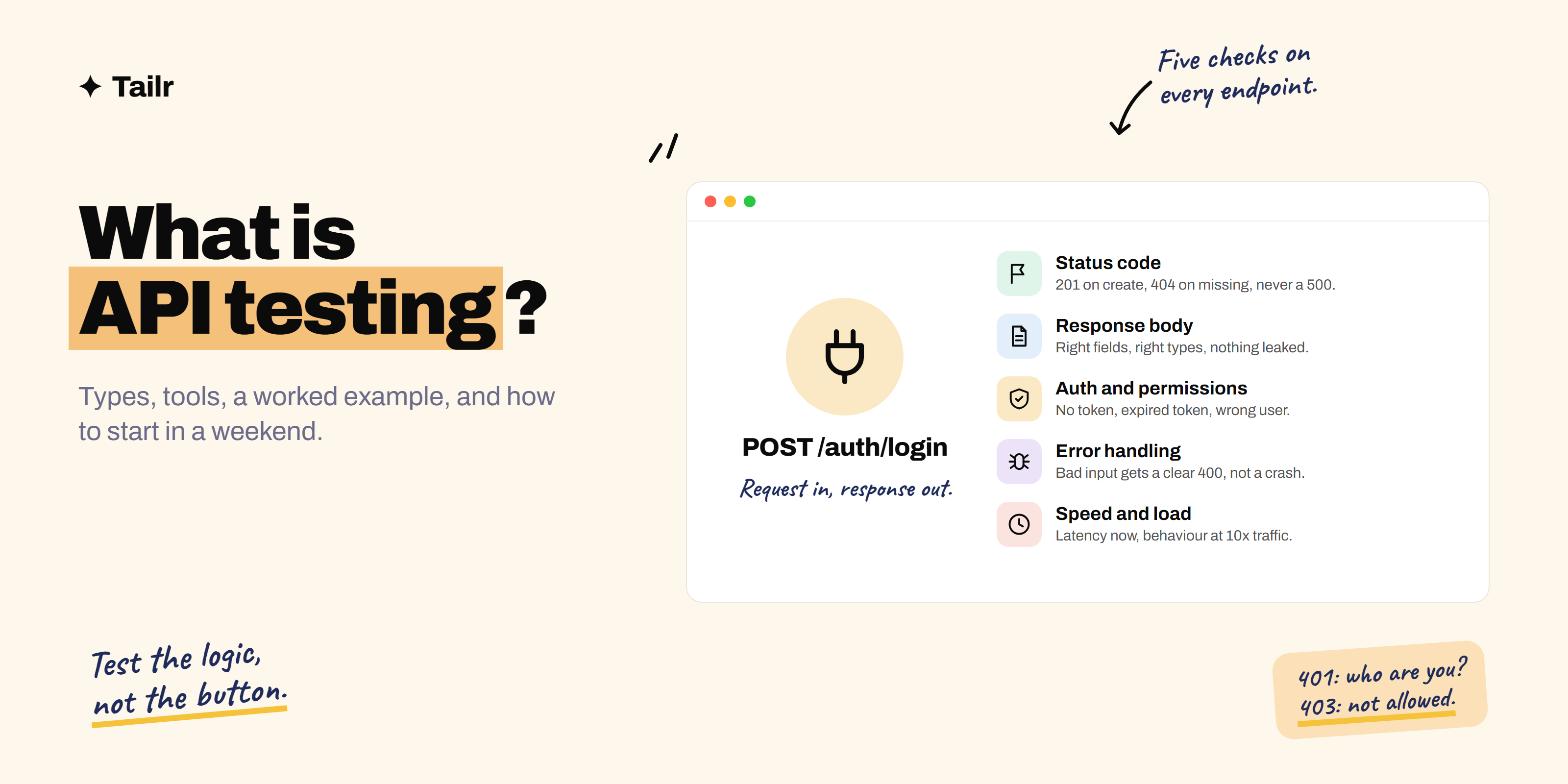
Most of what an application does happens away from the screen. When you tap “Pay”, a request goes to a server, that server talks to three other services, and a response comes back that the app turns into a green tick. API testing is how you check that hidden layer directly, without waiting for someone to build the button.
The short answer: API testing is sending requests to an application’s programming interface (its endpoints) and checking the responses against what the specification says should happen. You verify five things for each endpoint:
- The status code.
- The shape and values of the data.
- How it handles bad input and missing permissions.
- How fast it responds.
- How it behaves under load.
It sits between unit tests (which check a single function) and UI tests (which check the whole screen), and it’s where most teams get the best return on testing effort, because API tests are fast, stable and catch logic bugs before a user interface exists.
What an API is, in one paragraph
An API is a contract: send a request shaped like this, get a response shaped like that. For web applications, the most common style is REST over HTTP. A request has a method (GET to read, POST to create, PUT or PATCH to update, DELETE to remove), a URL path such as /v1/orders/123, optional headers (including the authentication token), and sometimes a body, usually JSON. The response has a status code (200 means fine, 404 means not found, 500 means the server broke), headers, and usually a JSON body. GraphQL and gRPC are the other two styles you’ll meet, and the testing ideas carry over; only the tooling changes.
Why teams test at the API layer
- It’s fast. An API test takes milliseconds. A UI test that clicks through the same flow takes seconds and breaks whenever a button moves.
- It’s early. The backend is usually built before the frontend. API tests let you find logic bugs weeks before there’s a screen to click.
- It’s precise. When a UI test fails you know something is wrong somewhere. When an API test fails you know which endpoint, which input and which field.
- It covers what the UI can’t reach. Rate limits, malformed input, expired tokens, concurrent requests and third-party integrations are hard or impossible to trigger from the interface.
- It’s what the business runs on. Mobile apps, partner integrations and internal tools all call the same endpoints. A broken API breaks all of them at once.
The five things you check on every endpoint
1. Status code. Did the server say what it should have? A successful create should return 201, not 200. A missing record should return 404, not 200 with an empty body. Invalid input should return 400 or 422, never 500.
2. Response body. Is the data correct and complete? Check the fields that exist, their types, their values, and the ones that shouldn’t be there. A /users/me response that includes password_hash is a bug even if everything else is right.
3. Headers. Content type, caching, CORS, pagination links, rate-limit counters. Easy to ignore, and the source of a surprising number of production incidents.
4. Error handling. Send the wrong type, an empty string, a negative number, a 10 MB payload, a missing required field. The endpoint should refuse clearly and consistently, with a message that helps the caller fix it.
5. Authentication and authorisation. No token, an expired token, a valid token for a different user, a valid token without the right role. Each should be refused with the right code: 401 when the server doesn’t know who you are, 403 when it does and you’re not allowed.
Types of API testing
| Type | Question it answers | Typical tool |
|---|---|---|
| Functional | Does each endpoint do what the spec says? | Postman, Bruno, pytest, REST Assured |
| Contract | Do request and response shapes match what consumers expect? | Pact, OpenAPI validators |
| Integration | Do chains of dependent calls work end to end? | The same tools as functional, plus test data setup |
| Security | Can someone read or change what they shouldn’t? | OWASP ZAP, Burp Suite, manual probing |
| Performance and load | How fast is it, and what happens at 10× traffic? | k6, JMeter, Gatling |
| Negative and fuzz | What happens with garbage input? | Schemathesis, custom scripts |
Functional testing is where everyone starts. Contract testing matters most when different teams own the API and its consumers, because it catches “we renamed a field” before the mobile app breaks. Load testing is worth doing before any launch you’re planning to advertise. We’ve covered where all of these fit in the wider picture in what is software testing.
A worked example: testing a login endpoint
Say the spec says POST /auth/login takes an email and password and returns a token. Here’s what a reasonable first pass covers:
Happy path
- Valid credentials return 200, a body with a
tokenstring and anexpires_innumber, and aContent-Type: application/jsonheader. - The token works on a protected endpoint straight afterwards.
Bad input
- Wrong password returns 401 with a generic message. It should not say “password incorrect” (that confirms the email exists).
- Unknown email returns the same 401 with the same message, in roughly the same time, for the same reason.
- Missing email or password returns 400 with a message naming the missing field.
- Email in the wrong format returns 400.
- Extra unexpected fields are ignored, not saved.
Security
- Six wrong passwords in a row triggers rate limiting (429) or a lockout.
- The password never appears in any response or log.
- The token can’t be reused after logout.
Edge cases
- Email with different capitalisation still logs in.
- Very long email or password is rejected cleanly, not with a 500.
That’s fifteen checks for one endpoint, and every one of them is something a UI test would struggle to reach. If you’re preparing for a QA interview, this is exactly the kind of answer that lands well; our API testing interview questions has fifty more.
The tools, and when to use each
For exploring and manual testing
- Postman (postman.com) is still the default. Collections, environments, a scripting sandbox for assertions, and a runner for executing a collection in sequence. The free tier is enough to learn on.
- Bruno (usebruno.com) is an open-source alternative that stores collections as plain text files in your repo, which makes them easy to version and review. Many teams have moved to it for exactly that reason.
- Insomnia (insomnia.rest) and Hoppscotch (hoppscotch.io, runs in the browser) are lighter options for the same job.
- curl is always there and worth knowing. Copying a request “as curl” from browser developer tools is the fastest way to reproduce a bug.
For automated tests in code
- Python:
pytestwithrequestsorhttpx. Readable, quick to write, and the most common choice on QA teams. - JavaScript/TypeScript:
supertestfor Node services, or Playwright’s built-inrequestfixture if you’re already using Playwright for UI tests. - Java: REST Assured, a fluent library that’s been the standard for a decade.
- Karate lets you write API tests in a plain-text syntax without a general-purpose language, which some teams prefer for shared ownership.
For contract, load and security
- Pact for consumer-driven contracts. Schemathesis generates tests from an OpenAPI spec and finds inputs that break the server.
- k6 (Grafana’s, scripted in JavaScript) is the modern choice for load testing; JMeter is the old one and still everywhere.
- OWASP ZAP is free and finds the common security problems; Burp Suite is what professional testers use.
We compare the wider set in best tools for QA and software testing.
How to start, in a weekend
- Pick a public API. The GitHub REST API, the Open Library API or any of the free practice APIs (reqres.in, jsonplaceholder.typicode.com) will do. Read its documentation and list the endpoints.
- Send requests by hand. In Postman or Bruno, hit five endpoints. For each, note the status code, the shape of the body and the headers. Change one thing at a time and see what breaks.
- Write the checks down. For each endpoint, write a short table like the login example above: happy path, bad input, auth, edge cases.
- Automate three of them. Install pytest and requests, write a test file that calls the endpoint and asserts on the code and one field. Run it. Break the assertion on purpose so you see a failure.
- Put it in a pipeline. A GitHub Actions workflow that runs your tests on every push is about ten lines of YAML. Now you have a real, if small, API test suite.
Do this once and you’ll understand more about API testing than most courses will teach you, because you’ll have hit the messy parts: authentication, test data, flaky third-party endpoints, and deciding what’s actually worth asserting.
Common mistakes
- Asserting only on the status code. A 200 with the wrong data is still a bug. Check at least the fields that matter.
- Testing through the UI what you could test through the API. Slower, flakier, and it hides the cause when it fails.
- Hard-coding data. Tests that depend on “user 42 exists” break the moment someone cleans the database. Create what you need, then delete it.
- Ignoring negative cases. The happy path is usually fine; the bugs live in what happens with bad input.
- Skipping the contract. If two teams share an API and neither tests the contract, the field rename will reach production.
API testing on your resume
API testing is asked for by name in most QA, SDET and backend listings, but the phrasing varies. One asks for “REST API testing with Postman”, another for “API automation in Python”, a third for “contract testing and CI integration”. Read each listing for which tools and which layer it means, and lead your resume with that, with numbers: how many endpoints you covered, what the suite caught, how long it takes to run.
Tailr does this from the listing itself: it’s a browser extension that tailors your resume to the specific job you’re viewing, so a Postman-heavy manual role and a pytest-heavy automation role each get the version of your experience they’re looking for, and it writes the matching cover letter and tracks the application. Try Tailr on the next QA listing you open.
Related guides
- 50 Manual Testing Interview Questions and Answers
- QA Engineer vs. SDET: Differences, Salary and Which to Choose
Conclusion
API testing is checking the layer where the real logic lives: send requests to each endpoint, check the status code, the data, the errors, the permissions and the speed, and do it before there’s a screen in the way. Start manually in Postman or Bruno, move the important checks into a small automated suite, and put it in a pipeline. It’s faster and more precise than UI testing, it’s the skill QA listings ask for most, and you can learn the fundamentals in a weekend with a public API and a list of what to check.
Frequently asked questions
01What is API testing in simple terms?
API testing sends requests directly to an application's endpoints and checks the responses, without going through the user interface. You confirm that each endpoint returns the right status code, the right data in the right shape, the right error when given bad input, and that it does so quickly and securely. It's how you test the logic of a system before, and independently of, the screens built on top of it.
02What is the difference between API testing and UI testing?
UI testing drives the application through its screens, the way a user would, and checks what appears. API testing skips the screens and talks to the backend directly. API tests are faster, more stable and catch logic bugs earlier; UI tests catch layout and interaction problems that API tests can't see. A healthy test suite has many API tests and fewer, more targeted UI tests.
03Which tools are used for API testing?
Postman is the most common tool for exploring and manually testing APIs, with Bruno, Insomnia and Hoppscotch as lighter alternatives. For automated tests, teams use REST Assured (Java), pytest with requests or httpx (Python), Supertest or Playwright's request API (JavaScript), and Karate for a keyword-driven approach. For load testing, k6, JMeter and Gatling are the usual choices.
04Do you need coding skills for API testing?
Not to start. You can do meaningful manual API testing in Postman or Bruno with no code: send requests, read responses, check status codes and payloads. To automate tests, integrate them into a pipeline and handle data setup, you'll need a scripting language. Python or JavaScript is enough, and most testers pick it up on the job.
05What are the main types of API testing?
Functional testing checks that endpoints do what the spec says. Contract testing checks that the request and response shapes match what consumers expect. Integration testing checks chains of calls that depend on each other. Security testing probes authentication, authorisation and input handling. Performance and load testing measure latency and behaviour under traffic. Most teams do all five to some degree.
06What is the difference between a 401 and a 403 status code?
A 401 Unauthorized means the request has no valid credentials: the server doesn't know who you are. A 403 Forbidden means the server knows who you are and you're not allowed to do this. If you send a request with no token and get a 403, or with another user's token and get a 401, that's a bug worth reporting.