What Is Software Testing? Types, Levels and Methods Explained
· updated
Every piece of software you use has been tested, and every outage, wrong total and broken button you’ve hit is a case where the testing missed something. Software testing is the discipline of finding those problems before users do, and it’s bigger and more varied than the phrase suggests: it ranges from a developer checking one function in milliseconds to a team simulating a million users, from a person exploring an app with no script to a pipeline that runs ten thousand checks on every code change. This is the whole map: what testing is, why it’s done, the levels, the types, the methods, and the tools and careers behind it.
The short answer: Software testing is the process of checking that software does what it should and doesn’t do what it shouldn’t, in order to find defects early and give a team confidence to release. It’s organised three ways:
- By level: unit, integration, system, acceptance.
- By purpose: functional testing (does it work) and non-functional testing (how well: performance, security, usability, accessibility, compatibility).
- By approach: manual or automated, black box or white box.
Real projects use a mix: developers write unit and integration tests, testers design and explore at system level, automation covers regression, and specialists handle performance and security. The best testing is designed in from the start, not bolted on at the end.
What software testing is
Testing is the comparison of what software actually does against what it’s supposed to do. “Supposed to” comes from requirements, specifications, user stories, design documents, and, when those are missing, from what a reasonable user would expect. Every test has the same shape: a starting state, an action, an expected result, and an actual result. A defect is a gap between the last two.
It’s useful to separate three things that get bundled together:
- Testing is the activity: designing and running checks, and reporting what’s found.
- Quality assurance (QA) is the wider set of processes meant to prevent defects: reviews, standards, ways of working. Testing is one part of it. In practice “QA” is also the job title most testers have.
- Debugging is what developers do after a test finds a defect: locating and fixing the cause. Testing finds; debugging fixes.
Why testing matters
- Defects get more expensive the later they’re found. A requirement misunderstanding caught in a review costs a conversation. The same misunderstanding caught in production costs a hotfix, a support queue, possibly customers. The multiplier from design stage to production is commonly estimated at ten to a hundred times.
- Confidence to change things. A codebase with good tests can be changed quickly, because the tests say what broke. A codebase without them can’t, and slows to a crawl.
- It’s how requirements get clarified. Writing “how would we test this” for a feature exposes the ambiguities before code is written.
- Some failures are unacceptable. Payments, medical devices, vehicles, aviation, anything with personal data. Testing there isn’t a phase; it’s a regulatory requirement.
The seven principles of testing
The standard list, from the ISTQB syllabus, is worth knowing because it explains why testing is organised the way it is:
- Testing shows the presence of defects, not their absence. Passing tests means you didn’t find anything, not that nothing’s there.
- Exhaustive testing is impossible. A form with ten fields of ten valid values each has ten billion combinations. You choose what to test.
- Early testing saves time and money. See above.
- Defects cluster. A small number of modules usually contain most of the bugs. Test them harder.
- The pesticide paradox. The same tests, run repeatedly, stop finding new defects. Tests need to evolve.
- Testing is context-dependent. A game and a pacemaker are tested differently.
- Absence of errors is a fallacy. A bug-free product that doesn’t meet the user’s need is still a failure.
The four levels of testing
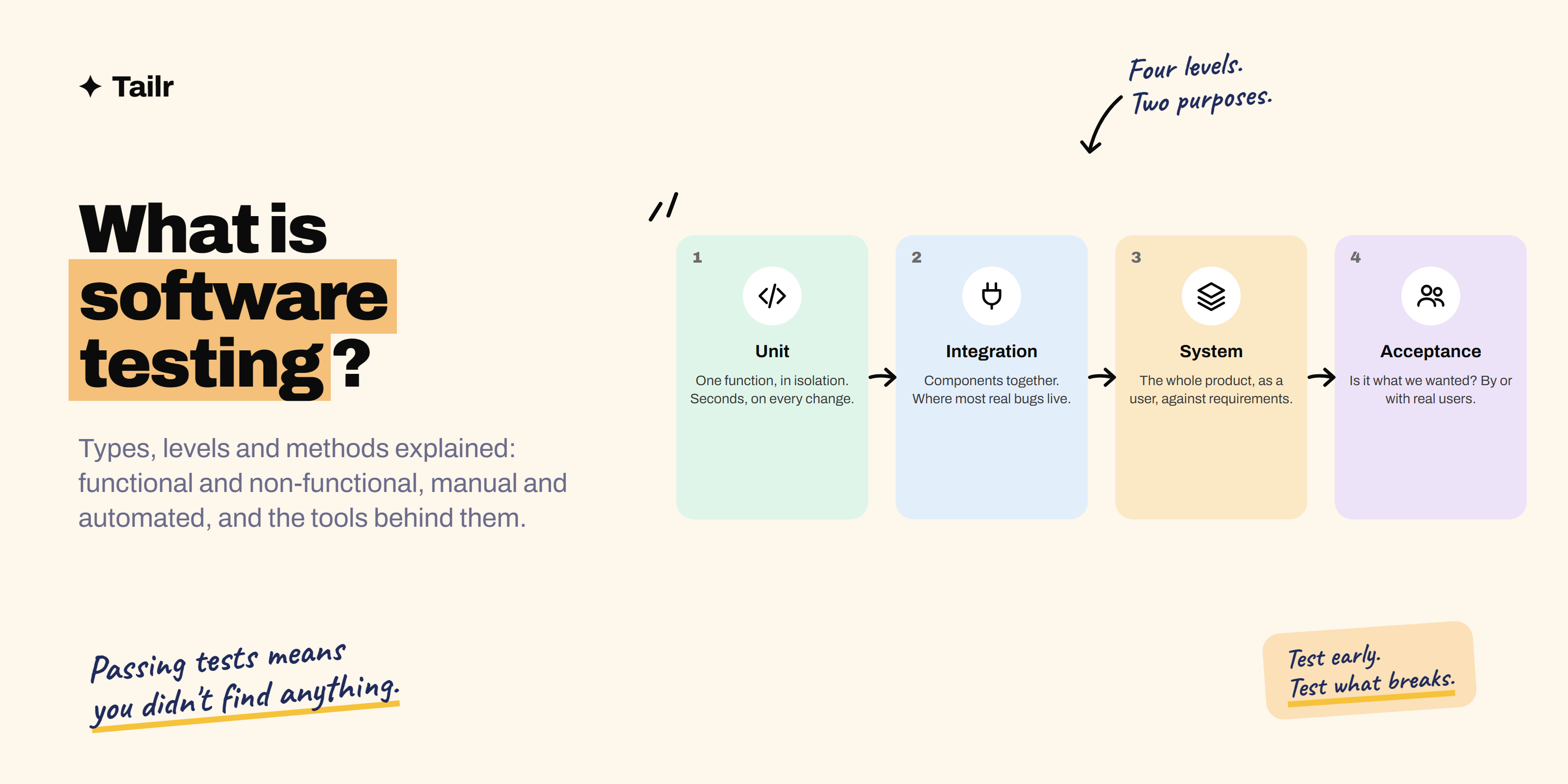
Levels describe how much of the system is under test. Each catches a different kind of defect.
1. Unit testing
Testing the smallest pieces, a function, a method, a class, in isolation, with dependencies replaced by fakes. Written by developers, in the same language as the code, run in seconds on every change. A unit test for a “calculate discount” function checks that a 10 percent coupon on ₹1,000 returns ₹900, that a zero coupon returns the original, that a negative amount is rejected. Tools: JUnit, pytest, Jest, NUnit, Go’s testing package.
2. Integration testing
Testing that units work together: a service and its real database, an API and the service behind it, two microservices, a frontend and its backend. This is where most real bugs live: the function was fine, the database column was the wrong type, the two services disagreed about a date format. Tools: the same frameworks plus test containers, API clients, contract testing tools like Pact.
3. System testing
Testing the complete, integrated product as a user would, against the requirements. Does the whole checkout flow work, from cart to confirmation email? This is the level most manual testers and end-to-end automation work at. Tools: Playwright, Selenium, Cypress for the browser; Appium for mobile; Postman or REST Assured for APIs.
4. Acceptance testing
Testing that the product meets the business or customer need, usually by or with the people who’ll use it. User acceptance testing (UAT), alpha and beta releases, and contractual acceptance all sit here. The question shifts from “does it work” to “is it what we wanted”.
A useful mental model is the test pyramid: many fast unit tests at the bottom, fewer integration tests, fewer still system-level end-to-end tests at the top. The pyramid is a guide to where automation effort pays off, not a rule.
Functional testing types
Functional testing checks that the software does the right thing. The main types, most of which appear in every project:
- Smoke testing: a quick, broad check on a new build that the main paths work at all. “Does it install, launch, log in, and load the home screen?” Run first; if it fails, nothing else is worth running.
- Sanity testing: a narrow, deep check after a specific fix or small change: does the fix work, and did it break the area around it? Often unscripted.
- Regression testing: re-running existing tests after a change to confirm nothing that used to work has broken. The bulk of most automation suites.
- Retesting: running the specific test that failed, after the fix, to confirm the fix. Different from regression: retesting is about the bug; regression is about everything else.
- Exploratory testing: simultaneous learning, test design and execution, by a skilled tester with a charter (“explore checkout with unusual quantities and currencies”) and notes, but no script. Finds the defects nobody thought to write a test case for.
- Ad hoc testing: unplanned, unscripted, intuition-driven. Like exploratory but without the structure.
- User acceptance testing (UAT): real users or their representatives run real business scenarios before go-live.
- Alpha and beta testing: early releases to internal users (alpha) and then to a subset of real customers (beta).
- Interface and API testing: testing the contracts between components directly, without a UI. 50 API testing interview questions covers it in depth.
- Localisation and internationalisation testing: does the product work correctly in each language, currency, date format and text direction it supports?
- Accessibility testing: can people using screen readers, keyboard-only navigation, magnification or other assistive technology use it? Increasingly a legal requirement.
Non-functional testing types
Non-functional testing checks how well the software does what it does. A product can pass every functional test and still be unusable.
- Performance testing: how fast is it under normal conditions? Response times, throughput, resource use.
- Load testing: how does it behave at expected peak load? A thousand concurrent users on the checkout, say.
- Stress testing: what happens beyond peak? Where does it break, and does it recover?
- Soak or endurance testing: does it degrade over hours or days of sustained use? Memory leaks show up here.
- Scalability testing: does adding resources add capacity proportionally?
- Security testing: can it be broken into? Authentication and authorisation flaws, injection, data exposure, misconfiguration. Includes penetration testing by specialists and automated vulnerability scanning.
- Usability testing: can real people accomplish their goals without frustration? Usually observed sessions with representative users.
- Compatibility testing: does it work across the browsers, devices, operating systems and versions it claims to support?
- Reliability and recovery testing: how does it behave when a dependency fails, the network drops, or the server restarts?
- Maintainability and portability: less often tested directly, but assessed through code quality tools and deployment exercises.
Tools: k6, JMeter, Gatling and Locust for performance and load; OWASP ZAP and Burp Suite for security; axe and Lighthouse for accessibility; BrowserStack and Sauce Labs for compatibility.
Testing by approach
Manual vs automated
Manual testing is a person executing tests: following steps, exploring, judging what they see. It’s essential for exploratory testing, usability, anything new or changing fast, and any judgement call about whether something is right rather than just working.
Automated testing is code that runs checks without a person: unit tests, API tests, browser tests, performance scripts, all running on every change in a CI pipeline. It’s essential for regression (nobody can re-run five thousand checks by hand every release), for speed of feedback, and for anything that needs to run identically every time.
The question is never “manual or automated” but “what should be automated”. The usual answer: automate the stable, repetitive, high-value checks (smoke, regression, API contracts, the money path); keep humans on exploration, new features, usability and judgement. QA engineer vs SDET covers how the roles split along this line.
Black box, white box, grey box
- Black box: testing from the outside, with no knowledge of the code, based on requirements and behaviour. Most system and acceptance testing.
- White box: testing with the code in view, aiming to cover paths, branches and conditions. Most unit testing; also static analysis and code review.
- Grey box: partial knowledge, such as the database schema or API contract, which lets a tester design sharper tests without reading source. Most good integration and API testing.
Static vs dynamic
- Static testing examines artefacts without running code: requirement reviews, design reviews, code review, static analysis tools, linters. It finds defects earliest and cheapest, and most teams under-invest in it.
- Dynamic testing runs the software. Everything else on this page.
Test design techniques
How testers choose which tests to run when exhaustive testing is impossible:
- Equivalence partitioning: divide inputs into classes that should behave the same and test one from each. An age field accepting 18 to 60: one value below, one inside, one above, one non-numeric.
- Boundary value analysis: test at the edges, where off-by-one errors live: 17, 18, 19, 59, 60, 61.
- Decision tables: when the outcome depends on combinations of conditions, tabulate every combination and test each.
- State transition testing: for systems with states (an order: placed, paid, shipped, delivered, cancelled), test valid transitions, invalid ones, and events that shouldn’t change state.
- Use case and scenario testing: walk real user journeys end to end.
- Error guessing: experience-driven: empty inputs, maximum lengths, special characters, double-clicks, the back button after a form.
- Risk-based testing: prioritise by probability of failure and impact if it fails. New code, complex code, code with a history, and the money path get tested first and deepest.
50 manual testing interview questions works through these with examples.
The software testing life cycle
Testing on a project runs through a recognisable sequence, whether it’s a waterfall phase or compressed into every two-week sprint:
- Requirement analysis: read the requirements, ask the questions that make them testable, identify what can be automated.
- Test planning: scope, approach, environments, tools, risks, who does what, entry and exit criteria.
- Test design: write test cases and scenarios, prepare test data, build automation.
- Environment setup: the hardware, software, data and integrations tests will run against.
- Execution: run tests, log defects, retest fixes, run regression.
- Closure: report against exit criteria, capture metrics, note what to improve.
In agile teams these aren’t phases but activities inside every sprint: testers join refinement, write acceptance criteria with the product owner, test stories as they’re built, and maintain the regression suite continuously. The shift from “testing phase” to “testing activity” is the single biggest change in how testing has been done over the last fifteen years.
Defects: life cycle, severity and priority
When a test finds something, it becomes a defect (a bug) with a life cycle: new, assigned, open, fixed, retested, closed, with side states for rejected, duplicate, deferred and not reproducible. Two attributes get confused constantly:
- Severity is how badly the defect affects the system. Set by the tester.
- Priority is how soon it should be fixed. Set by product or the lead.
They can disagree: a misspelled company name on the homepage is low severity, high priority; a crash in a report run once a year is high severity, low priority. A good defect report has a specific title, environment, minimal reproduction steps, expected and actual results, evidence, and severity; the test of a good one is that a developer can reproduce it without asking anything.
Tools, by category
| Category | Common tools |
|---|---|
| Unit testing | JUnit, pytest, Jest, NUnit, Go testing, RSpec |
| API testing | Postman, Bruno, REST Assured, requests, SuperTest, Karate |
| Browser automation | Playwright, Selenium, Cypress |
| Mobile automation | Appium, Espresso, XCUITest |
| Contract testing | Pact |
| Performance and load | k6, JMeter, Gatling, Locust |
| Security | OWASP ZAP, Burp Suite, Snyk |
| Accessibility | axe, Lighthouse, WAVE |
| Test management | TestRail, Xray, Zephyr |
| Defect tracking | Jira, Linear, GitHub Issues |
| CI/CD | GitHub Actions, Jenkins, GitLab CI |
| Cross-browser and device clouds | BrowserStack, Sauce Labs, LambdaTest |
Best tools for QA and software testing goes through the ones worth learning first.
Careers in software testing
Testing is one of the more accessible entry points into software, and one with a real ladder:
- Manual tester or QA analyst: test design, exploratory testing, defect reporting. Entry level; domain knowledge is an advantage.
- QA engineer: the above plus automation in an existing framework, API testing, SQL. The most common title.
- Test automation engineer: builds and maintains automation suites.
- SDET or quality engineer: software engineering applied to test infrastructure: frameworks, CI, tooling. Paid on the developer scale.
- Performance, security or accessibility specialist: deep expertise in one non-functional area.
- QA lead, test manager, head of quality: the management track.
The interviews test the vocabulary and distinctions on this page, the ability to turn a feature into a list of tests out loud, and, for automation roles, real coding. Job listings vary a lot in what they mean by “QA”: some want exploratory skill and product sense, some want a Java framework, some want API and performance work. Reading each listing for which one it is, and leading your resume with that, is most of the difference between an interview and silence.
Where Tailr fits
Testing job listings use the vocabulary above precisely: “regression”, “exploratory”, “API testing”, “Playwright”, “performance”, “SDET”. A resume that uses the same terms for the same work, and leads with the types and tools each listing names, is the one that gets past the first screen. Tailr tailors your resume to the specific listing you’re viewing, so the testing types, levels and tools that role asks for are the ones your resume leads with, and generates a matching cover letter. Pair it with 50 manual testing interview questions or 50 API testing interview questions for the round that follows, and QA engineer vs SDET to decide which track to aim at. Try Tailr on the next testing role you find.
Related guides
- What Is API Testing? Types, Tools and How to Start
- Test Case vs Test Scenario vs Test Plan: Differences With Examples
Conclusion
Software testing is the practice of finding out whether software does what it should, before users find out it doesn’t. It runs at four levels, from a single function to the whole product in a customer’s hands; it splits into functional testing (does it work) and non-functional testing (how well); and it’s done by people exploring and judging, and by code running thousands of checks on every change. The types and techniques on this page are the shared vocabulary of the field, and the principle behind all of them is the same: test early, test what’s most likely to break and most costly if it does, and never mistake a passing suite for a working product.
Frequently asked questions
01What is software testing in simple words?
Software testing is checking whether a piece of software does what it's supposed to do, and doesn't do what it isn't, before users find out the hard way. It covers everything from a developer running a single function against expected outputs, to a tester exploring a whole app looking for what breaks, to automated suites that run on every code change. The goal is to find defects early, when they're cheap to fix, and to give the team enough confidence to release.
02What are the main types of software testing?
Testing is grouped several ways. By level: unit, integration, system and acceptance. By purpose: functional testing (does it work: smoke, sanity, regression, exploratory, user acceptance) and non-functional testing (how well: performance, load, stress, security, usability, accessibility, compatibility). By approach: manual versus automated, and black box versus white box versus grey box. Most real projects use a mix from every group.
03What is the difference between manual and automated testing?
Manual testing is a person executing tests by hand: following steps, exploring the product, judging what they see. Automated testing is code that runs tests without a person: unit tests, API tests, browser tests, performance scripts. Manual testing finds the unexpected and judges usability; automation catches regressions fast and repeatedly. Good teams automate the stable, repetitive checks and keep humans on exploration, judgement and new features.
04What are the four levels of software testing?
Unit testing checks individual functions or classes in isolation, usually written by developers. Integration testing checks that components work together: a service and its database, two microservices, a frontend and an API. System testing checks the complete product against its requirements as a whole. Acceptance testing checks it meets the customer's or business's needs, often by or with the end users. Each level catches a different class of defect.
05What is the difference between functional and non-functional testing?
Functional testing asks whether the software does the right thing: can a user log in, does the total add up, does the report show the right data. Non-functional testing asks how well it does it: how fast under load, how secure, how usable, how accessible, does it work across browsers and devices. A product can pass every functional test and still fail because it takes ten seconds to load or leaks data.
06Is software testing a good career in 2026?
Yes, and it has broadened. Pure manual execution of scripted tests is shrinking, but demand for people who can design tests, explore products, automate reliably, test APIs and performance, and build test infrastructure is strong. Entry points include manual QA, QA engineer and test automation roles; the well-paid track is SDET or quality engineering, which is software engineering applied to testing.