What Is MCP (Model Context Protocol)? A Plain-English Guide
· updated
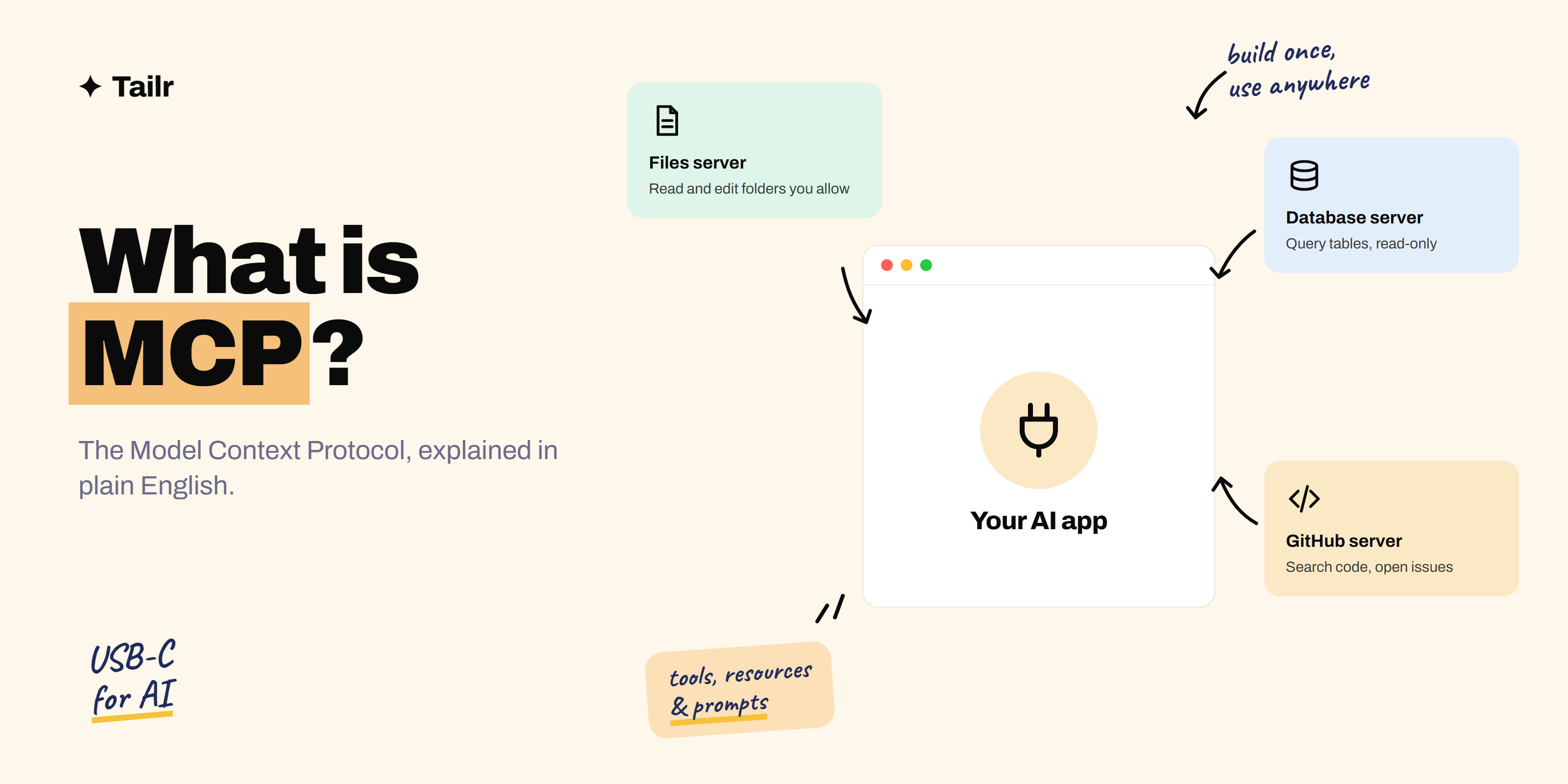
If you’ve used Claude, Cursor or ChatGPT recently, you’ve probably seen the letters MCP. It’s the reason an AI app can suddenly read your files, query a database or open a GitHub issue. This guide explains what MCP is, how it works, what it’s actually used for, and how to try it yourself, without assuming you’re an engineer.
The short answer: MCP (Model Context Protocol) is an open standard that lets AI apps connect to outside tools and data in one consistent way. It has three parts:
- Host: the AI app you use, such as Claude Desktop, Claude Code, Cursor or VS Code.
- Client: the connector inside that app that talks to servers.
- Server: a small program that exposes a tool or data source (your files, a database, Slack, GitHub) as tools the model can call.
Build a tool once as an MCP server and every MCP-compatible app can use it. People often call it “USB-C for AI”.
Why MCP exists
A large language model on its own only knows what it learned in training and what you paste into the chat. To be useful at work it needs to read live data and take actions: check a calendar, search a codebase, create a ticket.
Before MCP, every AI app built its own integrations. Ten apps and fifty tools meant up to 500 custom connectors, each slightly different. MCP turns that into a simple rule: tools speak MCP, apps speak MCP, and anything connects to anything.
That’s also what makes AI agents practical. An agent is only as useful as the tools it can reach, and MCP is now the most common way to hand it those tools.
How MCP works
The three building blocks a server can offer
| Building block | What it is | Example |
|---|---|---|
| Tools | Actions the model can call | create_issue, run_query, send_message |
| Resources | Data the app can read into context | A file, a database schema, a document |
| Prompts | Reusable templates the user can pick | “Summarise this pull request” |
Tools are the part most people mean when they talk about MCP. Each tool has a name, a plain-language description and a list of inputs. The model reads those descriptions and decides when to call a tool, much like a person scanning a menu.
What happens when you ask a question
Say you’ve connected a GitHub MCP server and ask, “What are the open bugs in my repo?”
- The app starts up and asks each connected server, “What tools do you have?”
- The GitHub server replies with its list, including something like
list_issues. - The model sees your question and the tool list, and decides to call
list_issueswith a “bug” label. - The app asks you to approve the call (most apps do this for anything sensitive).
- The server calls GitHub’s API and returns the results.
- The model reads the results and writes you a summary.
Under the hood the messages use JSON-RPC, a simple request-and-response format. Servers run either locally on your computer (talking over standard input and output) or remotely over HTTP.
Real examples of MCP servers
- File system: read and edit files in folders you allow.
- GitHub or GitLab: search code, read pull requests, open issues.
- Databases: run read-only SQL against Postgres or SQLite and explain the results.
- Browsers: open pages, click and take screenshots for testing.
- Docs and notes: search Notion, Google Drive or Confluence.
- Chat and email: read and draft messages in Slack or Gmail.
There are thousands of public servers, and an official registry (registry.modelcontextprotocol.io) lists many of them. The spec and SDKs live at modelcontextprotocol.io.
MCP in everyday use: three walkthroughs
The idea gets much clearer once you see it in a normal workday. Here are three people using MCP without thinking about the protocol at all.
A developer fixing a bug
Ana connects Claude Code to a GitHub server and a Postgres server (read-only). She types: “Issue 412 says some orders show the wrong total. Find the cause.” The model calls get_issue to read the report, searches the codebase, then runs a read-only query against the orders table to find rows where the stored total doesn’t match the line items. It spots a rounding bug in the discount code, proposes a fix and writes a test. Ana reviews the diff and opens the pull request herself. She never copied anything between tabs.
An analyst answering a question from their manager
Dev’s manager asks, “How many trial users converted last month, by country?” Dev has a database server and a spreadsheet server connected in Claude Desktop. The model reads the schema as a resource, writes the SQL, runs it, and drops the result into a new sheet with a short summary. Dev checks the query before trusting the numbers. That check matters, because the model can still write a query that runs but asks the wrong question.
A job seeker staying organised
Meera keeps notes on every company she’s applying to in a folder of markdown files. With a file system server connected, she asks, “Which companies haven’t I followed up with in over a week?” The model reads her notes, finds four, and drafts a short follow-up for each using the details she’d saved. (If you’d rather not build this yourself, Tailr tracks every application automatically as you tailor your resume from the job listing.)
The pattern is the same each time: the person asks in plain language, the model picks the right tools, and the servers do the real work against real systems.
MCP vs APIs vs function calling vs RAG
These get mixed up constantly, so here’s how they relate:
| Term | What it means | How it relates to MCP |
|---|---|---|
| API | How a service talks to programs | An MCP server usually calls an API behind the scenes |
| Function calling | A model’s ability to output a structured tool call | MCP standardises where those tools come from |
| RAG | Fetching relevant documents and adding them to the prompt | An MCP server can be the retriever in a RAG setup |
| Plugins | Older, app-specific add-ons | MCP replaces these with one shared standard |
Who’s behind MCP
Anthropic introduced MCP in November 2024 and published it as an open standard. Other companies adopted it quickly, and in December 2025 Anthropic donated it to the Linux Foundation as a founding project of the Agentic AI Foundation, with OpenAI, Google, Microsoft, AWS and others as members. In practice that means no single company controls it, which is a big part of why it’s become the default.
How to try MCP in 15 minutes
Use an existing server
- Install an app that supports MCP, such as Claude Desktop, Claude Code, Cursor or VS Code.
- Find a server you’d actually use, for example the file system server.
- Add it to the app’s MCP config (usually a short JSON block with the command to run) or use the app’s built-in connector settings.
- Restart the app and ask something that needs the tool: “List the markdown files in my notes folder and summarise the newest one.”
If you use Claude Code, our Claude Code guide covers adding servers with claude mcp add.
Build a tiny server
With the official Python SDK, a server with one tool is a few lines: you write a normal function, add a decorator, and give it a clear docstring. That docstring is what the model reads, so write it as if you’re explaining the tool to a new teammate.
Good first projects:
- A server that searches your own notes folder.
- A server that wraps a public API you like, such as weather or a sports feed.
- A read-only server over a small SQLite database.
A closer look: your first server in Python
Here’s roughly what a tiny server looks like with the official Python SDK. It exposes one tool that searches a folder of notes:
from pathlib import Path
from mcp.server.fastmcp import FastMCP

mcp = FastMCP("notes")
NOTES = Path.home() / "notes"

@mcp.tool()
def search_notes(query: str) -> str:
    """Search my markdown notes for a word or phrase.
    Returns each matching line with the file name it came from."""
    hits = []
    for file in NOTES.glob("*.md"):
        for line in file.read_text(encoding="utf-8").splitlines():
            if query.lower() in line.lower():
                hits.append(f"{file.name}: {line.strip()}")
    return "\n".join(hits[:50]) or "No matches."

if __name__ == "__main__":
    mcp.run()
Three things are worth noticing:
- The docstring is the interface. The model never sees your code; it sees the tool name, the description and the input types. Vague descriptions lead to tools being called at the wrong time or not at all.
- The output is plain text, kept small. Returning 50 lines instead of 5,000 keeps the model’s context clean. Large, noisy tool results are one of the most common reasons agents go off track.
- It’s an ordinary function. You can unit test it like any other code before an AI ever touches it.
To connect it to Claude Desktop, you add an entry to its config file that tells the app how to start the server:
{
  "mcpServers": {
    "notes": {
      "command": "python",
      "args": ["/full/path/to/server.py"]
    }
  }
}
Restart the app and the search_notes tool appears. Other apps use a very similar block. From there, good next steps are adding a second tool (say, read_note), exposing the folder list as a resource, and writing a short README with a screenshot so someone else can install it in five minutes. That README is what turns a weekend experiment into a portfolio piece.
Safety basics
MCP servers can read data and take actions, so treat them like any software you install:
- Only install servers from sources you trust, and read what tools they expose.
- Prefer read-only access until you’re comfortable.
- Keep approval prompts on for anything that writes, sends or deletes.
- Watch for prompt injection: text inside a web page or document that tries to trick the model into misusing a tool.
Limitations and things to watch
MCP solves the plumbing problem, not every problem. A few honest caveats:
- Too many tools confuse models. Connect 20 servers with 200 tools and the model has to read all those descriptions on every request. It gets slower, costs more, and picks the wrong tool more often. Connect what you need for the task at hand.
- Quality varies a lot. Anyone can publish a server. Some are excellent; others have vague descriptions, return huge blobs of data, or haven’t been updated in months.
- The model can still be wrong. A perfect tool doesn’t stop a model from calling it with the wrong inputs or misreading the result. Keep a human in the loop for anything that matters.
- Remote servers need proper auth. Servers that connect to company systems should use the protocol’s OAuth-based authorization rather than pasted API keys, and should only get the permissions they need.
- It’s still evolving. The spec gets regular updates, so tutorials from a year ago can be out of date. Check the date on anything you follow.
MCP terms, quickly
- Host: the app the user interacts with (Claude Desktop, an IDE, a custom agent).
- Client: the part of the host that holds a connection to one server.
- Server: the program that exposes tools, resources and prompts.
- Tool: an action the model can call, with a name, description and input schema.
- Resource: read-only data the app can pull into context, identified by a URI.
- Prompt: a reusable, user-selectable template a server offers.
- Transport: how messages travel, either standard input and output for local servers or HTTP for remote ones.
- Registry: a public catalogue of servers you can browse and install.
Why MCP matters for your career
MCP has quickly become core vocabulary for AI engineering, developer tools and platform roles. Listings now mention it next to RAG, agents and evals. If you’re building portfolio projects, a small, well-documented MCP server is one of the most concrete things you can show: it proves you understand how models use tools and how to design a clean interface.
When you apply, put it where a recruiter will see it. Name the server, what it connects to and who uses it, for example “Built an MCP server that lets Claude query our support database; used daily by four teammates.” Tailr helps here: it reads the job listing you’re viewing and tailors your resume so projects like this line up with the keywords that role asks for. For more ideas, see weekend projects to build with Claude to get hired.
Try TailrRelated guides
- How to Get Started With AI Engineering: A Beginner’s Roadmap
- What Is AI Engineering? A Plain-English Explainer
- What Does an AI Engineer Do? Role, Skills, Salary and Path
- Top 30 AI Engineer Interview Questions and Answers
Conclusion
MCP is a shared standard for connecting AI apps to tools and data. Servers expose tools, resources and prompts; clients inside apps like Claude, Cursor and VS Code connect to them; and the model decides when to call what. Try an existing server first, then build a small one of your own. It’s the quickest way to understand how today’s AI agents actually get things done.
Frequently asked questions
01What is MCP in simple terms?
MCP, the Model Context Protocol, is an open standard that lets AI apps connect to outside tools and data in one consistent way. Instead of writing a custom integration for every app and every tool, a tool is wrapped once as an MCP server and any MCP-compatible app can use it.
02Who created MCP?
Anthropic introduced MCP in November 2024 and released it as an open standard. In December 2025 it was donated to the Linux Foundation as a founding project of the Agentic AI Foundation, so it's now governed by a neutral body with support from companies including OpenAI, Google and Microsoft.
03What is the difference between an MCP server and an MCP client?
An MCP server exposes something useful, such as a database, a file system or an API, as tools, resources and prompts. An MCP client lives inside an AI app like Claude Desktop, Claude Code, Cursor or VS Code and connects to servers so the model can use what they offer.
04Is MCP the same as an API?
No. An API is how one specific service talks to programs. MCP is a standard layer on top: an MCP server usually calls an API behind the scenes, but it describes its tools in a way any AI app understands, so the model can discover and call them without custom code for each app.
05Do I need to know how to code to use MCP?
Not to use it. Many apps let you add an existing MCP server by pasting a short config or clicking a connector. Building your own server takes some programming, but the official Python and TypeScript SDKs make a basic server a few dozen lines of code.
06Is MCP worth learning for a job in tech?
Yes, if you're aiming for AI engineering, developer tools or any role that builds with LLMs. MCP has become the common way to connect AI agents to real systems, and a small MCP server you built and documented is a strong, concrete portfolio project.