Wireframe vs Prototype: What's the Difference and How to Learn Both
· updated
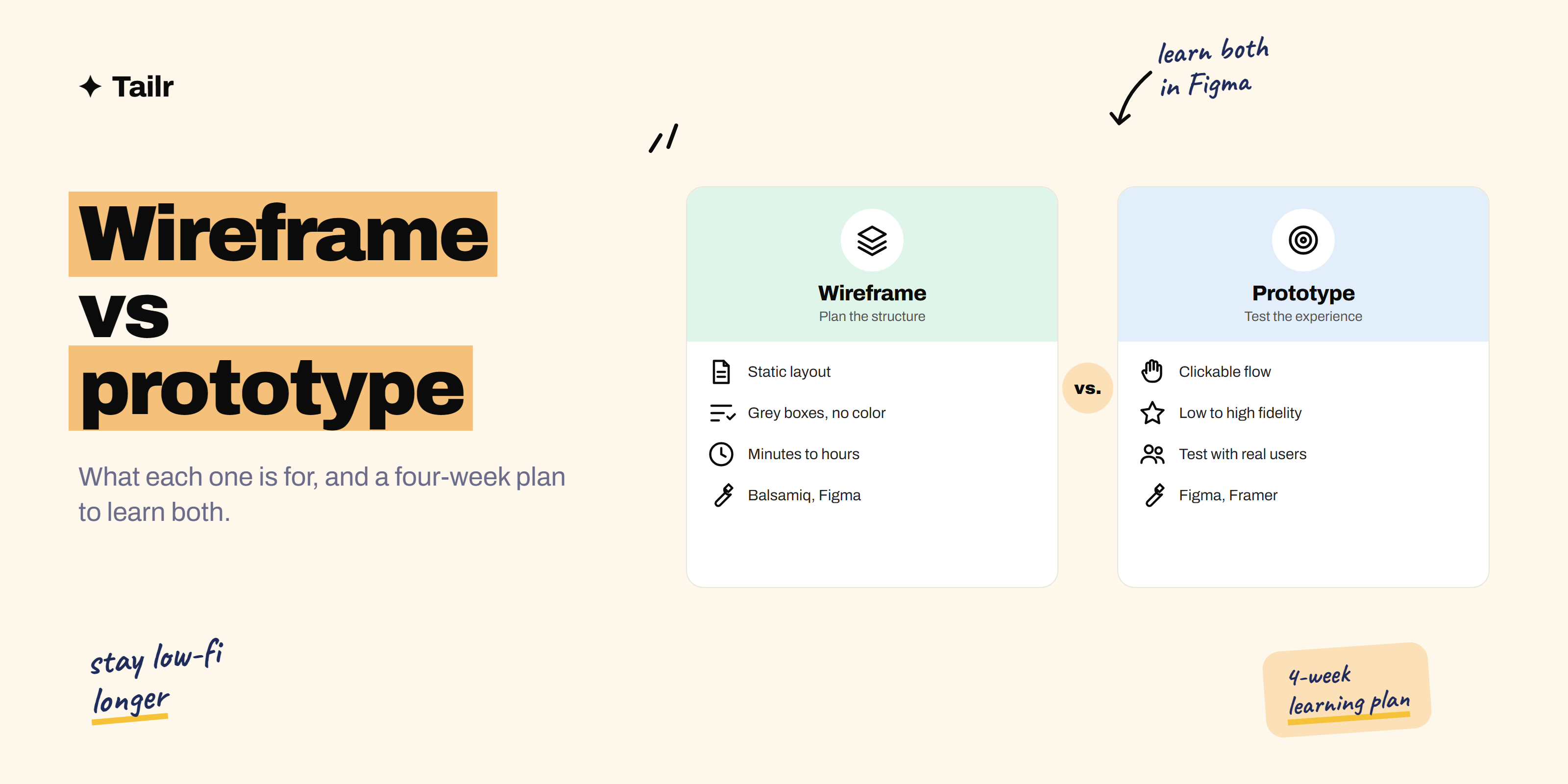
Wireframes and prototypes both show what a product will look like before anyone writes code, so the terms often get mixed up. They do different jobs, though. A wireframe answers “what goes on this screen?” A prototype answers “what happens when someone uses it?” Knowing when to use each saves days of wasted design work.
The short answer: a wireframe is a simple, static layout of a screen, usually grey boxes and placeholder text, used to plan structure and content. A prototype is an interactive model you can click through, used to test how the product flows and whether people can use it. Wireframes come first and are quick and cheap; prototypes come later and show how the experience actually feels.
What is a wireframe?
A wireframe is the blueprint of a screen. It shows where the header, navigation, buttons, images and text go, without worrying about colors, fonts or real content. Think of it like the floor plan of a house: it tells you where the rooms are, not what color the walls will be.
Wireframes can be:
- Low fidelity: rough sketches on paper or a whiteboard, made in minutes.
- Mid fidelity: clean grey-box layouts in a tool like Balsamiq or Figma, with real labels and spacing.
Use a wireframe when: you’re deciding what goes on a page, comparing layout options, or agreeing on structure with your team before any visual design starts.
What is a prototype?
A prototype is a working simulation of the product. You can tap buttons, open menus, fill forms and move from one screen to the next. It doesn’t have real code behind it, but it behaves enough like the real thing that people can try it.
Prototypes can be:
- Low fidelity: wireframes linked together so you can click through the flow.
- High fidelity: polished screens with real design, animations and transitions, close to the finished product.
Use a prototype when: you want to test whether people can complete a task, show stakeholders how a feature will work, or hand developers a clear picture of interactions and animations.
Where mockups fit in
There’s a third term you’ll hear: mockup. A mockup is a static, high-fidelity image of a screen with real colors, fonts, images and copy. It looks finished but doesn’t do anything when you click it.
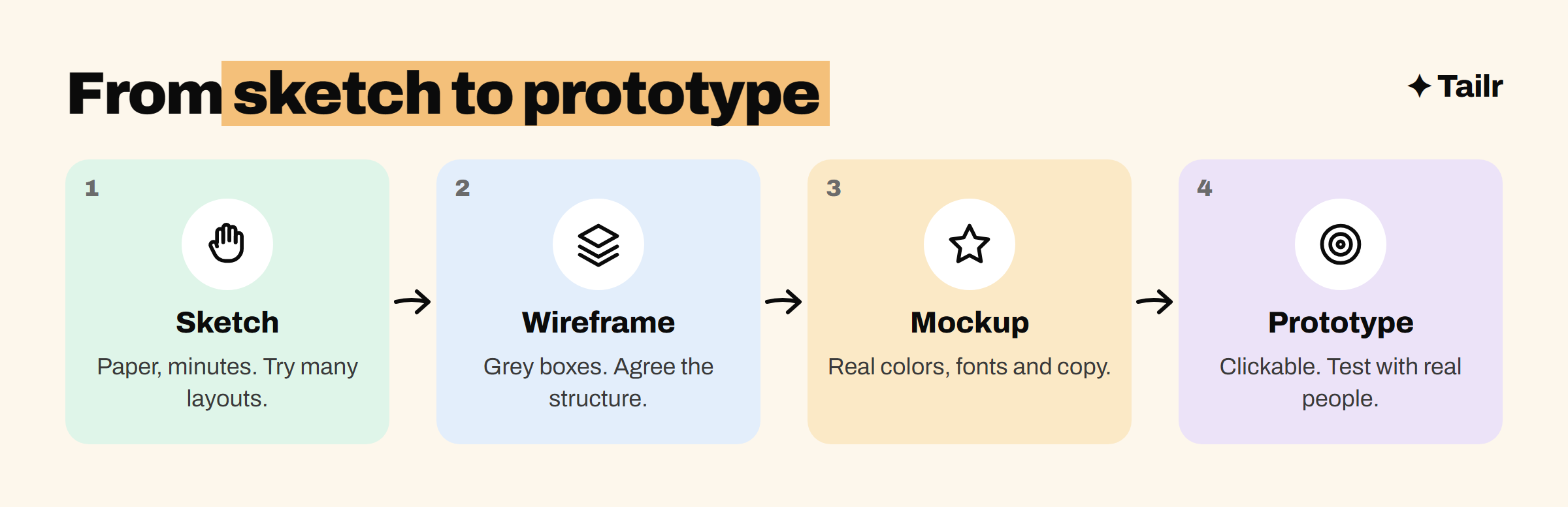
So the usual journey from idea to testable design is:
Wireframe vs prototype vs mockup
| Wireframe | Mockup | Prototype | |
|---|---|---|---|
| Purpose | Plan layout and structure | Show the visual design | Test flow and usability |
| Fidelity | Low to mid | High | Low to high |
| Interactive? | No | No | Yes |
| Time to make | Minutes to hours | Hours to days | Hours to weeks |
| Used by | Designers, PMs, founders | Designers, brand teams | Designers, researchers, developers |
| Common tools | Paper, Balsamiq, Whimsical, Figma | Figma | Figma, Framer, ProtoPie, Axure RP |
An example: designing a checkout flow
Say you’re designing a new checkout for an online store.
- Sketch: on paper, you try three ways to fit the cart summary, address and payment on one page vs three pages. Ten minutes.
- Wireframe: you pick the three-page option and build grey-box wireframes in Figma showing every field, button and error message. Your PM and an engineer review them and spot a missing “edit cart” link.
- Mockup: the designer adds the brand’s colors, fonts and product images.
- Prototype: you link the screens so tapping “Continue” moves to the next step, then ask five customers to buy something. Two of them can’t find the promo code field. You fix it before a single line of code is written.
That last step is why prototypes matter: problems found in a prototype cost minutes to fix. Found after launch, they cost weeks.
Best tools for wireframes and prototypes
- Figma (figma.com): the industry standard for wireframes, mockups and prototypes in one place, with real-time collaboration and a free plan.
- Balsamiq (balsamiq.com): deliberately sketchy wireframes that keep everyone focused on structure, not looks.
- Whimsical (whimsical.com): fast wireframes and flowcharts, popular with PMs.
- Framer (framer.com): high-fidelity prototypes that can become live websites.
- ProtoPie (protopie.io): advanced interactions and animations, including sensors on mobile devices.
- Axure RP (axure.com): complex prototypes with conditional logic, common in enterprise teams.
For the wider design toolkit, see our guide to the best tools for UI/UX designers.
How to learn wireframing and prototyping
You can get good at both in about a month of regular practice. Here’s a plan.
Week 1: sketch on paper. Pick three apps you use every day. Sketch their main screens from memory, then compare with the real thing. Notice how they group information and where the main action sits.
Week 2: wireframe in Figma. Learn frames, shapes, text, auto layout and components. Rebuild your sketches as clean grey-box wireframes. Then wireframe a small idea of your own: a habit tracker, a recipe app, a booking page.
Week 3: prototype in Figma. Learn prototype connections, overlays and Smart Animate. Link your wireframes into a clickable flow, then turn one screen into a polished mockup and prototype it with transitions.
Week 4: test and write it up. Ask five people to complete a task in your prototype while you watch silently. Note where they get stuck, fix it, and write a short case study covering the problem, your process, what testing showed and what you changed.
Free and low-cost resources: Figma’s own tutorials on its website and YouTube channel, the free plan for practice, and structured courses like the Google UX Design Certificate on Coursera, which covers wireframes, low-fidelity prototypes and high-fidelity prototypes in Figma.
Tips that speed things up:
- Copy before you create. Recreating great apps screen by screen teaches you patterns faster than starting from a blank canvas.
- Stay low-fidelity longer than feels comfortable. Big layout decisions are cheap in grey boxes and expensive in polished mockups.
- Always test with real people. A prototype nobody has tried is just a nice picture.
Who needs these skills
- UI/UX designers: daily work. Your portfolio should show wireframes, prototypes and what testing taught you.
- Product managers: a rough wireframe explains an idea faster than a long product requirement document, and a quick prototype is a cheap way to test an MVP idea.
- Founders: a clickable prototype is often enough to get early user feedback or pitch investors before building anything.
- Developers and QA: reading prototypes correctly means fewer “that’s not how it was supposed to work” moments.
Show it in your portfolio and resume
Hiring managers for design and product roles want to see process, not just final screens. Put your sketches, wireframes, prototype and test findings in your case studies; our guide to the best tools for creating a portfolio can help you publish them.
Then make your resume match each role. One listing asks for “rapid prototyping in Figma”, another for “low-fidelity wireframing and usability testing”. Tailr is a Chrome extension that tailors your resume from the job listing you’re viewing, so the skills that posting asks for show up first. It also writes a matching cover letter and tracks your applications. Try Tailr when you start applying.
Related guides
- Best Tools for UI/UX Designers in 2026
- What Is an MVP? Minimum Viable Product Explained
- Best Tools for Creating a Portfolio in 2026
Conclusion
A wireframe plans what goes on a screen; a prototype tests how people move through it. Start with sketches and wireframes while the big questions are open, add visual design in mockups, then link everything into a prototype and test it with real people. Learn both in Figma with a month of steady practice, and show the whole process in your portfolio.
Frequently asked questions
01What is the difference between a wireframe and a prototype?
A wireframe is a simple, static sketch of a screen's layout that shows where things go, usually in grey boxes without real colors or images. A prototype is an interactive version you can click through to test how the product flows from one screen to the next. Wireframes plan the structure; prototypes test the experience.
02Which comes first, a wireframe or a prototype?
Wireframes usually come first. You sketch and wireframe the layout, add visual design to make mockups, then link the screens together into a prototype for testing. On small projects, you can build a quick low-fidelity prototype straight from your wireframes.
03What is the difference between a mockup and a prototype?
A mockup is a static, high-fidelity image of a screen with the real colors, fonts, images and content. A prototype is interactive: you can click buttons and move between screens. Many teams turn their mockups into a prototype by linking them together in a tool like Figma.
04What tools are used for wireframing and prototyping?
Figma is the most widely used tool for both. Balsamiq and Whimsical are popular for quick, low-fidelity wireframes, while Framer, ProtoPie and Axure RP are used for advanced or highly interactive prototypes. Pen and paper is still the fastest way to sketch early ideas.
05Can I learn wireframing and prototyping for free?
Yes. Figma has a free plan and free tutorials on its website and YouTube channel, and you can practise by redesigning screens from apps you already use. Structured courses like the Google UX Design Certificate on Coursera cover both skills if you want a guided path.
06Do product managers need to know how to wireframe?
It helps a lot. PMs don't need polished design skills, but a quick wireframe or rough prototype communicates an idea far better than a paragraph in a spec. Many PMs sketch flows in Figma or Whimsical before handing them to a designer.