Best Free AI Video Generators in 2026
· updated
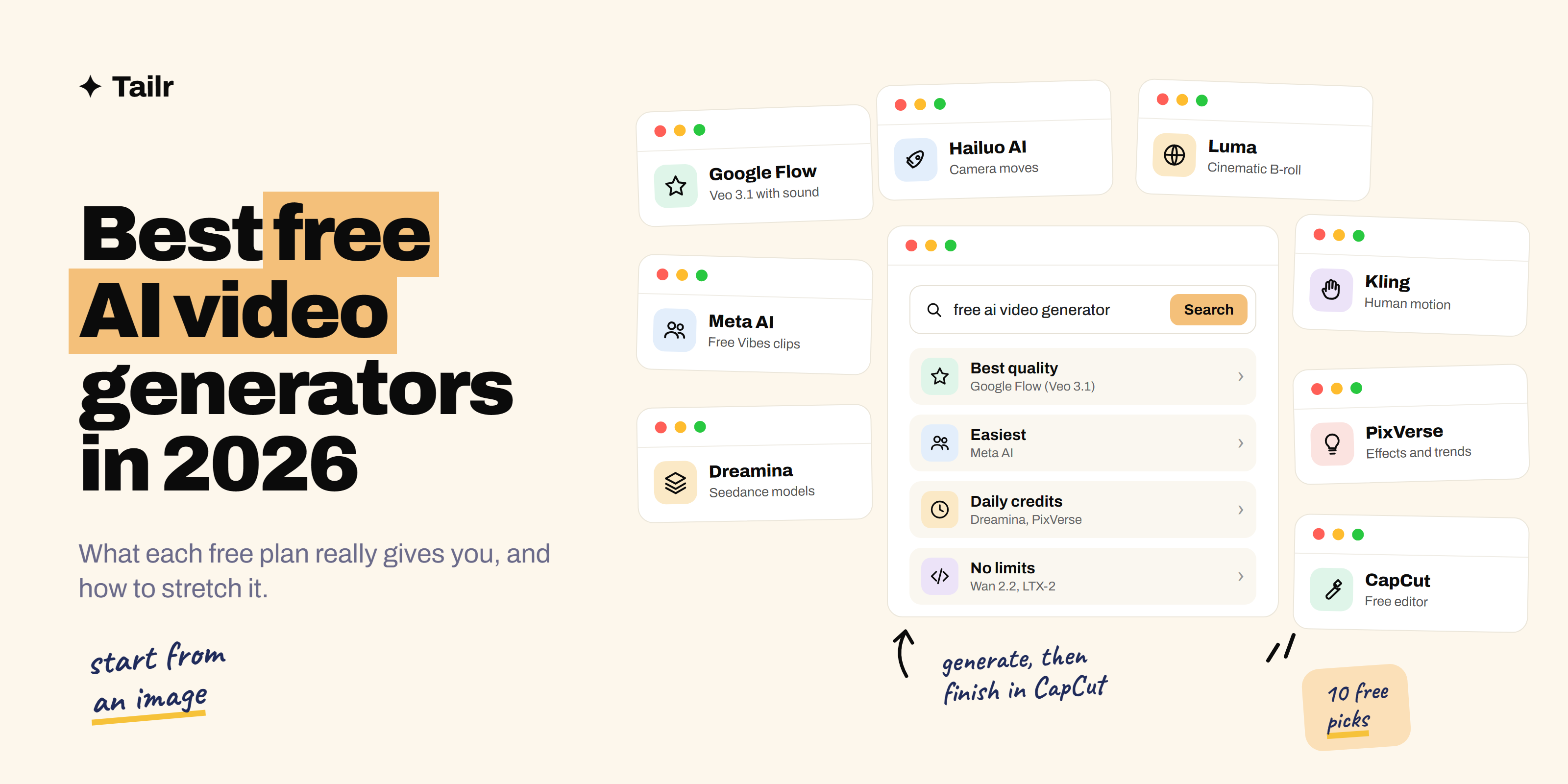
Making AI video used to mean picking a plan before you’d made a single clip. In 2026 you can get a long way without paying at all: several of the best video models have free daily allowances, a few apps let you generate short clips for free, and open models run on your own computer with no limits. The catch is that every free plan trades something away, usually resolution, clip length, a watermark or commercial rights.
The short answer: the best free AI video generators in 2026 are:
- Google Flow: daily free credits for Google’s Veo 3.1 models.
- Meta AI: free short-video creation and remixing in the Meta AI app.
- Dreamina: CapCut’s generator, with daily free credits for ByteDance’s Seedance models.
- Kling: strong human motion, with a free plan for personal use.
- PixVerse: daily refreshing credits and lots of effects and templates.
- Hailuo AI: free starter credits for MiniMax’s video models.
- Luma Dream Machine: a small free allowance for cinematic clips.
- Bing Video Creator: free Sora-powered clips in the Bing mobile app.
- CapCut: a free editor to turn your clips into a finished video.
- Wan 2.2 and LTX-2: open models you can run on your own computer with no limits.
Use one or two generators for footage and CapCut to finish. That covers almost everything you’d post on social media without paying.
For a broader look that includes paid tools like Runway, Sora and HeyGen, see our guide to the best AI video generator tools.
What “free” actually means for AI video
Before you pick a tool, know what you’re giving up. Free plans differ in four ways:
- Recurring vs one-time credits. Some tools top up your credits every day. Others give you a starter batch at sign-up and that’s it. Daily credits are far more useful if you want to keep experimenting.
- Watermarks. Most hosted free plans stamp a logo on your video. That’s fine for testing ideas, not for a client or a brand account.
- Resolution and length. Free clips are usually short (a few seconds) and capped at lower resolution. Better models often cost more credits than the free allowance covers.
- Commercial rights. Some free plans only allow personal use. If the video is for a business, read the terms first.
Free plans also change often, sometimes month to month. Treat the details below as a starting point and check what your own account shows.
1. Google Flow (Veo 3.1)
Website: labs.google/flow
Flow is Google’s filmmaking tool for its Veo video models, and it’s the best free way to try top-tier AI video. People without a Google AI subscription get a daily allowance of free credits, enough for a few clips on the lighter Veo 3.1 models. Veo’s big advantage is sound: it generates sound effects and dialogue along with the picture.
The free allowance doesn’t stretch to the highest-quality model, credits don’t roll over, and free users can be limited at busy times.
Why use it:
- Access to one of the most realistic video models for free
- Clips come with matching sound, not silence
- Credits refresh daily
Best for: anyone who wants the best possible quality without paying.
2. Meta AI (Vibes)
Website: meta.ai
Meta’s Vibes feed, inside the Meta AI app and on meta.ai, lets you create short videos from a prompt or remix someone else’s, add music and share straight to Instagram or Facebook. It’s been free since launch, and there’s no credit counter to manage for basic use. Meta has said it plans to add an optional subscription for extra creations, with basic features staying free.
Why use it:
- No credits to track for everyday use
- Remixing makes it easy to start from something that already works
- Sharing to Instagram and Facebook is built in
Best for: quick, fun social clips on your phone.
3. Dreamina
Website: dreamina.capcut.com
Dreamina is CapCut’s AI image and video generator, and it runs ByteDance’s Seedance video models, which rank among the best in 2026 for motion and multi-shot scenes. Free accounts get daily credits. How far they go depends on the model, length and resolution you choose, and watermark rules can vary by account and region.
Why use it:
- Free access to a top-ranked video model
- Daily credits, not just a one-time trial
- Works neatly with CapCut for editing
Best for: people who already edit in CapCut and want better footage.
4. Kling
Website: klingai.com
Kling is known for the most convincing human motion of any generator: walking, gestures and fabric look natural rather than floaty. Its free Basic plan lets you try it with credits from logins and promotions. Free clips carry a Kling watermark, come at lower resolution, and are for personal use only.
Why use it:
- The best free option for videos with people in them
- Image-to-video lets you animate your own photo
- Good for testing a concept before committing to it
Best for: fashion, fitness and any clip where a person needs to move realistically.
5. PixVerse
Website: pixverse.ai
PixVerse gives free accounts a starter batch of credits plus a smaller amount that refreshes every day. It’s built for social content, with a big library of effects, templates and trending styles you can apply to your own photos. Free videos are watermarked and lower resolution, and unused daily credits don’t carry over.
Why use it:
- Daily credits that keep you experimenting
- Effects and templates that do the prompting for you
- Mobile app for making clips on the go
Best for: trend-style social clips and playful effects.
6. Hailuo AI
Website: hailuoai.video
Hailuo is MiniMax’s video generator, popular for strong prompt-following and dynamic camera movement. New accounts get free credits to start, enough for a handful of short clips at 720p with a watermark. Expect longer waits at busy times on the free plan.
Why use it:
- Follows detailed prompts well
- Good camera motion for action shots
- Easy web interface
Best for: testing a few action-heavy shots.
7. Luma Dream Machine
Website: lumalabs.ai
Luma makes attractive, cinematic B-roll with very little prompting effort, which makes it a good first tool if you’ve never made AI video. The free plan is small: clips are watermarked, silent and limited to personal, non-commercial use.
Why use it:
- Good-looking results from short prompts
- Simple interface for beginners
- Strong for scenery and atmospheric shots
Best for: beginners who want pretty footage fast.
8. Bing Video Creator
Website: bing.com/create
Microsoft launched Bing Video Creator in 2025 as a free way to make short clips with OpenAI’s Sora model, in the Bing mobile app. Its standard speed mode has been free, and you can pick vertical or horizontal clips of a few seconds. With Sora itself no longer offering free generation, this is the simplest place to try the model at no cost. Check the Bing app for current access in your region.
Why use it:
- Free access to a Sora model
- Vertical clips ready for Reels and Shorts
- Nothing to install beyond the Bing app
Best for: trying Sora-style video on your phone.
9. CapCut
Website: capcut.com
CapCut isn’t a generator in the same way, but it’s where most free AI video gets finished. Its desktop app exports without a watermark, and it handles auto captions, text-to-speech, background removal and script-to-video templates. Some advanced AI features need CapCut Pro, but the core editor is free.
Why use it:
- Turns a few short AI clips into a finished video
- Auto captions, which most social videos need
- Watermark-free desktop exports
Best for: editing and finishing anything you generate elsewhere.
10. Wan 2.2 and LTX-2 (open models)
Websites: github.com/Wan-Video, github.com/Lightricks
If you have a capable graphics card, you can skip credits entirely. Wan 2.2 from Alibaba and LTX-2 from Lightricks are open video models you download and run on your own computer, usually through a tool like ComfyUI. Wan is generally stronger on motion and faces; LTX-2 is faster and generates audio. You’ll want a GPU with plenty of memory (around 24GB is comfortable, though Wan’s smaller model runs on much less).
Why use it:
- No credits, no watermark, no daily limits
- Full control over settings and output
- Your clips stay on your own machine
Best for: technical users with a strong GPU who generate a lot.
Free AI video generators compared
| Tool | Best for | Free credits | Watermark on free |
|---|---|---|---|
| Google Flow | Realistic clips with sound | Daily | Yes |
| Meta AI | Quick social clips | No counter for basic use | Varies |
| Dreamina | Seedance models | Daily | Varies |
| Kling | Human motion | Login and promo credits | Yes |
| PixVerse | Effects and trends | Starter plus daily | Yes |
| Hailuo AI | Action and camera moves | Starter credits | Yes |
| Luma Dream Machine | Cinematic B-roll | Small allowance | Yes |
| Bing Video Creator | Sora on mobile | Free standard mode | Varies |
| CapCut | Editing and captions | Free editor | No (desktop) |
| Wan 2.2 / LTX-2 | Unlimited local generation | Unlimited | No |
What’s no longer free
Two big names that people search for aren’t free anymore. Reports in early 2026 said OpenAI removed free video generation from Sora, so you now need a ChatGPT plan to use it directly. xAI’s Grok Imagine also moved video generation behind its paid plans after restricting free use in January 2026. Runway, Pika and HeyGen offer one-time trial credits rather than an ongoing free plan.
How to stretch free credits further
Start from an image. Make a still of exactly what you want in a free image tool, then animate it. Image-to-video wastes far fewer credits than hoping a text prompt lands.
Keep prompts specific. “Slow push-in on a coffee cup on a wooden table, morning light, steam rising” gets a usable clip. “A cozy cafe ad” gets a lottery ticket. Describe the camera and motion, not adjectives like “cinematic”. Our guide to types of prompting methods covers techniques that carry over to video.
Use the cheapest model to test. Try the idea on the lightest model or lowest resolution, then spend more credits only on the shot you’ll keep.
Stack tools. Use your daily credits on Flow, Dreamina and PixVerse on the same day, then cut the best clips together in CapCut.
AI video skills on your resume
AI video now shows up in job listings for content, social, marketing and design roles, often by name: one asks for CapCut and Runway, another for “generative video experience”. If you’ve built a portfolio with free tools, say so specifically on your resume, and match the tools each listing mentions.
Tailr is a Chrome extension that tailors your resume from the job listing you’re viewing, so the tools and projects that posting asks for show up first. It also writes a matching cover letter and tracks your applications. Try Tailr when you start applying, and see our guide on how to build a portfolio to get hired to show off your work.
Related guides
- Best AI Video Generator Tools in 2026
- Best Tools for Creating a Portfolio in 2026
- Best AI Tools for Resume Writing in 2026
Conclusion
The best free AI video generators in 2026 are Google Flow for quality, Meta AI for ease, Dreamina, Kling and PixVerse for daily experimenting, Hailuo and Luma for specific looks, Bing Video Creator for Sora on your phone, CapCut for finishing, and Wan 2.2 or LTX-2 if you’d rather run your own. Pick one generator, learn to prompt it well, and finish in CapCut. You can make a lot of good video before you ever need to pay.
Frequently asked questions
01What is the best free AI video generator in 2026?
Google Flow is the best free option for quality, because it gives non-subscribers a daily allowance of credits for Veo 3.1. Meta AI is the easiest to use with no credits to manage, and Dreamina, Kling and PixVerse are good for daily experimenting. For finished social videos, generate a clip in one of these and edit it in CapCut.
02Is there a free AI video generator with no watermark?
Most hosted free plans add a watermark, including Kling, PixVerse, Hailuo and Luma. The reliable ways to get watermark-free video for free are to run an open model like Wan 2.2 or LTX-2 on your own computer, or to edit and export your clips in CapCut's desktop app.
03Is Sora free to use?
Not anymore for most people. Reports in early 2026 said OpenAI removed free Sora video generation and moved it behind ChatGPT's paid plans. Bing Video Creator, which launched in 2025 using OpenAI's Sora model, has been the main free way to try it, so check the Bing app for current access.
04Can I use free AI-generated videos for commercial work?
Often not. Several free plans, including Kling's and Luma's, limit output to personal or non-commercial use, and the watermark alone makes most free clips unsuitable for client work. Check each tool's terms before using a free clip in an ad or a paid project.
05How long can free AI videos be?
Usually a few seconds per clip, often around 5 to 10 seconds, at lower resolution than paid plans. Longer videos are made by generating several short clips and editing them together in a tool like CapCut.
06Can I make AI videos for free on my phone?
Yes. The Meta AI app lets you create and remix short videos for free, Bing Video Creator runs in the Bing mobile app, and PixVerse, Kling and CapCut all have mobile apps with free plans. Phone apps are great for quick social clips, while desktop tools give you more control.