Best Tools for Building AI Apps in 2026
· updated
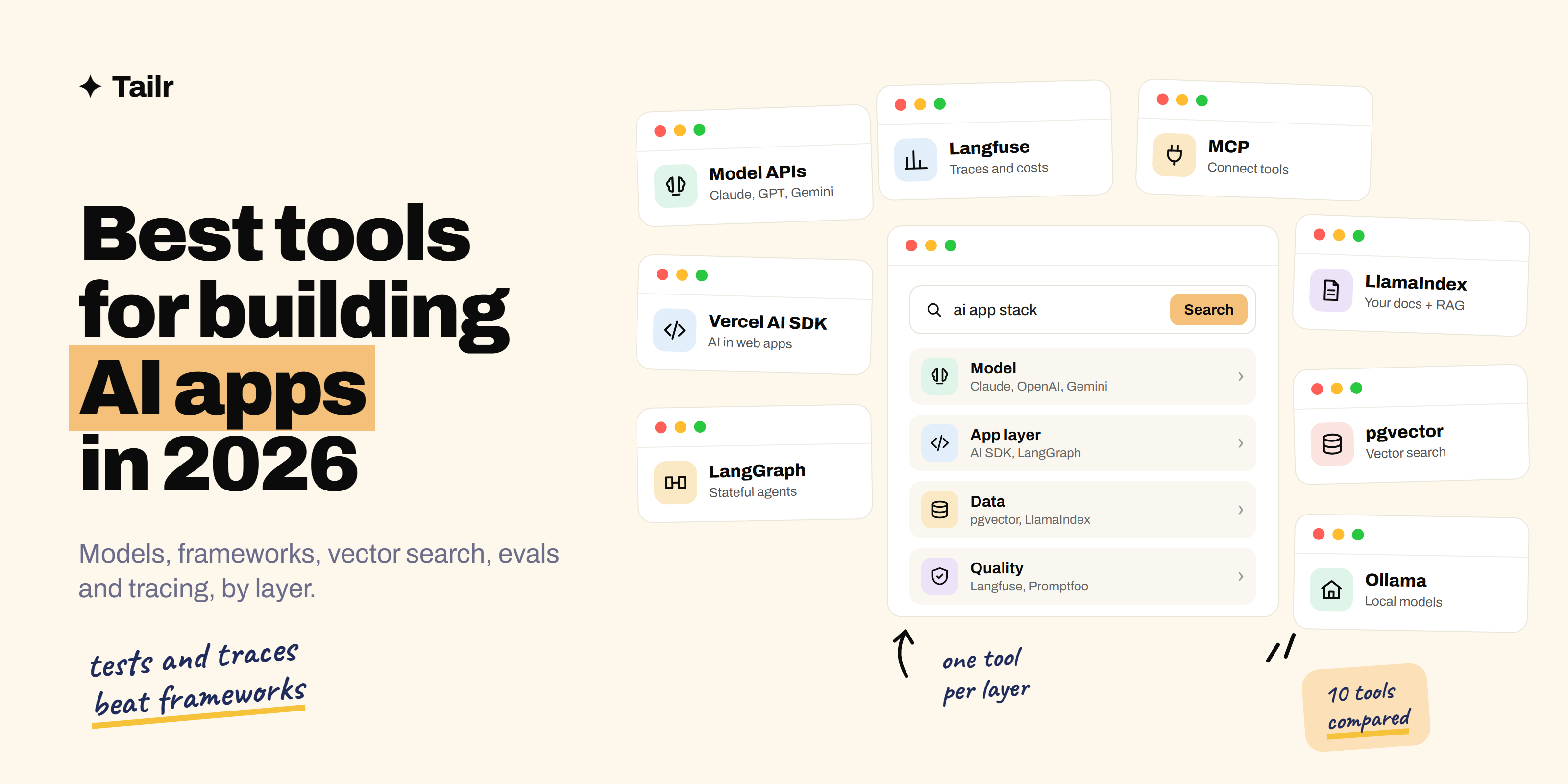
Calling a language model takes five lines of code. Building an AI app that answers correctly, handles real users and doesn’t quietly get worse when you change a prompt takes a few more tools. The AI tooling space moves fast and most of it is noise, but the stack that serious teams settle on is surprisingly stable. This guide covers the best tools for each layer of an AI app in 2026, and when you actually need them.
The short answer: the best tools for building AI apps in 2026 are:
- Model APIs (Claude, OpenAI, Gemini): the model itself.
- Vercel AI SDK: the quickest way to put a model in a web app.
- LangChain and LangGraph: chaining calls and building agents.
- LlamaIndex: connecting models to your own documents.
- pgvector, Pinecone and Chroma: vector search for RAG.
- Ollama: running open models on your own machine.
- Hugging Face: finding open models and datasets.
- Langfuse: tracing and monitoring what your app does.
- Promptfoo: testing prompts and catching regressions.
- MCP SDKs: connecting models to tools and data.
A sensible starting stack is one model API, its official SDK or the Vercel AI SDK, pgvector if you need retrieval, and Langfuse plus Promptfoo from day one.
What an AI app actually needs
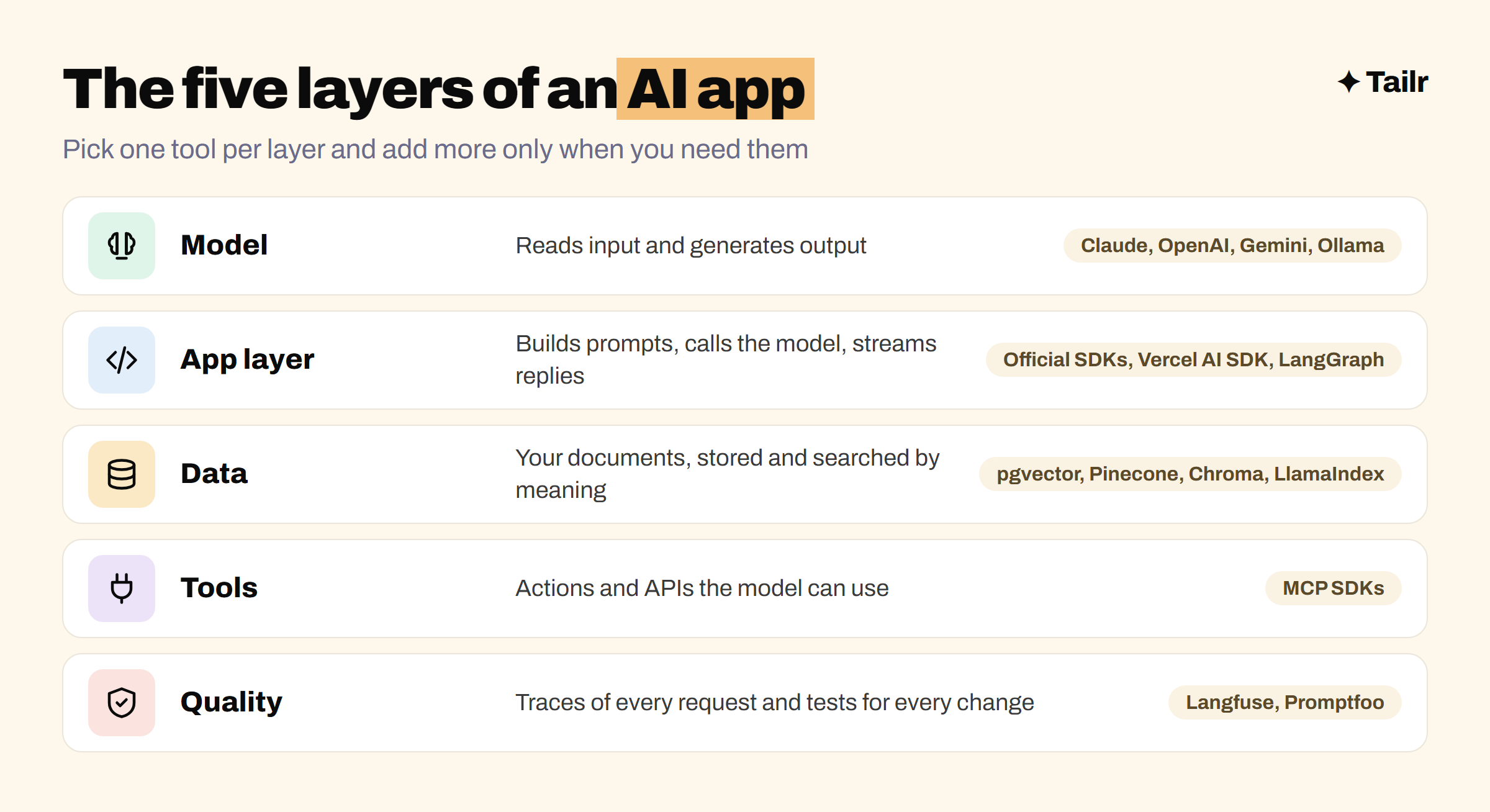
Most AI apps, from a support chatbot to a coding agent, are built from the same layers:
- Model: the language model that reads input and generates output.
- App layer: the code that builds prompts, calls the model and handles responses, streaming and tool calls.
- Data: your own documents and records, usually stored and searched as embeddings for retrieval-augmented generation. If that’s new, start with what RAG is.
- Tools: APIs and actions the model can use, like searching, booking or querying a database. This is what turns a chatbot into an AI agent.
- Quality: tracing what happened on each request and testing that changes don’t break things.
The most common beginner mistake is spending weeks comparing frameworks and none on the quality layer. A plain SDK with good evals beats a fancy framework with none.
1. Model APIs: Claude, OpenAI and Gemini
Website: anthropic.com/api, platform.openai.com and ai.google.dev
Everything starts with the model. Anthropic’s Claude, OpenAI’s GPT models and Google’s Gemini are the three most widely used hosted model APIs, each with official SDKs for Python and TypeScript, tool calling, structured outputs and streaming. They differ in strengths, price and speed across tasks, and the leader changes often, so build your app so you can swap models and test them against your own examples. Our guide to the best AI model for your next project goes deeper on choosing.
Why use it:
- The most capable models, with no infrastructure to run.
- Official SDKs handle streaming, tool calls and retries.
- Pay per use, with free credits to start.
Best for: every AI app. Start with one provider’s official SDK before adding a framework.
2. Vercel AI SDK
Website: ai-sdk.dev
The Vercel AI SDK is a free, open-source TypeScript library for building AI features into web apps. It gives you one interface for many model providers, so switching from one model to another is a one-line change, plus helpers for streaming chat responses into React, Next.js, Svelte and Vue interfaces, tool calling and structured outputs. If you’re building a web app in TypeScript, it removes a lot of boilerplate.
Why use it:
- One API across many model providers.
- Streaming chat UI helpers for popular front-end frameworks.
- Open source and free, and works outside Vercel too.
Best for: TypeScript developers building chat and AI features into web apps.
3. LangChain and LangGraph
Website: langchain.com
LangChain is one of the most widely used frameworks for building with language models, with a large catalogue of integrations for models, vector stores and tools in Python and TypeScript. Its companion library, LangGraph, is where most of the attention is in 2026: it models an agent as a graph of steps with loops, branches and saved state, which is how you build agents that plan, call tools, check their work and resume after a failure.
Why use it:
- Huge library of ready-made integrations.
- LangGraph handles stateful, multi-step agents with human approval steps.
- Large community and lots of examples.
Best for: multi-step agents and apps that connect many tools and data sources.
4. LlamaIndex
Website: llamaindex.ai
LlamaIndex specialises in connecting models to your own data. It handles loading documents from PDFs, websites, databases and apps like Notion or Google Drive, splitting them into chunks, indexing them and retrieving the right pieces to answer a question. Its document parsing is especially useful for messy files like scanned PDFs and complex tables, which is where many RAG projects fail.
Why use it:
- Strong document loading and parsing.
- Retrieval patterns for RAG built in.
- Works alongside LangGraph or on its own.
Best for: RAG apps, document Q&A and internal knowledge assistants.
5. pgvector, Pinecone and Chroma
Website: github.com/pgvector/pgvector, pinecone.io and trychroma.com
RAG apps store embeddings, numeric representations of text, and search them by meaning. You need somewhere to put them:
- pgvector adds vector search to PostgreSQL. If your app already uses Postgres, start here: one database, normal SQL, no new service to run.
- Pinecone is a fully managed vector database, for teams that want scale without running infrastructure.
- Chroma is open source and runs locally in a few lines, which makes it ideal for prototypes and learning.
Qdrant (qdrant.tech) and Weaviate (weaviate.io) are strong open-source options for larger workloads.
Why use it:
- Search your own data by meaning, not just keywords.
- pgvector keeps everything in the database you already have.
- Options for every scale, from laptop to production.
Best for: any app that answers questions from your own documents.
6. Ollama
Website: ollama.com
Ollama runs open-weight models like Llama, Qwen, Gemma and Mistral on your own computer with one command, and serves them through a local API. That means free, private experimentation, offline development, and a way to test whether a smaller open model is good enough for a task before paying for API calls. It’s also how many teams prototype apps that must keep data on their own machines.
Why use it:
- Free, local and private.
- One command to download and run a model.
- A local API that works with most frameworks.
Best for: experimenting, offline development and privacy-sensitive prototypes.
7. Hugging Face
Website: huggingface.co
Hugging Face is the central hub for open models and datasets. You can find and download hundreds of thousands of models, including embedding models for RAG, use its Transformers library to run them in Python, and host demos on Spaces. If you ever move from prompting to fine-tuning a model on your own data, this is where you’ll do much of the work.
Why use it:
- The largest library of open models and datasets.
- Transformers library for running and fine-tuning models.
- Free Spaces for hosting demos.
Best for: working with open models, embeddings and fine-tuning.
If you want to train and serve your own models rather than call hosted ones, see the best tools for machine learning engineers.
8. Langfuse
Website: langfuse.com
When an AI app gives a bad answer, you need to see exactly what happened: the full prompt, the retrieved documents, each tool call, the model’s response, the latency and the cost. Langfuse records all of that as a trace for every request, so you can debug real failures, track costs and collect user feedback. It’s open source (MIT-licensed) and can be self-hosted, and has been part of ClickHouse since early 2026. LangSmith (smith.langchain.com) is the main alternative, especially for teams on LangChain.
Why use it:
- See every step of every request.
- Track cost, latency and user feedback.
- Open source and self-hostable.
Best for: every AI app that real people use.
9. Promptfoo
Website: promptfoo.dev
Changing a prompt to fix one case often breaks three others. Promptfoo is an open-source tool for evals: you write test cases (inputs plus checks on the output), run them against your prompts and models, and compare results side by side. Run it in CI and you’ll catch regressions before users do. It also does red-teaming, probing your app for prompt injection and data leaks. OpenAI acquired Promptfoo in 2026; the core tool remains open source.
Why use it:
- Repeatable tests for prompts, models and RAG settings.
- Compare models on your own examples, not benchmarks.
- Red-teaming for security issues like prompt injection.
Best for: anyone changing prompts or models in an app that’s already live.
10. MCP SDKs
Website: modelcontextprotocol.io
The Model Context Protocol (MCP) is an open standard for connecting AI apps to tools and data. Instead of writing a custom integration for every model and every tool, you build an MCP server once (for your database, internal API or files) and any MCP-compatible app or agent can use it. The official SDKs for Python, TypeScript and other languages make building one a short project. Read what MCP is for the plain-English version.
Why use it:
- Build a tool integration once, use it from any compatible app.
- Supported across the major AI assistants and agent frameworks.
- Official SDKs in several languages.
Best for: giving agents access to your own tools and data.
AI app tools compared
| Tool | Layer | Open source | Use it when |
|---|---|---|---|
| Claude / OpenAI / Gemini APIs | Model | No | Always |
| Vercel AI SDK | App layer | Yes | Building in TypeScript |
| LangChain / LangGraph | App layer | Yes | Multi-step agents |
| LlamaIndex | Data | Yes | Document-heavy RAG |
| pgvector / Pinecone / Chroma | Data | pgvector, Chroma | Your app needs retrieval |
| Ollama | Model (local) | Yes | Free, private experiments |
| Hugging Face | Model, data | Libraries, yes | Open models and fine-tuning |
| Langfuse | Quality | Yes | Anything in production |
| Promptfoo | Quality | Yes | Changing prompts or models |
| MCP SDKs | Tools | Yes | Connecting agents to your systems |
How to build an AI app efficiently
Start smaller than you think and add tools only when a real problem shows up:
- Start with one model API and its official SDK. Get a working prototype in a day.
- Write 20 to 30 real test cases before polishing anything, and run them with Promptfoo.
- Add retrieval only if the model needs your data. Use pgvector or Chroma, and test retrieval quality separately from answer quality.
- Add Langfuse before launch so you can see what happens with real users.
- Reach for LangGraph when your flow genuinely needs loops, branching or saved state, not before.
Much of the work is deciding what goes into the prompt and when, which is the idea behind context engineering. For writing the code itself, the best AI coding tools for developers will speed you up a lot.
For AI engineers job hunting
AI engineering listings vary wildly. One wants RAG, pgvector and evals; another wants LangGraph agents and MCP; another wants fine-tuning and Hugging Face. The project that’s perfect for one listing is irrelevant to the next, so a single resume rarely does you justice. Our guide to what an AI engineer does and the AI engineer interview questions cover the rest of the preparation.
Tailr is a Chrome extension that tailors your resume to the job listing you’re viewing, putting the tools and projects that role asks for up front in the listing’s own wording. It also writes a matching cover letter and tracks your applications. Try Tailr to apply to more AI roles without rewriting your resume each time.
Conclusion
The best tools for building AI apps in 2026 come down to one tool per layer: a model API, a thin app layer (the official SDK, the Vercel AI SDK or LangGraph), a vector store like pgvector when you need your own data, MCP for tools, and Langfuse with Promptfoo for quality. Frameworks come and go; tests and traces are what keep an AI app working. Start simple, measure everything, and add complexity only when your test cases tell you to.
Frequently asked questions
01What tools do you need to build an AI app?
Most AI apps need a model API (such as Claude, OpenAI or Gemini), a way to call it from your code (the provider's SDK or a framework like the Vercel AI SDK or LangChain), a vector database like pgvector if the app answers questions from your own documents, an observability tool like Langfuse to see what the model did, and an eval tool like Promptfoo to check quality before you ship.
02Do I need LangChain to build an AI app?
No. Many production AI apps call the model provider's SDK directly, which is simpler to debug. Frameworks like LangChain, LangGraph and LlamaIndex help when you're building multi-step agents, connecting many data sources or want ready-made integrations, but they're optional, not required.
03Which vector database should I use?
If you already use PostgreSQL, start with pgvector, which adds vector search to the database you have. For prototypes, Chroma is quick to set up locally. Pinecone is a fully managed option for teams that don't want to run infrastructure, and Qdrant and Weaviate are strong open-source choices for larger workloads.
04What is the difference between LangChain and LlamaIndex?
LlamaIndex focuses on connecting models to your own data: loading documents, indexing them and retrieving the right pieces for RAG. LangChain is a broader toolkit for chaining model calls and tools, and its LangGraph library is used for stateful, multi-step agents. Many teams use LlamaIndex for retrieval and LangGraph for orchestration.
05How do I test an AI app?
Build a small set of real example inputs with the answers or behaviour you expect, then run them through an eval tool like Promptfoo or Langfuse every time you change a prompt, model or retrieval setting. Score outputs with exact checks where you can and model-graded checks where you can't, and track the results over time.
06Can I build AI apps for free?
Mostly, yes. Ollama runs open-weight models on your own computer for free, and LangChain, LlamaIndex, Chroma, pgvector, Langfuse and Promptfoo are open source. Hosted model APIs charge per use, but most offer free credits or low-cost tiers that are enough for a portfolio project.