How to Tailor a Resume for Indeed Jobs
· updated
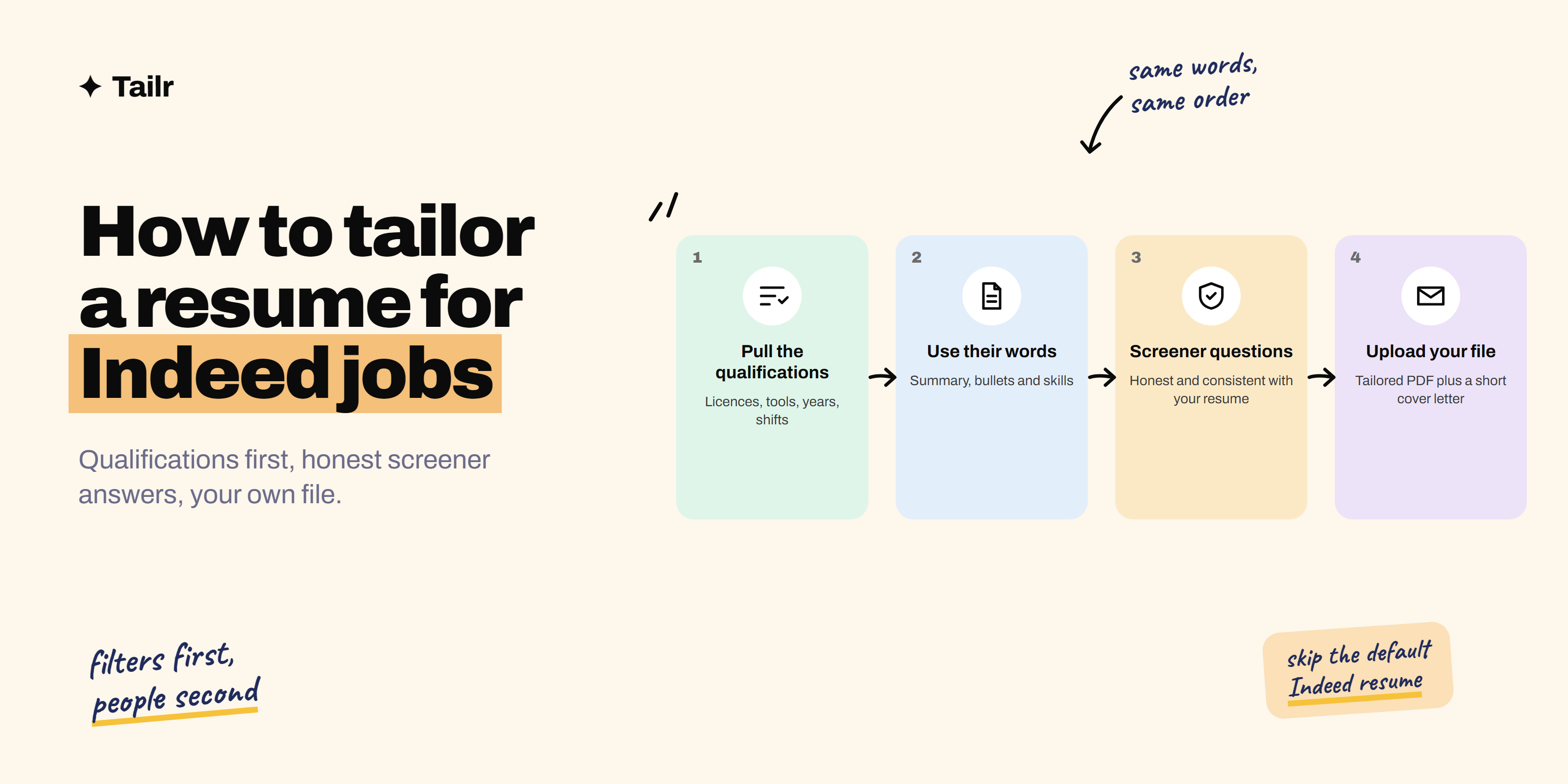
Indeed has more listings than almost any other job site, across every industry and every level, from warehouse and retail roles to software engineering and finance. It also makes applying very easy, which means employers get a lot of applicants and rely on filters to sort them. Tailoring your resume for each Indeed job is how you get through those filters and in front of a person.
The short answer: To tailor a resume for an Indeed job:
- Start with the listing’s qualifications and requirements.
- Make sure each one you meet appears clearly in your resume, in the listing’s own words, near the top.
- Adjust your summary to name the role and put your most relevant experience and bullets first.
- List the specific licences, tools and certifications they ask for.
- Upload your tailored file instead of the generic Indeed resume.
- Answer screener questions honestly and consistently with your resume.
- Add a short cover letter when there’s an option for one.
Tailr does steps 1 to 4 and the cover letter from the Indeed listing you’re viewing.
How applying on Indeed works
Knowing what happens after you click Apply explains why tailoring matters:
- Many listings use Indeed’s own application. Listings marked “Easily apply” let you apply inside Indeed with your Indeed resume or an uploaded file. Others send you to the company’s careers site.
- Employers can add screener questions. Years of experience, certifications, shift availability, right to work, commute distance. Some are marked as deal-breakers.
- Employers filter before they read. Screener answers and how well your application matches the listed qualifications often decide which resumes get opened.
- Your Indeed resume can be searchable. If you make it visible, employers can find you in Indeed’s resume search. That’s useful for being found, but it’s a single generic version.
So there are two jobs: get past the filters, then convince the person who reads what’s left.
Step 1: Pull the qualifications out of the listing
Indeed listings often have a clear “Qualifications” or “Requirements” section, and many show a short list of skills or credentials near the top. Write down:
- Hard requirements: licences, certifications, degrees, years of experience, languages.
- Tools and skills: POS systems, forklift certification, QuickBooks, Excel, Python, whatever the role names.
- Schedule and location details: shifts, weekends, travel, on-site.
- The top three responsibilities in the description.
Mark each one you genuinely meet. Those are what your resume needs to show clearly.
Step 2: Put the requirements in your resume, in their words
Filters and recruiters both look for the listing’s terms. If the listing says “customer service experience” and your resume says “helped shoppers on the floor”, a keyword filter may miss the match and a busy recruiter might too.
Before:
Helped customers and handled the register at a busy store.
After, tailored for a Retail Shift Supervisor listing asking for “customer service”, “cash handling” and “team leadership”:
Delivered customer service to 200+ shoppers a day and handled cash and card transactions with zero till discrepancies over 18 months; trained and led a team of four on weekend shifts.
Same job, same facts, now described in the listing’s language and with numbers.
Name certifications and licences exactly as the listing does, such as “OSHA 10”, “ServSafe Food Handler” or “CDL Class A”, and put them in their own section so they’re impossible to miss.
Step 3: Adjust your summary
Two or three lines naming the role and your strongest matching qualifications:
Warehouse associate with four years in high-volume fulfilment, forklift certified, with a 99.6% pick accuracy record. Available for rotating and weekend shifts.
For professional roles the idea is the same:
Staff accountant with three years in month-end close and reconciliations, experienced in QuickBooks and NetSuite, CPA candidate.
Step 4: Reorder your experience and skills
- Most relevant bullet first in each job.
- Most relevant job first if you have a functional or combination format, or if an older role is a much better match.
- Skills section in the order the listing mentions them, trimmed to what matters for this role.
- Cut what doesn’t help. A resume for a delivery driver role doesn’t need your college society positions.
Resume keywords goes into which terms are worth matching and which to skip.
Step 5: Answer screener questions honestly and consistently
Screener questions are often the first filter, and deal-breaker questions can remove you before anyone sees your resume. A few rules:
- Answer truthfully. Overstating years of experience or claiming a licence you don’t have will be caught when they check your resume or ask in the interview.
- Match your resume. If you answer “3 years” for customer service, your resume should show roughly three years of customer service.
- Count all relevant experience. Part-time, contract, volunteer and freelance work often count. Include them in the resume too so your answer holds up.
- Read the question carefully. “Years of experience with Excel” and “years of experience in accounting” are different questions.
Step 6: Upload the right file
When you apply with “Easily apply”, Indeed usually offers your Indeed resume by default. For jobs you care about, upload your tailored file instead:
- Use PDF or Word in a simple one-column layout with standard headings.
- Avoid tables, text boxes, columns and graphics, which can scramble when the file is parsed.
- Name it clearly, such as “Jordan-Lee-Resume-Shift-Supervisor.pdf”.
- Add a cover letter when there’s an option for one. Three short paragraphs tailored to the role is plenty. How to write a cover letter has a simple structure.
If the listing redirects you to the company’s site, use the same tailored file there.
Indeed resume vs. uploaded resume
| Indeed resume | Your uploaded resume | |
|---|---|---|
| How it’s made | Built from your Indeed profile | Your own file, tailored per job |
| Visibility | Can be searchable by employers | Only sent to the jobs you apply to |
| Tailoring | One version for everything | A new version for each listing |
| Formatting control | Indeed’s template | Your layout |
| Best use | Being found, quick applications | Jobs you actually want |
Use both: keep the Indeed resume complete and current so employers can find you, and upload a tailored file for the jobs you care about.
Common mistakes on Indeed applications
- Mass-applying with the default resume. “Easily apply” makes it tempting, but untailored applications rarely get through the filters.
- Screener answers that contradict the resume.
- Leaving out licences and certifications, or burying them at the bottom.
- Fancy templates that break when parsed.
- Applying weeks late. Many Indeed roles, especially hourly ones, fill fast. Set alerts for your job titles and location.
How to do this efficiently
Keep a master resume that includes every job, certification and strong bullet you have. For each Indeed listing, copy it, pull the qualifications from the listing, and tailor down: summary, bullet order, wording, skills. With a good master that’s 10 to 15 minutes. Save each version with the job title and company in the filename so you know what you sent if they call. Tailr saves each tailored version and tracks the application for you. How to tailor your resume to a job description explains the method in full, and how to tailor a resume for LinkedIn jobs covers the other big platform.
Where Tailr fits
Tailr is a browser extension that tailors your existing resume to the job listing you’re viewing, including listings on Indeed. It reads the role’s qualifications and responsibilities, puts your most relevant experience first and uses the listing’s language where it’s true, without adding anything you haven’t done. You review the result, download the file and upload it with your application. It also drafts a matching cover letter and keeps track of where you’ve applied. Try Tailr on the next Indeed listing you open.
Conclusion
On Indeed, filters come first and people come second. Tailor your resume so every qualification you meet appears clearly, in the listing’s words, near the top. Answer screener questions honestly and consistently, and upload your own tailored file rather than the default. It’s 15 minutes per job, and it’s the difference between being filtered out and being read.
Frequently asked questions
01Should I upload my own resume or use the Indeed resume?
For jobs you care about, upload your own tailored resume file. The Indeed resume built from your profile is convenient and can make you visible to employers searching Indeed, but it's one generic version. A resume you've tailored to the specific listing will match its qualifications far better.
02What are screener questions on Indeed?
Screener questions are short questions the employer adds to the application, such as years of experience, licences, availability or willingness to commute. Employers can mark some as deal-breakers, and applicants who don't meet them are typically filtered out or deprioritised before anyone reads the resume.
03Do employers on Indeed read resumes?
Yes, but often after filtering. Many employers first sort applicants by screener answers and how well they match the listed qualifications, then skim the resumes that remain. A resume that clearly shows the listing's qualifications near the top is much more likely to be read properly.
04What resume format works best on Indeed?
A simple one-column PDF or Word document with standard headings like Summary, Experience, Skills and Education. Avoid tables, text boxes, graphics and two-column layouts, because they can scramble when Indeed or an employer's applicant tracking system parses the file.
05How do I make my Indeed application stand out?
Answer screener questions accurately, tailor your resume so the listing's required qualifications appear clearly near the top, add a short cover letter when the employer allows one, and apply within the first few days of the posting. Consistency between your answers and your resume also matters.
06Is it okay to use the same resume for every Indeed job?
It's fine for jobs that are nearly identical, like the same role at different branches of one company. For anything else, tailor it. Indeed listings vary a lot in what they require, and a resume that lines up with those requirements gets past filters and recruiters far more often.