How to Tailor a Resume for LinkedIn Jobs
· updated
LinkedIn is where most professional job searches start, and that’s the problem: a popular Easy Apply listing can collect hundreds of applicants in a day. Most of them send the same resume they sent to the last 40 jobs. Tailoring your resume for each LinkedIn listing is the simplest way to stand out from that crowd, and LinkedIn makes it easy to do if you know where to look.
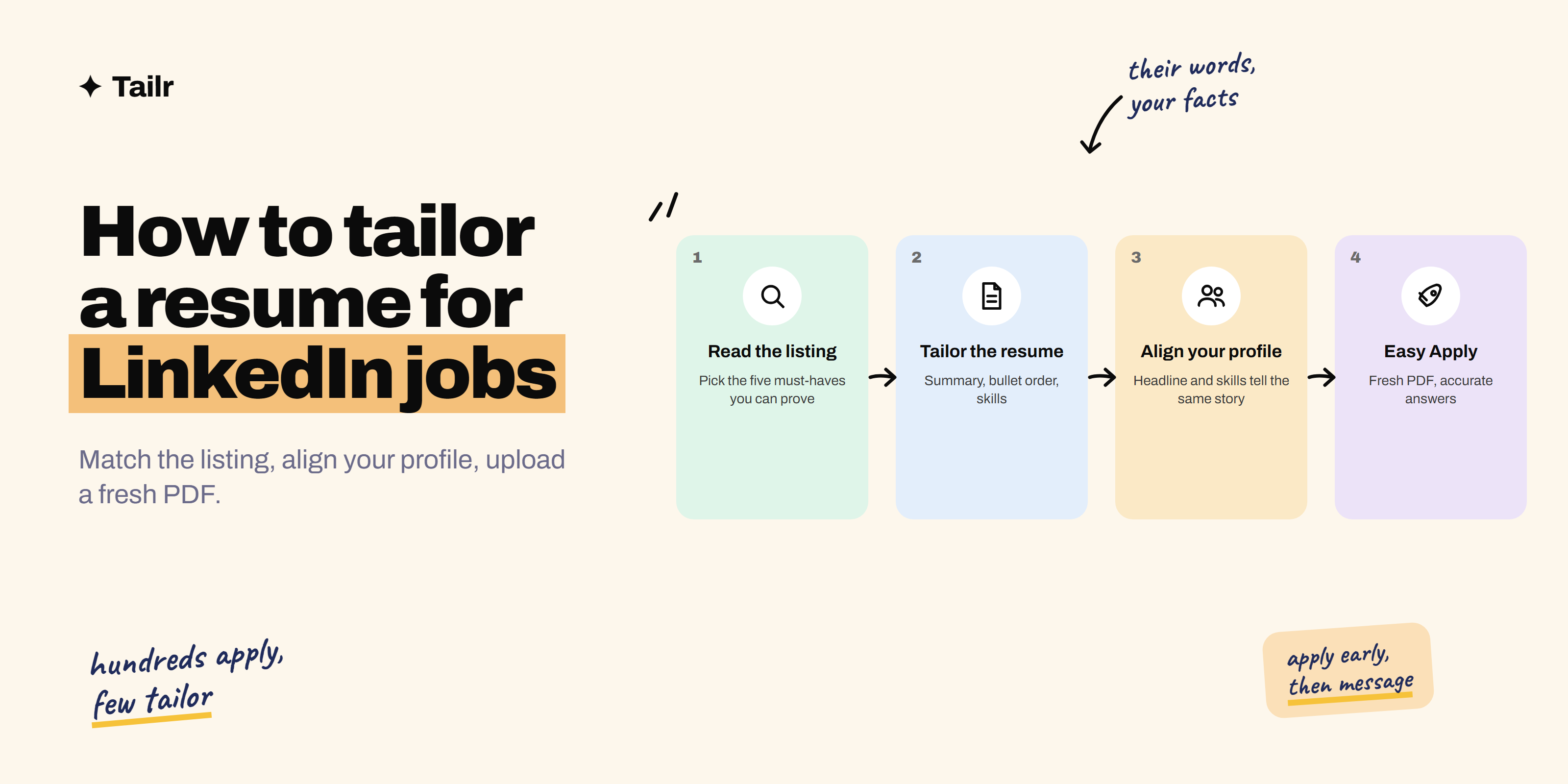
The short answer: To tailor a resume for a LinkedIn job:
- Read the “About the job” section and the listing’s skills panel.
- Pick the five requirements that matter most.
- Adjust your summary, reorder your bullets and update your skills section so those five things are at the top, using the listing’s exact terms wherever they’re true for you.
- Save it as a PDF named for the company and upload it fresh in Easy Apply (or on the company site).
- Make sure your LinkedIn profile’s headline and skills tell the same story (how to optimize your LinkedIn profile).
- Apply early and message someone on the team (how to cold message on LinkedIn).
Tailr handles steps 1 to 3 from the LinkedIn listing you’re viewing.
Why LinkedIn applications need tailoring
A few things make LinkedIn different from applying on a company’s own careers page:
- Volume. Easy Apply removes friction, so listings get far more applicants. Recruiters skim faster as a result.
- Your profile is part of the application. Recruiters can click through to it, and LinkedIn’s matching and recruiter search lean on profile fields like your headline, skills and experience.
- Skills are front and centre. Many listings show how your profile’s skills line up with the role’s. That’s a signal to recruiters and a useful checklist for you.
- You can attach a different resume every time. Easy Apply lets you choose a saved resume or upload a new one, so there’s no technical reason to send a generic version.
The takeaway: tailor the resume for each job, and keep the profile aligned with the kind of job you want.
Step 1: Read the listing like a recruiter
Open the listing and read the “About the job” section twice. The first time, just understand the role. The second time, pull out:
- The job title and level they’re hiring for.
- Must-have requirements, usually under “Requirements”, “What you’ll need” or “Qualifications”.
- The main responsibilities, especially the first three, which tend to be what the team cares about most.
- Repeated words. If “stakeholder management” appears three times, it matters.
- The skills panel, if the listing shows one, and which of those skills you actually have.
Write down the five requirements you can honestly show evidence for. Those five drive every edit that follows.
Step 2: Rewrite your summary for this job
Your summary is the first thing a recruiter reads. Make it name the role and the two or three things the listing leads with.
Generic:
Results-driven professional with experience in marketing and communications.
Tailored for a Content Marketing Manager listing focused on SEO and B2B SaaS:
Content marketer with five years in B2B SaaS, specialising in SEO-led content programmes. Grew organic sign-ups 3x at a Series B analytics company by building a 60-article topic cluster strategy.
Three lines, specific, and every claim is something you could talk about in an interview.
Step 3: Reorder and reword your bullets
In each role, move the most relevant bullet to the top. Recruiters read the first one or two bullets per job and skim the rest.
Then match the listing’s language where it’s accurate:
- If they say “cross-functional” and you wrote “worked with other teams”, use their phrase.
- If they name a tool you’ve used (Salesforce, Figma, dbt), name it in the bullet where you used it, not just in the skills list.
- If they ask for a result type (revenue, retention, time saved), lead with that result where you have it.
Don’t add anything you haven’t done. How to tailor your resume without lying covers exactly where the line is.
Step 4: Update your skills section
Reorder your skills so the ones in the listing come first, and remove ones that are irrelevant for this role. Use the listing’s spelling and phrasing: “Google Analytics 4”, not “GA”; “Project management”, not “PM”.
Keep it honest and short. Eight to twelve skills that match the role beat thirty that don’t. Resume keywords explains which terms are worth including.
Step 5: Align your LinkedIn profile
You can’t tailor your profile for every job, but you can point it at the kind of job you want:
- Headline: the role you’re targeting plus your strongest specialty, such as “Product Designer, B2B SaaS and design systems”, not “Seeking new opportunities”.
- Skills: add the skills that keep coming up in the listings you apply to, and pin the most important ones.
- About section: a short version of your summary, written in the first person.
- Experience: keep titles and dates consistent with your resume. Mismatches are a red flag.
Step 6: Upload the right version
When you click Easy Apply:
- Upload the tailored PDF, rather than picking an old saved resume out of habit. LinkedIn accepts PDF, DOC and DOCX, and PDF keeps your formatting intact.
- Name the file clearly, such as “Priya-Sharma-Resume-Acme.pdf”. Recruiters see the filename.
- Answer the screening questions accurately. They’re often used to filter applicants before anyone reads a resume.
- Double-check the contact details LinkedIn pre-fills.
If the listing sends you to the company’s own site instead, use the same tailored resume there.
Step 7: Apply early and follow up
Timing matters on LinkedIn. Listings get most of their applicants in the first few days, and many recruiters start screening straight away. Set job alerts for your exact target titles so you see new roles the day they’re posted.
After applying, find the hiring manager or someone on the team and send a short note: one line on why you’re interested, one line on your most relevant result, and a mention that you’ve applied. This does more than any number of extra applications.
A quick LinkedIn tailoring checklist
| Step | What to do | Time |
|---|---|---|
| Read the listing | Pick the five must-haves you can prove | 3 min |
| Summary | Name the role and top two or three requirements | 3 min |
| Bullets | Put the most relevant bullet first in each role, match wording | 5–8 min |
| Skills | Reorder and trim to what the listing asks for | 2 min |
| Upload | Fresh PDF, clear filename, accurate screening answers | 2 min |
| Follow up | Short message to the hiring manager or team | 3 min |
Common mistakes on LinkedIn applications
- Reusing a saved resume from months ago because it’s the default in Easy Apply.
- Copying the listing’s wording wholesale into your resume. Recruiters notice, and it reads as padding.
- A profile that contradicts the resume: different titles, dates or a headline for a different career.
- Applying to 50 roles a day. The volume approach rarely works on LinkedIn, because the applicant counts are so high that only tailored resumes get noticed.
How to do this efficiently
Keep one master resume with every strong bullet you have, and tailor down from it for each listing. Save each version with the company name. Once your master is solid, a LinkedIn tailor takes 15 minutes. That’s fast enough to do properly for the five to ten jobs a week you actually want. With Tailr it’s a couple of minutes, from the LinkedIn listing itself. How to tailor your resume to a job description covers the full method, and best job search sites covers where to look beyond LinkedIn.
Where Tailr fits
Tailr is a browser extension that works on the job listing you’re viewing, including LinkedIn listings. It reads the role’s requirements and tailors your existing resume to match: most relevant experience first, the listing’s language where it’s true, nothing invented. You review the changes, download the PDF and upload it in Easy Apply. It also writes a matching cover letter and tracks every application, so you know which version went where. Try Tailr on the next LinkedIn job you open.
Conclusion
Tailoring a resume for LinkedIn comes down to three things: match the resume to the listing’s top requirements, keep your profile telling the same story, and apply early with a fresh upload rather than an old default. It takes about 15 minutes per job, and on a platform where most applicants send the same resume everywhere, those 15 minutes are what get your resume read.
Frequently asked questions
01Should I tailor my resume for LinkedIn Easy Apply?
Yes. Easy Apply lets you pick or upload a different resume for each application, so there's no reason to send the same generic one every time. Easy Apply roles attract the most applicants on LinkedIn, and a resume that clearly matches the listing is how you get past the first skim.
02Does LinkedIn use my profile or my resume when I apply?
Both can matter. Recruiters see your uploaded resume with the application, but LinkedIn's matching and recruiter search lean heavily on your profile: headline, skills, experience and location. Tailor the resume for each job and keep your profile's skills and headline aligned with the roles you're targeting.
03How many resumes can I save on LinkedIn?
LinkedIn keeps your most recently uploaded resumes (currently four) so you can reuse them in future applications. That's enough to hold a few role-specific versions, but for real tailoring you'll usually upload a fresh version for each job you care about.
04What file format should I use for a LinkedIn resume?
PDF is the safest choice because it keeps your formatting intact. LinkedIn also accepts DOC and DOCX. Use a simple one-column layout with standard headings so the resume reads cleanly whether a person or an applicant tracking system opens it.
05Is the same resume fine for LinkedIn and for company websites?
The format can be the same; the content shouldn't be. Tailor for the job, not the site. A resume for a specific listing should match that listing's requirements wherever you apply, whether through Easy Apply or the company's own careers page.
06How do I stand out on LinkedIn job applications?
Apply early, ideally within the first day or two of the posting, tailor your resume to the listing, make sure your profile skills match the role, and then message the hiring manager or a team member with a short, specific note. Tailoring and following up matter far more than applying to more roles.