How to Cold Message on LinkedIn for a Job (With Templates)
· updated
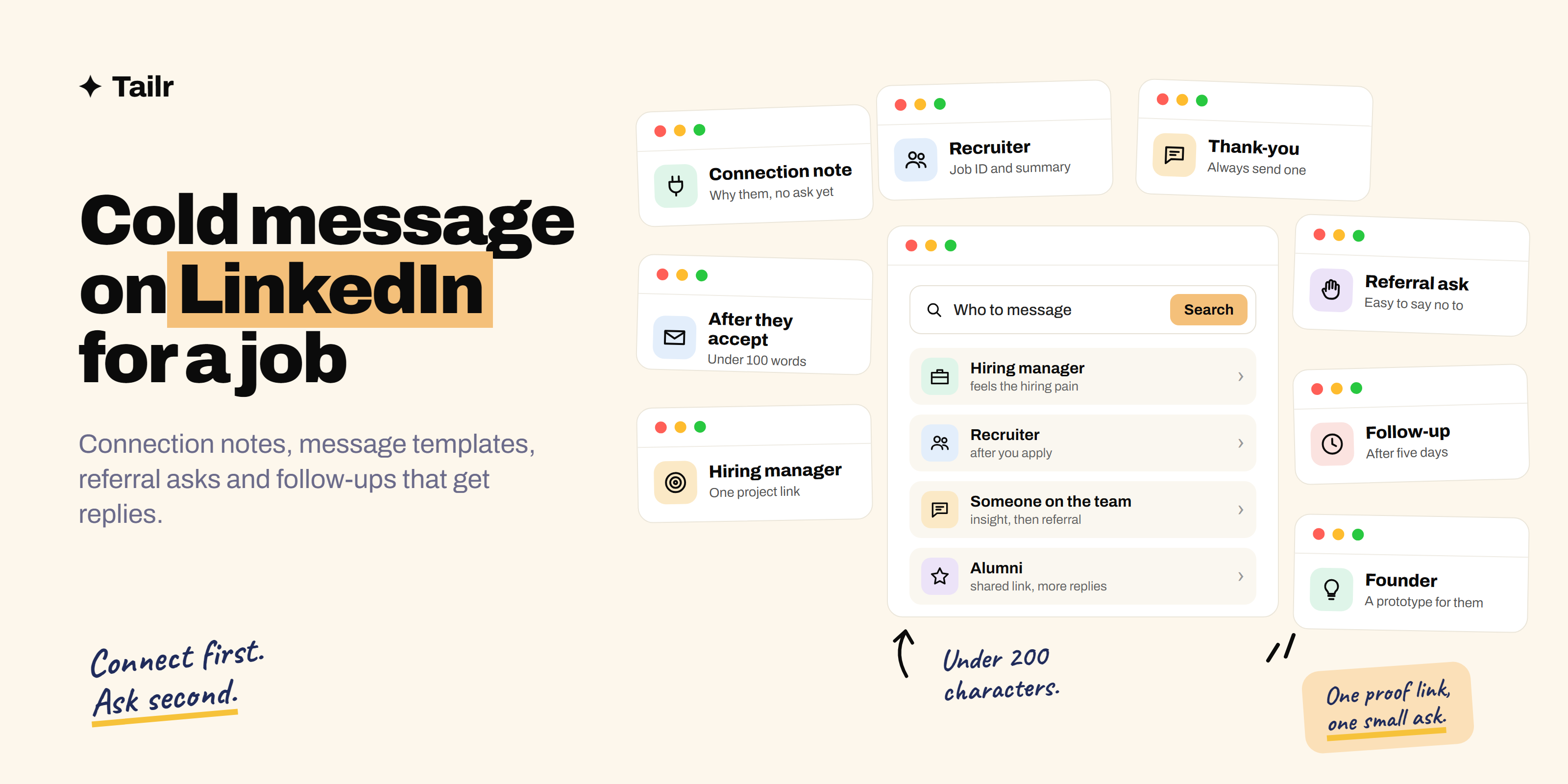
The person who can get you an interview is probably on LinkedIn right now, and you can message them for free. Most job seekers never do, and most who try send something like “Hi, I’m looking for opportunities, please let me know if anything fits.” That gets ignored. This guide shows who to message, how to write a connection note that gets accepted, what to send after, how to ask for a referral, and ten templates you can adapt.
The short answer: To cold message on LinkedIn for a job:
- Make sure your profile is ready, since everyone you message will look at it.
- Pick the right person: the hiring manager, a recruiter for the role, or someone on the team.
- Send a connection request with a specific note under 200 characters, saying why them, with no ask yet.
- Once they accept, send a short message (under 100 words) with one proof point, such as a portfolio link, and one small ask, like a 15-minute chat or a pointer to the right person.
- Follow up once after about five business days, adding something new.
- For referrals, build context first and make the ask specific and easy to decline.
Personalise every message. Copy-paste is obvious and ignored.
Before you message anyone: fix your profile
Every person you message will click your profile. If the headline says “Student” and there’s no photo, the message is already weaker. At minimum: a clear photo, a headline with your target role and skills, a short About section, and your best project pinned in Featured. How to optimize your LinkedIn profile to get hired in 2026 walks through it.
Who to message
| Person | When to message | What to ask for |
|---|---|---|
| Hiring manager | You’ve found a role on their team, or you want to be on their radar | A short chat, or whether your background fits |
| Recruiter or talent partner | Larger companies; after applying | Where your application stands; whether you fit other roles |
| Someone on the team | You want insight or a potential referral | Their experience of the team; later, a referral |
| Alumni from your college or bootcamp | Any company; the shared link makes replies far more likely | Advice, insight, a referral |
| Founders | Startups under about 50 people | A conversation about joining |
How to find them: search LinkedIn for “[Company] [team] manager” or “[Company] recruiter [your field]”, check the “People” tab on the company page (filter by your school to find alumni), and look at who posted the job; many listings show the poster.
LinkedIn’s limits, briefly
- Connection notes on free accounts are capped at 200 characters, and free accounts can add notes to only a small number of invitations each month. Save them for the people who matter most.
- Weekly invitation limits: LinkedIn caps how many connection requests you can send per week. Sending lots of unanswered requests can also get your account restricted, so quality beats volume.
- Messaging without connecting: you can message some people directly if they have an open profile, or send InMail with a Premium subscription, which includes a limited number of credits.
- Email as an alternative: if you can find their email, a cold email has room for more detail.
Step 1: the connection request note
Your only goal here is getting accepted. Be specific, relevant, and don’t ask for anything yet.
Formula: their name + why them (specific) + why you’re relevant (a few words).
Under 200 characters. Examples:
Hi Maya, your post on moving the payments API to Go was great. I just did a
similar migration on a side project. Would love to connect.
Hi Arjun, fellow NIT Trichy grad here. I'm a data analyst keen on the
analytics work at Swiggy and would love to connect.Hi Priya, I'm a frontend dev who uses Notion daily and I'm interested in
your design systems team. Would be great to connect.Avoid: “I’d like to add you to my professional network” (the default), “Please refer me”, a pitch, or a sales tone.
Step 2: the message after they accept
Now you have room. Keep it under 100 words: phones show about that before people decide.
Structure:
- Thanks + context (one line).
- Who you are + one proof point with a link (two lines).
- A small, specific ask (one line).
Ten LinkedIn message templates
Replace everything in brackets. Rewrite the first line for every person.
1. To a hiring manager (role is open)
Thanks for connecting, [Name]. I saw the [Role] opening on your team and
applied today. I've spent [time] doing [relevant work], most recently
[achievement with a number]. Here's the project closest to what your team
does: [link]
Would you be open to a 15-minute chat about what you're looking for?
2. To a hiring manager (no open role)
Thanks for connecting, [Name]. I've followed [Company]'s work on [specific
thing] and it's exactly the kind of problem I want to work on. I'm a [role]
who [one-line proof]: [link]
If you're expecting to hire in the next few months, I'd love to be on your
radar. Happy to share my resume.
3. To a recruiter (after applying)
Hi [Name], I applied for [Role] ([job ID or link]) this week. Quick summary:
[X years] in [area], with [one achievement]. I'm particularly strong in
[skill from the listing]. Is there anything else that would help my
application, or someone on the team I should speak with?
4. To a recruiter (open to several roles)
Hi [Name], I'm a [role] focused on [specialism], looking for [type of role]
in [location/remote]. I noticed you recruit for [Company]'s [team]. My
portfolio: [link]. If any current or upcoming roles fit, I'd love to hear
about them.
5. To someone on the team (insight first)
Thanks for connecting, [Name]. I'm considering applying for [Role] on your
team and would love your honest take: what does a great first six months
look like there? Even a couple of lines would help a lot. Happy to return
the favour however I can.
6. Asking for a referral (after some context)
Thanks again for the insight on [topic], [Name]. It confirmed [Company] is
where I want to be. I'm applying for [Role] ([link]). If you'd be
comfortable referring me, I'd be really grateful; completely understand if
not. Here's a two-line summary you can use: [summary]. Resume attached.
7. To an alumnus or alumna
Hi [Name], I'm a [year] [college] grad too, now working as a [role]. I'd
love to hear how you moved into [their team/role] at [Company]. Would you
have 15 minutes sometime in the next couple of weeks?
8. To a founder (startup)
Hi [Name], I've been using [Product] for [time] and spotted [specific
problem or idea]. I built a quick prototype of a fix: [link]. I'm a [role]
looking to join an early team, and I'd love to talk about how I could help
with [goal they've mentioned].
9. The follow-up (about five business days later)
Hi [Name], following up in case this got buried. Since my last message I
[shipped/wrote/finished something relevant]: [link]. Still keen to chat if
you have 15 minutes.
10. The thank-you (always send one)
Thanks so much for your time today, [Name]. Your point about [specific
thing] was really useful; I'm going to [action]. I'll keep you posted on
the [Role] application.
How to ask for a referral the right way
Referrals are one of the strongest routes into a company, and employees are often rewarded for good ones, so a well-made ask can help both of you. Make it easy:
- Have a real interaction first. A question, a thank-you, a chat.
- Name the exact role with the job ID or link.
- Send your resume tailored to that role (Tailr does this from the job listing you’re viewing).
- Write the blurb for them: two lines on why you fit, which they can paste into the referral form.
- Give an easy out. “Completely understand if you’d rather not.”
- Thank them, and update them on how it goes.
How to ask for a job referral has full templates for friends, alumni and strangers.
Timing, volume and tracking
- Send on weekday mornings in their time zone.
- Five to ten thoughtful messages a day beats fifty generic ones, and keeps your account in good standing.
- Track everything: who, when, what you asked, and follow-up dates. A spreadsheet or job tracker works.
- Follow up once or twice, then move on (how to follow up after a job application has timing and templates). Many people rarely check LinkedIn messages.
Mistakes that get ignored
| Mistake | Fix |
|---|---|
| “Please refer me” in the connection note | Connect first, build context, then ask |
| Long paragraphs about yourself | Under 100 words, one proof point |
| “Any opening that suits my profile” | Name the role or team |
| Same message to everyone | Personalise the first line every time |
| No link to your work | Link your portfolio or best project |
| Messaging on weekends at midnight | Weekday mornings |
| Getting annoyed at silence | One or two polite follow-ups, then move on |
Using AI without sounding like AI
Claude can help research and tighten messages, but recipients spot generic AI writing instantly. A useful prompt:
Here's [Name]'s LinkedIn About section and recent post: [paste]. Here's the
job listing: [paste]. And my background: [paste]. Suggest one specific,
true opening line and the single most relevant proof point. Then tighten
my draft below to under 100 words. Keep my voice. No flattery, no buzzwords.
How to use Claude for your job search covers more ways to use it.
When they reply: be ready
A reply often leads to “send me your resume” within a day. Make sure the resume you send matches that specific role, not a generic version. Tailr is a Chrome extension that tailors your resume to the job listing you’re viewing, LinkedIn jobs included, using only your real experience, then drafts a cover letter and tracks the application.
Try TailrConclusion
Cold messaging on LinkedIn works when it’s specific, short and generous: the right person, a connection note that says why them, a follow-up message with one proof link and one small ask, and a polite follow-up if it goes quiet. Build context before asking for referrals, and make every ask easy to say yes (or no) to. Ten personal messages a day will open more doors than a hundred applications.
Frequently asked questions
01Is it OK to cold message people on LinkedIn for a job?
Yes. Recruiters expect it, and many hiring managers welcome short, relevant messages from candidates. What people dislike is copy-pasted, vague or demanding messages. Keep it brief, show you know who you're writing to and why, include one piece of proof, and make a small, easy ask.
02What should I write in a LinkedIn connection request for a job?
A short, specific note under 200 characters: why you're connecting with them in particular, and a hint of relevance. For example: Hi Maya, I saw your post on the payments team's move to Go. I'm a backend dev who just did the same migration. Would love to connect. Save the ask for the message after they accept.
03How many characters can a LinkedIn connection note have?
Connection request notes on free LinkedIn accounts are limited to 200 characters, and free accounts can add personalised notes to only a small number of invitations each month. Premium accounts get a longer limit and more personalised invitations. Plan to write a short note and send your fuller message after they accept.
04Should I message the recruiter or the hiring manager?
Both can work. Recruiters manage the process and respond to relevant candidates, especially at large companies. Hiring managers make the decision and feel the hiring pain directly, which makes them the stronger choice at startups and smaller teams. Messaging one of each for a role you've applied to is reasonable.
05How do I ask for a referral on LinkedIn without being awkward?
Build a little context first: connect, ask a genuine question about their team or role, and thank them. Then ask specifically: name the job ID or link, share your resume, and give them an easy out, such as: If you're comfortable referring me, I'd be grateful; completely understand if not. Make it easy by sending a two-line summary they can paste.
06How long should I wait before following up on LinkedIn?
Wait about five business days, then send one short follow-up that adds something new, such as a project update or a relevant thought. If there's still no reply after a second polite follow-up a week later, move on. Many people rarely check LinkedIn messages, so silence usually means busy, not no.