How to Use Claude for Your Job Search (Prompts and a Full Workflow)
· updated
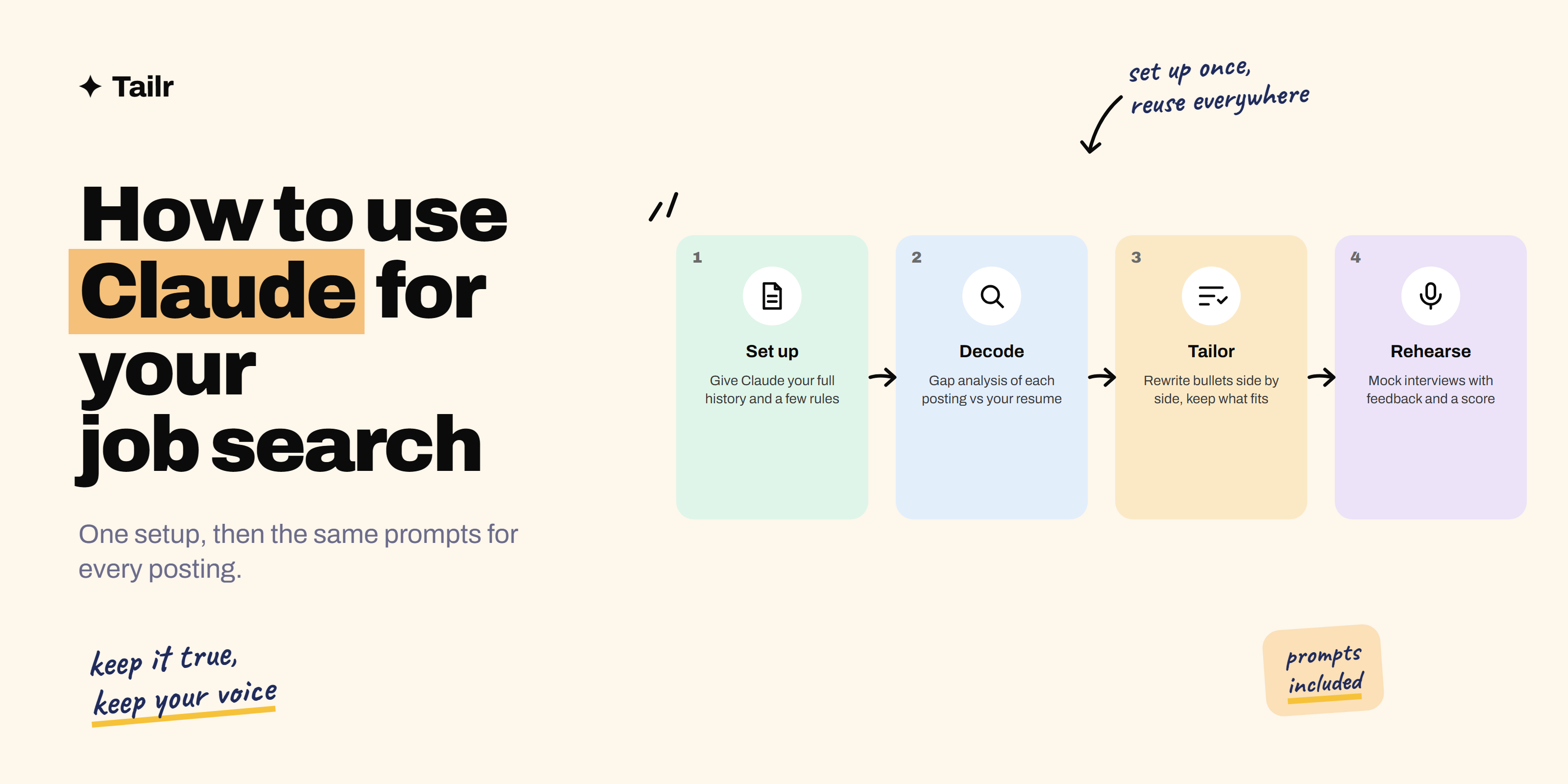
Job searching is mostly reading, writing and rehearsing: reading postings closely, writing versions of the same resume and cover letter, and rehearsing answers to questions you can mostly predict. That’s exactly the kind of work Claude is good at, provided you set it up properly and stay in charge of what’s true. This guide shows you how to use Claude for your job search from first application to signed offer, with prompts you can copy.
The short answer: to use Claude for your job search, set it up once with your full work history and a few rules, then use it to:
- Decode each job posting.
- Tailor your resume bullets to what the posting actually asks for.
- Draft a cover letter in your voice.
- Run mock interviews with feedback.
- Research the company before the call.
- Prepare your negotiation.
Do the setup step properly and every later step takes minutes. If you’d rather skip the copy-paste for steps 2 and 3, Tailr does them from the job listing you’re viewing.
Before you start: what Claude should and shouldn’t do
Claude (website: claude.ai) is a chat assistant from Anthropic. You can paste text, upload files like your resume PDF, and on paid plans keep Projects, which store files and instructions you reuse. It’s free to start.
Two rules keep you out of trouble. First, everything on your resume has to be true and yours; Claude edits your story, it doesn’t write a new one. Second, read the posting for any rules on AI use. Some employers, including Anthropic, publish guidance on how candidates can use AI during hiring, and a few ask you not to use it for specific assessments. Follow that, and you’re fine. Our guide on how to tailor your resume without lying covers where the line is.
1. Set up a job search project
Do this once and every later prompt gets better. Open a new conversation (or a Project, if you have one) and give Claude three things:
- Your full work history, longer than your resume. Every role, what you actually did, numbers you remember, projects that got cut for space. Think of it as the source document your resume is compressed from.
- Your current resume, as a file or pasted text.
- A few standing instructions. For example: “Never invent experience. Use my numbers, don’t round them up. Write in plain, direct sentences. Ask me before assuming a skill.”
A prompt that works: “Here is my complete work history and my current resume. Read both, then tell me the five strongest things about my background and the three most likely weaknesses a recruiter would see. Don’t rewrite anything yet.”
That last line matters. Get Claude to understand you before it starts producing.
2. Decode the job posting
Paste the posting and ask: “List the top eight requirements in this posting in order of how much the company seems to care. For each, say whether my resume already shows clear evidence, weak evidence or none. Where the evidence is weak or missing, say whether anything in my full history could honestly cover it.”
You get a gap analysis instead of a rewrite. Now you can decide what to change, what to leave, and whether this role is worth the time at all. If you want to understand what the posting’s language is doing, our post on resume keywords explains how to read one.
3. Tailor your resume bullets
Now rewrite, one section at a time: “Using only what’s in my history, rewrite the bullets for my last two roles so they lead with the experience that matches requirements 1, 2 and 4. Keep each bullet to one line, start with a verb, and keep my numbers. Show me the original next to the new version.”
Side by side is the key. You’ll accept some, reject some, and rewrite a few in your own words. If a bullet sounds impressive but you couldn’t talk about it for two minutes in an interview, cut it. Our guide to tailoring your resume to a job description goes deeper on which sections to change.
4. Draft the cover letter
Cover letters written by AI have a recognizable smell: three paragraphs of enthusiasm and no specifics. Prevent it with constraints: “Write a cover letter under 250 words. Open with one specific thing about this company or role that I’d actually care about. Use two concrete examples from my history that match requirements 1 and 3. No adjectives about myself. End with a plain sentence about next steps.”
Then read it aloud. Anything you wouldn’t say, change. See how to write a cover letter for a full template.
5. Run mock interviews
This is where Claude earns its keep. Paste the posting and say: “Act as the hiring manager for this role. Interview me one question at a time. Wait for my answer, then give brief feedback and a score out of 5 before asking the next question. Mix behavioral and role-specific questions. After ten questions, give me a scorecard and the three answers I most need to improve.”
Answer in full sentences, as you would out loud. Voice mode in the Claude app is even better, because it forces you to speak instead of type. When an answer scores badly, ask Claude to show you a stronger structure using your own experience, then try again. Our lists of behavioral interview questions and HR interview questions make good source material.
6. Research the company before the call
Give Claude the company name and whatever you know, and ask for a one-page brief: what the company does, how it makes money, recent news you should be aware of, who its competitors are, and five thoughtful questions you could ask the interviewer. Check anything factual yourself, since a chat model can be out of date, but the structure and the questions will save you an hour.
7. Prepare the negotiation
When an offer arrives, paste it (remove anything private) and ask Claude to help you plan: what to ask for, in what order, and how to phrase it. “Here is my offer and my target. Draft a short, friendly reply asking for a higher base and explaining why in two sentences, and give me three fallback positions if they say no.” Then compare with how to negotiate salary after a job offer, which has scripts and email templates.
Doing this efficiently
The setup in step 1 is what makes everything else fast. Once Claude knows your history, decoding a posting and tailoring bullets takes ten minutes per application instead of an hour. Keep your standing instructions short and specific, save the prompts above somewhere you can paste them, and keep one conversation per application so the context doesn’t get muddled.
The one thing Claude can’t do well is live on the job posting. Every application means copying the posting out, pasting your resume in, and moving the result back into a document without breaking the formatting, then remembering which version you sent where. That’s the gap Tailr fills: it’s a Chrome extension that reads the posting you’re already looking at, tailors your existing resume to it with nothing invented, keeps your .docx formatting intact, and logs every application you send so nothing gets lost. Use Claude for the deep work, the interview practice and the negotiation. Try Tailr for the tailoring and tracking on every application in between.
Conclusion
Using Claude for your job search comes down to one good setup and a handful of repeatable prompts: decode the posting, tailor the bullets, draft the letter, rehearse the interview, research the company, plan the negotiation. Keep everything true, keep your own voice, and let the tool handle the repetition so you have energy left for the conversations that actually get you hired.
Frequently asked questions
01Can I use Claude to write my resume?
Yes, and it works best as an editor rather than an author. Give Claude your real work history and a job posting, ask it to tighten your bullets and match the posting's language, and rewrite anything that doesn't sound like you. Don't ask it to invent experience; a claim you can't back up in an interview costs more than a weak bullet.
02Is it okay to use AI for job applications?
Most employers accept it as long as the content is true and you can speak to everything on the page. Some companies, including Anthropic itself, publish guidance on how candidates may use AI, so check the posting for any rules. What gets people in trouble is pasting generic AI text or fabricated achievements, not using a tool to organize and sharpen their own story.
03What is the best prompt for tailoring a resume with Claude?
Paste the posting and your resume, then ask: list the top eight requirements in this posting, mark which my resume already shows evidence for, and for each gap say whether anything in my history could honestly cover it. That gives you a plan instead of a rewrite, and you decide what changes.
04Can Claude do mock interviews?
Yes. Tell Claude the role, paste the posting and your resume, and ask it to interview you one question at a time, waiting for your answer before giving feedback and the next question. Ask for a mix of behavioral and technical questions and for a scorecard at the end. Voice mode in the app makes it feel closer to the real thing.
05Do I need a paid Claude plan for job searching?
No. The free plan handles resume edits, posting analysis and interview practice. A paid plan gives you more messages, longer sessions and Projects, which let you store your resume and instructions once and reuse them across every application, which is worth it if you're applying to many roles at once.
06Can Claude apply to jobs for me?
Claude can draft applications, but you should submit them yourself. Auto-applying tends to produce generic submissions that recruiters spot, and you lose track of what you sent where. Use Claude for the thinking and writing, and a tracker for the sending and follow-up.