Resume Keywords: How to Find Them in a Job Description and Use Them
· updated
“Add keywords to your resume” is advice everyone gets and almost nobody is told how to follow. The keywords aren’t a secret list; they’re sitting in the job description, and pulling them out is a ten-minute job once you know what to look for. This is how to find them, where to put them, and how to do it honestly, so the resume is found by the recruiter’s search and reads well when they open it.
The short answer: Resume keywords are the terms a recruiter searches for or scans for when screening for a specific role: the job title, the required skills and tools, certifications, industry terms and repeated responsibilities. They come from the job description. To use them:
- Read the listing twice and mark what’s repeated, what’s in the first paragraph and what’s labelled required.
- Put the top three in your summary.
- Put all the true ones in your skills section.
- Attach the important ones to a result in your experience bullets.
Use the listing’s exact phrasing where it’s true of you, never where it isn’t, and redo it for every application. Tailr does this matching from the listing you’re viewing.
Why keywords matter, in two sentences
Recruiters search their applicant tracking system for the terms in their brief, and a resume that doesn’t contain them doesn’t surface. When they open it, they skim for the same terms, and a resume that uses the listing’s language reads as a better fit than one describing the same work in different words. Keywords are how you get found and how you get recognised.
Where keywords come from
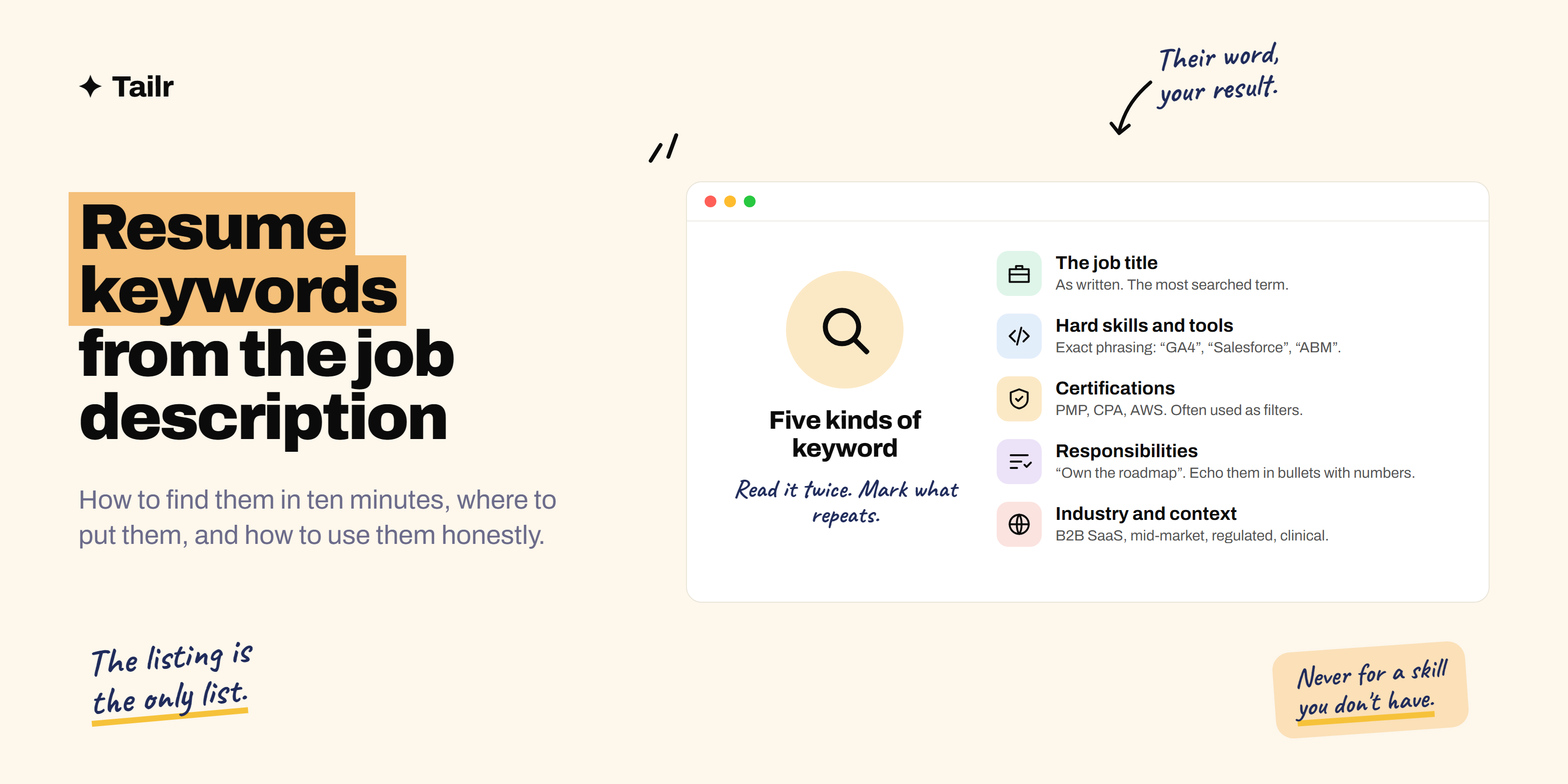
A job description has five kinds:
- The job title, as written. “Customer Success Manager”, “Senior Backend Engineer”, “Marketing Operations Specialist”. Recruiters search for it, and it’s what they expect to see in your summary.
- Hard skills and tools: “Salesforce”, “Python”, “Figma”, “Google Analytics 4”, “financial modelling”, “Kubernetes”. The most searched category. Note whether the listing uses an acronym, a full form, or both.
- Certifications and qualifications: “PMP”, “CPA”, “AWS Solutions Architect”, “registered nurse”, “bachelor’s degree in computer science”. Often used as filters.
- Responsibilities and outcomes: “own the roadmap”, “manage a book of 40 accounts”, “reduce churn”, “lead cross-functional projects”. These are the verbs and nouns the recruiter uses to describe the job, and they’re what a good bullet should echo.
- Industry and context terms: “B2B SaaS”, “mid-market”, “clinical”, “regulated”, “early-stage”. They tell the recruiter you’ve worked in a world like theirs.
Soft skills (“strong communicator”, “team player”) appear in every listing and are rarely searched for. Don’t spend keyword effort on them; show them in the bullets instead.
How to find them in ten minutes
- Paste the listing somewhere you can mark it up. A doc, a note, anything.
- First pass: highlight every skill, tool, certification, responsibility and industry term. Be generous; you’ll cut later. A typical listing yields 20 to 40.
- Second pass: mark the priority terms. Anything that appears twice or more. Anything in the first paragraph or the opening summary of the role. Anything labelled required, must-have or essential. Anything in the job title. You’ll end up with five to eight.
- Note the exact phrasing. “Stakeholder management”, not “managing stakeholders”. “GA4” or “Google Analytics 4” or both. “Account-based marketing (ABM)”. Write them down as the listing writes them.
- Cross off anything that isn’t true of you. What’s left is your list.
An example. A listing for a Marketing Operations Manager, after both passes:
Priority (repeated, required, or in the title): marketing operations, HubSpot, Salesforce, lead scoring, attribution, campaign reporting
Secondary (mentioned once): SQL, Looker, marketing automation, data hygiene, B2B SaaS, cross-functional, ABM
Where to put them
Summary. The job title and the two or three priority skills, in one sentence. “Marketing operations manager with five years in B2B SaaS, owning HubSpot and Salesforce, lead scoring and attribution for a 40-person sales team.” How to write a resume summary has 12 more examples.
Skills section. Every keyword from your list that’s true, phrased as the listing phrases it, grouped sensibly. “Marketing operations: HubSpot, Salesforce, lead scoring, attribution, campaign reporting, marketing automation. Data: SQL, Looker.” A skills section is the cheapest place to make sure a search finds you.
Experience bullets. The priority terms, attached to a result. This is where keywords do double duty: the search matches the string, and the human sees evidence.
- “Rebuilt lead scoring in HubSpot with sales input; MQL-to-SQL conversion rose from 14% to 23%.”
- “Built multi-touch attribution reporting in Looker on Salesforce data; used by the CMO for quarterly budget allocation.”
Headline or title line, if you use one under your name: the target job title, when your current title differs.
Using them honestly
The rule is simple: use the listing’s word for something you’ve actually done. Don’t use it for something you haven’t.
- Do: call it “stakeholder management” if you ran a project with five department heads and the listing uses that phrase. Same work, their word.
- Do: list a tool you used at a working level, even if you’re not an expert, as long as you could talk about it in an interview.
- Don’t: list a tool you’ve watched a video about.
- Don’t: copy a responsibility from the listing into a bullet as if you’d done it, without a result of your own behind it.
- Don’t: hide keywords in white text, footers or tiny fonts. The parsed text is what the recruiter sees in the system, and it reads as what it is.
If your honest match to a listing’s priority terms is low, the answer isn’t more keywords. It’s a different listing, or a plan to get the skill.
The full version of where the line sits is in how to tailor your resume without lying.
A before and after
Listing (extract): “We’re looking for a Customer Success Manager to own a portfolio of mid-market accounts, drive adoption and renewals, run quarterly business reviews, and partner with sales on expansion. Experience with Gainsight and Salesforce required; SaaS background preferred.”
Before:
Account Manager, Brightline — 2022–Present
- Looked after a group of clients and made sure they were happy.
- Ran regular meetings and helped with contract renewals.
- Used various CRM tools.
After:
Account Manager (Customer Success), Brightline (B2B SaaS) — 2022–Present
- Owned a 45-account mid-market portfolio ($2.1M ARR); 94% gross and 112% net revenue retention.
- Ran quarterly business reviews for every account; drove adoption of two new modules to 70% of the book.
- Partnered with sales on expansion, sourcing $340K in upsell; tracked health scores in Gainsight and pipeline in Salesforce.
Every priority term from the listing is present, every one is attached to a number, and nothing is invented; it’s the same job described in the recruiter’s language.
Common mistakes
- Using a generic keyword list (“top 100 resume keywords”) instead of the listing. The listing is the only list that matters for that job.
- One resume for every application. The keywords change with every listing. The summary and skills section should too.
- Keywords without results. A skills section full of tools and no bullet that shows any of them producing an outcome.
- Wrong form of the term. The listing says “GA4” and your resume says “web analytics”. Searches don’t know they’re related.
- Stuffing. A paragraph of keywords in the summary reads as a paragraph of keywords. Two or three, in a sentence.
- Forgetting the job title. The single most searched term, and the one people most often leave off because their current title is different.
Where Tailr fits
Finding the keywords is ten minutes per listing. Rewriting the summary, the skills section and the top bullets to use them is another twenty. At ten applications a week, that’s five hours of the same careful, repetitive work. Tailr does it from the listing you’re viewing: it reads the job description, identifies the priority terms, and tailors your resume so the summary, skills and bullets use the listing’s phrasing where it’s true of your experience, then generates the cover letter to match. You check it and send. How to tailor your resume to a job description walks through the manual method. Try Tailr on the next listing you open.
Related guides
- How to Tell If Your Resume Is ATS-Friendly (a 5-Minute Check)
- Why .docx Beats PDF for Resume Uploads on Job Portals
Conclusion
Resume keywords are the job description’s own words for the job: the title, the skills and tools, the certifications, the responsibilities and the context. Read the listing twice, mark what’s repeated and required, note the exact phrasing, and cross off what isn’t true. Put the top three in the summary, all of them in the skills section, and the important ones in bullets with numbers. Then do it again for the next listing, because the words change every time.
Frequently asked questions
01What are resume keywords?
The words and phrases a recruiter searches for or scans for when screening for a specific role: the job title, the required skills and tools, certifications, industry terms and the responsibilities the listing repeats. They come from the job description, not from a generic list, and they change with every listing.
02How do I find keywords in a job description?
Read it twice. On the first pass highlight every skill, tool, certification and responsibility. On the second, mark the ones that appear more than once, sit in the first paragraph, or are labelled required or must-have; those are the priority terms. Ten minutes gives you a list of 10 to 20 keywords, of which five or six matter most.
03Where should keywords go on a resume?
Three places: the summary (the job title and the two or three most important skills), the skills section (all the ones that are true of you, phrased as the listing phrases them), and the experience bullets, attached to a result. A keyword in a bullet with a number counts for the search and convinces the human reading it.
04How many keywords should a resume have?
As many as are true, used naturally. There's no target number. A resume tailored to a listing will typically match 60 to 80 percent of its important terms without any stuffing, because the role is one you're actually qualified for. If you're matching 20 percent, the problem is fit, not keywords.
05Is it okay to copy keywords from the job description?
Copy the phrasing, not the sentences. Use the listing's exact term for a skill or tool you genuinely have ('stakeholder management' rather than 'worked with senior people'), but write your own bullets with your own results. Copying whole sentences from the listing reads as exactly that, and inventing a skill to match a keyword is caught in the interview.
06Do keywords matter if a human reads my resume?
Yes, for a different reason. Recruiters skim for the terms in their brief, so a resume that uses the listing's language is faster to match and reads as a better fit than one that describes the same experience in different words. Keywords are how you get found by the search and how you get recognised by the skim.