How to Tell If Your Resume Is ATS-Friendly (a 5-Minute Check)
· updated
Most companies use an applicant tracking system (ATS) to collect and sort applications. Before a recruiter reads your resume, the ATS reads it: it pulls out your name, contact details, job titles, dates and skills, and stores them in fields a recruiter can search. If it can’t read your file properly, your experience might show up garbled, in the wrong fields, or not at all.
The good news is that you don’t need a paid tool to find out whether your resume is ATS-friendly. This five-minute check covers the problems that cause most parsing failures, and tells you how to fix each one.
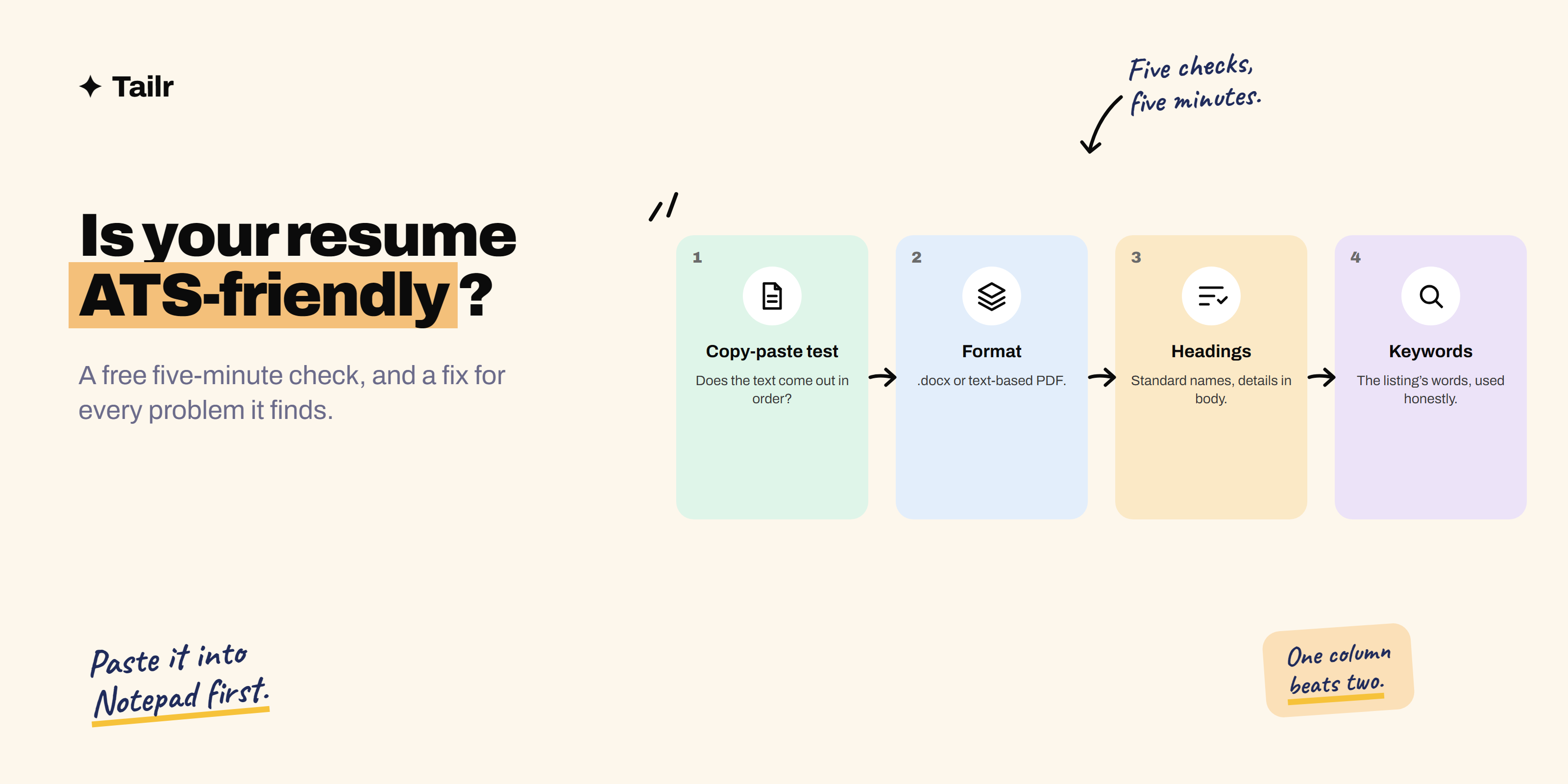
The short answer: to check whether your resume is ATS-friendly, run these five checks:
- The copy-paste test (1 minute): copy all the text from your resume into a plain text editor and see if it comes out complete and in order.
- File format (30 seconds): use a .docx or a text-based PDF, never a scanned image.
- Headings and contact details (1 minute): standard section names, and contact details in the main body, not the header or footer.
- Layout (1 minute): one column, no tables, text boxes, icons or graphics carrying important text.
- Keywords and dates (1.5 minutes): the job listing’s key skills appear in your resume, and every role has clear dates.
If your resume passes all five, it’s in good shape for almost any job portal.
What an ATS actually does with your resume
It’s worth knowing what you’re testing for. When you upload a resume, the ATS usually:
- Extracts the text from your file.
- Parses it into fields: name, email, phone, work history (company, title, dates), education and skills.
- Stores it in a searchable database.
- Lets recruiters search and filter by keywords, job titles, locations and sometimes knock-out questions.
So “ATS-friendly” really means two things: the system can read your text correctly, and your text contains what recruiters will search for. Despite the myths, most systems don’t automatically reject resumes because of a score; the bigger risk is that your resume is unreadable, or that it never comes up in a recruiter’s search.
Check 1: the copy-paste test
Time: about one minute. Why it matters: it shows you roughly what a parser sees.
- Open your resume file.
- Select all (Ctrl+A or Cmd+A) and copy.
- Paste into a plain text editor: Notepad on Windows, TextEdit in plain-text mode on a Mac, or any code editor.
Now read it from top to bottom.
Pass: your name, contact details, headings, job titles, companies, dates and bullet points all appear, in a sensible order.
Fail signs and what they mean:
- Nothing pastes, or only a few words: your file is an image or a scanned PDF. Recreate it as a real document.
- Lines from different sections are mixed together: you’re using columns, tables or text boxes. Move to a single column.
- Your name or email is missing: it’s in a header, footer or graphic. Move it into the main body.
- Strange symbols instead of bullets or letters: you’re using an unusual font or icon characters. Use standard fonts and simple round bullets.
- Skills appear as dots or bars: skill ratings drawn as graphics don’t survive. List skills as words.
This one test catches most of the serious problems.
Check 2: file format
Time: 30 seconds.
- .docx: the safest format for portal uploads. Word files store text in a structured way that parsers handle very reliably.
- Text-based PDF: fine for most modern systems, and it keeps your formatting exact. “Text-based” means you exported it from Word, Google Docs or a resume builder, so you can select the text.
- Image-based or scanned PDF: avoid. To a parser, it’s a picture.
- .pages, .odt, .jpg, .png: avoid for uploads.
Always follow the listing’s instructions if it names a format. If it doesn’t, and you’re uploading to a large company’s careers portal, .docx is the lowest-risk choice. We explain the details in why .docx beats PDF for resume uploads on job portals.
Name the file clearly, such as Priya-Sharma-Resume-QA-Engineer.docx, rather than resume_final_v7.docx.
Check 3: headings and contact details
Time: about one minute.
Use standard section headings
Parsers look for familiar headings to know where each section begins. Creative headings can confuse them.
| Use this | Not this |
|---|---|
| Summary | About me, My story |
| Experience or Work experience | Where I’ve been, My journey |
| Education | Learning, Academic background (usually fine, but plain is safer) |
| Skills | Toolbox, What I bring |
| Projects | Things I’ve built |
| Certifications | Badges |
Put contact details in the body
Some systems skip headers and footers. Put your name, phone, email, city and LinkedIn URL as plain text at the top of the main page, not inside the document header.
Check your job entries
Each role should clearly show job title, company, location (optional) and dates, in a consistent order. If your title and company are on the same line separated by a pipe, that’s usually fine; if they’re in separate text boxes, it isn’t.
Check 4: layout
Time: about one minute.
Go through this list:
- One column. Two-column designs look great to humans but are the most common cause of jumbled parsing.
- No tables for layout. A simple table of skills is sometimes fine, but tables holding your whole experience section are risky.
- No text boxes, shapes or graphics containing important text.
- No images or photos. Many systems ignore them; in many countries photos are also discouraged on resumes.
- Standard fonts: Calibri, Arial, Garamond, Georgia, Helvetica or similar, at 10 to 12 points for body text.
- Simple bullets: round or square bullets, not icons or emoji.
- No skill bars or star ratings. Write “Advanced: SQL, Python” instead.
Simple formatting doesn’t mean a plain-looking resume. Bold job titles, clear spacing and consistent dates look professional and parse cleanly.
Check 5: keywords and dates
Time: about a minute and a half.
Keywords
Open the job listing you’re applying to and highlight the hard skills, tools, certifications and job title it mentions. Then check whether each one appears in your resume, in the same words.
- If the listing says “Salesforce” and your resume says “CRM tools”, add “Salesforce” if you’ve used it.
- If the listing says “stakeholder management” and you’ve done it, use that phrase, not just “worked with teams”.
- Include both the acronym and the full term where it’s natural: “search engine optimization (SEO)”.
Only add skills you genuinely have. Keyword-stuffing or hiding white text in your resume is easy to spot and can get you rejected by the human who reads it next. Our guide to resume keywords explains how to find and place them, and how to tailor your resume to a job description walks through the full process.
Dates
Use a consistent format like “Jan 2023 – Mar 2025” or “01/2023 – 03/2025” for every role. Parsers use dates to calculate your years of experience; missing or odd formats (“Summer ’22”) can mean your experience is under-counted.
Before and after: fixing a resume that fails
Here’s what a typical “designed” resume looks like after the copy-paste test, and what fixing it involves.
Before (pasted into Notepad):
Skills         Experience
Python ●●●●○   Data Analyst
SQL ●●●●●      Brightline Retail
Tableau ●●●○○  Built weekly dashboards
priya@email.com  2022 – Present
The two columns have been read straight across, so skills are mixed with job details, the skill ratings are meaningless dots, the email is stuck in the middle, and the job title, company and dates aren’t clearly connected.
After (single column, same content):
Priya Sharma
Pune, India | priya@email.com | +91 98765 43210 | linkedin.com/in/priyasharma

EXPERIENCE
Data Analyst, Brightline Retail
Jan 2022 – Present
- Built weekly sales dashboards in Tableau used by 12 store managers
- Wrote SQL queries to automate monthly reporting, saving 6 hours a month

SKILLS
Python, SQL, Tableau, Excel, data visualisation, A/B test analysis
Same person, same experience. The second version pastes cleanly, every field is easy to find, and the skills are written as searchable words.
ATS-friendly checks for different situations
If you’re a fresher
Put Education near the top, followed by Projects with clear titles and dates. Parsers handle projects fine as long as each has a name, a date range and bullet points, just like a job. See how to write a resume with no experience.
If you’re changing careers
Use a standard Experience heading for your real jobs, even if they’re in another field, and add a Relevant projects or Certifications section. Don’t hide your work history under a creative “Transferable skills” layout; parsers and recruiters both look for dates and titles.
If you have a long career
Keep the same simple structure, but you don’t need every role from 20 years ago. Many people list the last 10 to 15 years in detail and summarise earlier roles in one line under “Earlier experience”, with company names so they’re still searchable.
Bonus: the real-world upload test
Many job portals pre-fill the application form after you upload your resume. That’s a free test of how that portal’s parser reads your file. If it puts your company name in the job title field, misses roles, or leaves the form blank, the recruiter will likely see the same mess. Fix the file and re-upload, or correct the fields by hand before you submit.
Quick reference: ATS-friendly vs not
| ATS-friendly | Not ATS-friendly |
|---|---|
| Single column | Two or three columns |
| .docx or text-based PDF | Scanned PDF or image file |
| Standard headings | Creative section titles |
| Contact details in the body | Contact details in header, footer or graphic |
| Skills written as words | Skill bars, stars, charts |
| Standard fonts and bullets | Decorative fonts and icon bullets |
| Keywords from the listing, used honestly | Generic wording, or hidden keyword stuffing |
| Consistent dates on every role | Missing or vague dates |
Common ATS myths
- “75% of resumes are rejected by robots.” This figure is widely repeated but isn’t backed by solid evidence. Most systems store and rank applications; people usually make the decisions.
- “You need a plain, ugly resume.” You need a clean structure. Good typography and spacing are fine.
- “PDFs never work.” Text-based PDFs work in most modern systems. The problem is scanned or heavily designed PDFs.
- “An ATS score of 100% guarantees an interview.” No checker can promise that. A human still reads it.
Fixing your resume fast
If your resume failed several checks, the fastest fix is usually to start from a simple single-column template in Word or Google Docs and paste your content in section by section, rather than trying to repair a heavily designed file.
Then make the keyword check part of every application, not something you do once. Each listing uses different words for similar work. Tailr is a Chrome extension that does this from the job listing you’re viewing: it tailors your resume to the role, keeps the structure clean, writes a matching cover letter and tracks the application. You can also read more on our ATS resume optimizer page.
Try TailrRelated guides
Conclusion
An ATS-friendly resume is one a machine can read and a recruiter can find. The copy-paste test catches most layout problems in a minute; after that, check your file type, headings, layout, keywords and dates. Fix those five things and your resume will parse cleanly on almost any job portal, so the person reading it sees your experience the way you meant them to.
Frequently asked questions
01How do I know if my resume is ATS-friendly?
Do the copy-paste test: open your resume, select all, copy, and paste into a plain text editor. If the text comes out in the right order with your name, contact details, headings, job titles and dates intact, an ATS can most likely read it. Then check it uses standard headings, a single column, no text in images, and the keywords from the job listing.
02Can I check if my resume is ATS-friendly for free?
Yes. The copy-paste test and the checklist in this guide are free and take about five minutes. Many job portals also show you what they parsed after you upload, by pre-filling the application form, which is a free real-world test of how that portal's system reads your file.
03What makes a resume not ATS-friendly?
The common culprits are text inside images or graphics, multi-column layouts, tables and text boxes, contact details in the header or footer, unusual section headings like 'My journey', scanned or image-based PDFs, uncommon fonts or symbols, and missing keywords that the job listing uses.
04Is a two-column resume ATS-friendly?
It's risky. Some modern systems handle two columns, but many read straight across the page, mixing lines from both columns into nonsense. A single-column layout is the safest choice for any resume you upload to a job portal.
05Do ATS systems read PDF resumes?
Most modern ATS systems read text-based PDFs, the kind you get when you export from Word or Google Docs. Scanned or image-based PDFs often fail completely. If a portal asks for Word or you aren't sure how good its parser is, a .docx file is the safest upload.
06What is a good ATS score for a resume?
ATS scores from online checkers aren't standard; each tool calculates its own. Treat them as a rough guide to keyword match rather than a pass mark. Many tools suggest aiming for roughly 70% or higher, but a clean, readable file that honestly matches the listing's key skills matters more than any single score.