Why .docx Beats PDF for Resume Uploads on Job Portals
· updated
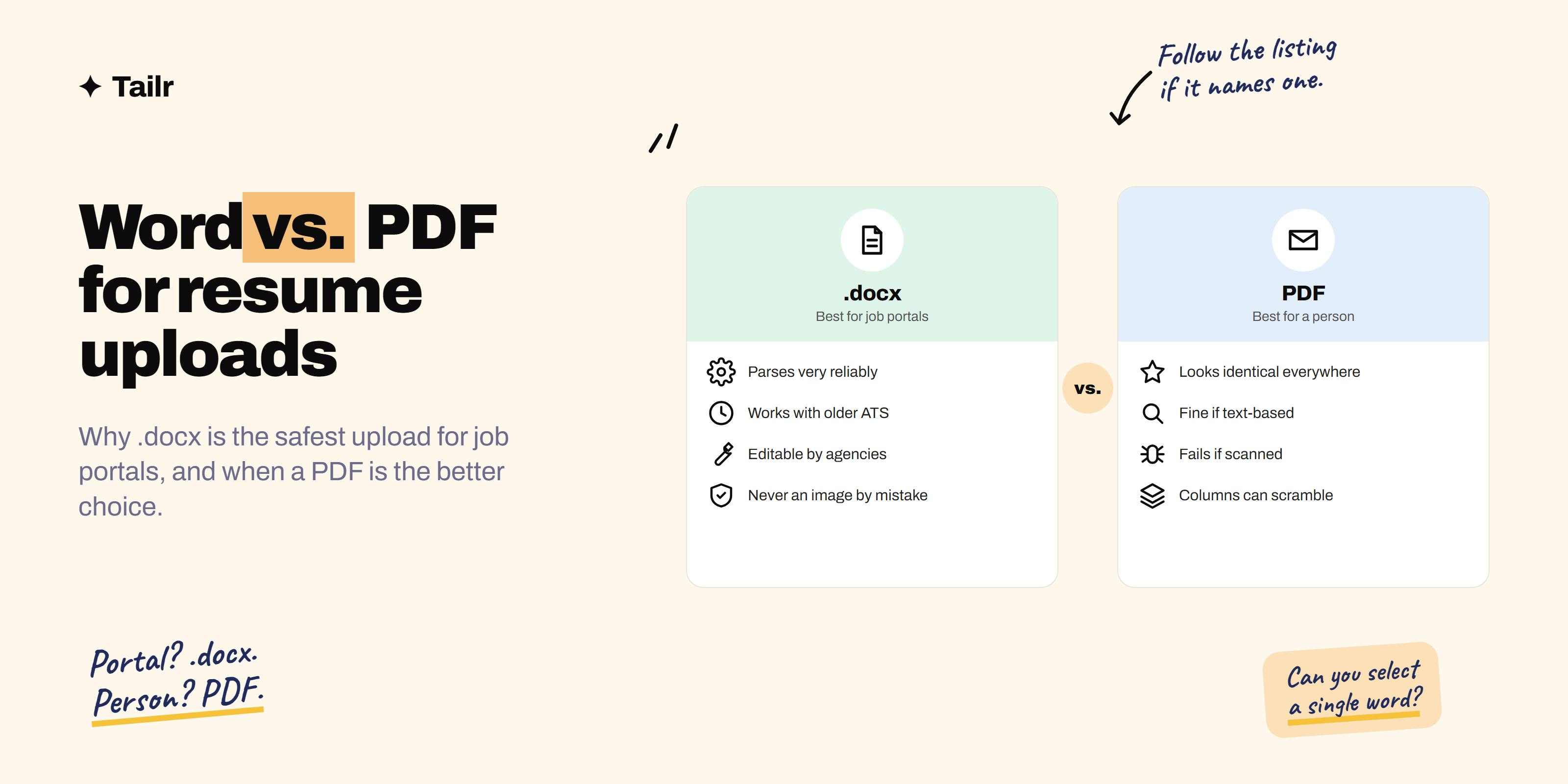
It’s the question every job seeker asks at the upload button: Word or PDF? You’ll find confident advice in both directions online. The honest answer is that both can work, but they’re not equally safe everywhere. For uploading to job portals, .docx is the format least likely to go wrong. This guide explains why, when a PDF is actually the better choice, and how to save either format so it parses cleanly.
The short answer: use .docx for job portal uploads and PDF for emailing a person. Here’s why .docx is the safer default for portals:
- It parses more reliably. A .docx file stores text in structured XML, so applicant tracking systems (ATS) pull out your sections, job titles and dates with very little guesswork.
- It works with older systems. Many large employers still run older ATS software that handles Word better than PDF.
- There’s no “wrong kind” of .docx. PDFs can be text-based or image-based, and image-based PDFs often fail completely.
- Recruiters and agencies can work with it. Some need to edit, reformat or anonymise resumes before passing them on.
- Many portals ask for it. When a listing names Word, uploading anything else can cause problems.
A text-based PDF is still fine for most modern portals, and it’s the better choice when your resume goes straight to a human by email.
How job portals read your resume
When you upload a resume, the employer’s applicant tracking system tries to turn your document into structured data: name, email, phone, each job’s title, company and dates, education and skills. That’s what fills in the application form for you, and what recruiters search when they look for candidates.
This process is called parsing, and the file format affects how well it works.
Why .docx is easy to parse
A .docx file is basically a zipped folder of XML files. The text is stored in order, as text, with tags marking paragraphs, headings, bold text and lists. A parser can read it the way you’d read a well-organised document: top to bottom, one paragraph after another.
Why PDFs are harder
A PDF is designed to look identical everywhere, so it describes where each piece of text sits on the page rather than how the document is structured. The parser has to rebuild the reading order from the positions of words and lines. With a simple single-column resume, that’s easy. With columns, sidebars or text boxes, the parser may read straight across the page and mix lines from different sections.
And then there’s the bigger problem: some PDFs contain no text at all.
Text-based vs image-based PDFs
- Text-based PDF: made by exporting from Word, Google Docs or a resume builder. You can select and copy individual words. Most modern ATS systems handle these.
- Image-based PDF: made by scanning a printed page, taking a photo, or exporting a design as an image. To a parser, it’s a picture of text, and often nothing gets extracted.
You can’t have an image-based .docx by accident, which is a big part of why Word is the safer upload.
Word vs PDF: side-by-side comparison
| .docx (Word) | ||
|---|---|---|
| ATS parsing reliability | Very high | High if text-based, poor if scanned or designed |
| Works with older ATS | Yes | Sometimes |
| Layout stays exactly the same | Can shift slightly between programs | Yes, identical everywhere |
| Editable by recruiters | Yes | Not easily |
| Best for | Job portals, ATS uploads, recruitment agencies | Emailing a hiring manager, networking, portfolios |
| Risk of an “unreadable” file | Very low | Real, if made from an image or a design tool |
When to choose .docx
- Uploading to a company careers portal, especially at large employers that use enterprise ATS software.
- The listing says “Word” or “.doc/.docx”, even if it also accepts PDF.
- Working with a recruitment agency that will reformat your resume for their client.
- Your resume has a slightly complex layout you can’t easily simplify. Word keeps the reading order more intact than a PDF export of the same file.
- You aren’t sure what system the employer uses.
When to choose PDF
- Emailing your resume directly to a hiring manager, founder or referral contact. They’ll open it, not parse it, and a PDF looks exactly as you designed it on any phone or laptop.
- The listing asks for PDF.
- You’re uploading to a modern portal and your resume is a simple single-column, text-based PDF. This is usually fine.
- Your resume includes a portfolio with images, such as for designers. In that case, send a separate portfolio PDF or link, and keep the resume itself simple.
The real rule: follow the listing, then default to .docx
- If the job listing names a format, use it. This beats every general rule.
- If it doesn’t, and you’re uploading to a portal, use .docx.
- If you’re sending to a person, use PDF.
Keep both versions ready so you’re never converting files in a hurry.
How to save a .docx resume correctly
- Use .docx, not .doc. The older .doc format is a different, binary format that some systems handle less well.
- Build it in Word or Google Docs (File → Download → Microsoft Word in Google Docs).
- Use a single column and standard headings: Summary, Experience, Education, Skills.
- Avoid text boxes, tables for layout, and content in the header or footer.
- Stick to common fonts like Calibri, Arial, Georgia or Garamond, since a font the recruiter’s computer doesn’t have can shift your layout.
- Turn off tracked changes and delete comments before saving.
- Check the file properties (File → Info in Word) and make sure the author name and title aren’t something embarrassing from an old template.
How to save a PDF resume correctly
- Export or “Save as PDF” from your document. Don’t print to paper and scan.
- Don’t export from a design tool as an image. If you designed it in a graphics app, make sure the export keeps live text.
- Test it: try selecting a single word. If you can, it’s text-based.
- Run the copy-paste test: copy everything into a plain text editor and check it comes out in the right order.
For the full five-minute check, see how to tell if your resume is ATS-friendly.
What goes wrong: three real-world examples
Parsing problems are easier to understand when you can see them. Here are three common ways a resume gets mangled on upload, and which format avoids each one.
1. The two-column PDF
A designer-style PDF has skills in a left sidebar and experience on the right. The parser reads each line across the full width of the page, so the application form ends up with a job title like “Python Senior Analyst” and a skills list containing half a sentence about a past project. The same content in a single-column .docx parses cleanly, because Word stores the text in reading order, not by position.
2. The “Save as image” export
Someone builds their resume in a graphics app and exports it as a PDF. It looks perfect, but every page is effectively a picture. The portal’s form stays blank, and a recruiter searching for “Excel” will never find this person. A .docx can’t fail this way.
3. The header that disappears
A Word template puts the candidate’s name, email and phone in the document header. Some parsers skip headers and footers entirely, so the application arrives with no contact details. This one affects both formats, which is why contact details belong in the main body whichever format you choose.
The pattern: most failures come from layout, and PDFs hide layout problems until it’s too late. A .docx gives the parser more structure to work with, so it fails less often.
What popular job sites accept
Most major job sites and careers portals accept both Word and PDF uploads. LinkedIn (linkedin.com) and Indeed (indeed.com) accept both for applications and profile resumes, and most company careers pages powered by systems like Workday, Greenhouse, Lever or iCIMS do too. File size limits are usually a few megabytes, which a text resume will never get close to.
Because acceptance is so broad, the question isn’t “will it upload?” but “will it be read correctly?” That’s where .docx’s reliability matters. If you’re applying through those platforms specifically, our guides on tailoring a resume for LinkedIn jobs and tailoring a resume for Indeed jobs go further.
A simple setup that covers every case
Keep three files and you’ll never scramble:
- Master resume (.docx): your full, editable source, with every role, project and achievement. You never send this one.
- Tailored upload (.docx): a copy edited for the specific job, used for portal uploads.
- Tailored PDF: the same tailored version exported to PDF, for emailing a recruiter or a referral contact.
Update the master whenever you achieve something new, and create the tailored pair for each serious application.
File naming matters too
Whichever format you use, name it so a recruiter knows what it is in a folder of hundreds:
- Good:
Arjun-Mehta-Resume-Data-Analyst.docx - Bad:
resume.docx,CV_final_FINAL_2.pdf,Document1.docx
Avoid special characters and spaces where possible; hyphens are the safest separator.
Common myths
- “ATS can’t read PDFs.” Most modern systems read text-based PDFs fine. The real risk is image-based PDFs and complex layouts.
- “PDF is always more professional.” For a person reading on screen, it looks more polished. For a parser, looks don’t matter.
- “Word files will be edited to change my experience.” Agencies sometimes reformat or remove contact details, but they aren’t rewriting your history. If you’re worried, ask how your resume will be presented.
- “The format matters more than the content.” A perfectly parsed resume that doesn’t match the role still won’t get you an interview.
Don’t stop at the file format
Format gets your resume read correctly. Content gets it shortlisted. Once a recruiter searches for “Tableau” or “stakeholder management” and your resume comes up, the first few lines need to match what that specific role wants.
That’s the work most people skip because it takes time for every application. Tailr is a Chrome extension that tailors your resume to the job listing you’re viewing, writes a matching cover letter and tracks every application, so each upload is both readable and relevant. Our guides on how to tailor your resume to a job description and resume keywords show how to do it by hand too.
Try TailrRelated guides
- How Long Should a Resume Be? One Page vs Two Pages
- Best resume file format: which extension should you use?
Conclusion
Both Word and PDF resumes can work, but they fail in different ways. A .docx almost never comes out unreadable, works with old and new systems alike, and is what many portals and agencies prefer, which makes it the safest default for uploads. A text-based PDF is the better choice when a person will open it directly. Follow the listing when it names a format, keep both versions ready, and test each one with a quick copy-paste before you hit submit.
Frequently asked questions
01Is it better to upload a resume as PDF or Word?
For job portals and applicant tracking systems, Word (.docx) is the safest default because its text is stored in a structured way that parsers read very reliably. A text-based PDF works in most modern systems too, and it's better when you email a resume directly to a person, because the layout looks exactly the same on every device.
02Do ATS systems prefer Word or PDF?
Most modern ATS systems accept both. Word files are generally parsed with fewer errors, especially by older systems, while text-based PDFs are usually fine and scanned PDFs often fail. If the job listing names a format, use that; if it doesn't and you're uploading to a large company portal, .docx carries the least risk.
03Why do some employers ask for a resume in Word format?
Recruiters and agencies often need to edit or reformat resumes, for example removing contact details before sending to a client or adding their own branding. Some older applicant tracking systems also parse Word files more reliably than PDFs, so asking for .docx avoids lost information.
04Can recruiters edit my Word resume?
Yes, anyone with the file can edit a .docx. In practice, recruitment agencies sometimes reformat resumes, which is usually harmless. If you're worried about accidental changes when emailing a person directly, send a PDF instead and keep .docx for portals and agencies that ask for it.
05Should I use .doc or .docx for my resume?
Use .docx. The older .doc format dates from before 2007 and is binary rather than XML-based, so some modern systems handle it less well. Every current version of Word and Google Docs saves .docx by default.
06How do I know if my PDF resume is text-based?
Open it and try to select a single word with your cursor. If you can highlight and copy individual words, it's text-based and most systems can read it. If clicking selects the whole page as one block, or nothing at all, it's an image and should be recreated from the original document.