How to Cold Email for a Job in 2026 (With Templates)
· updated
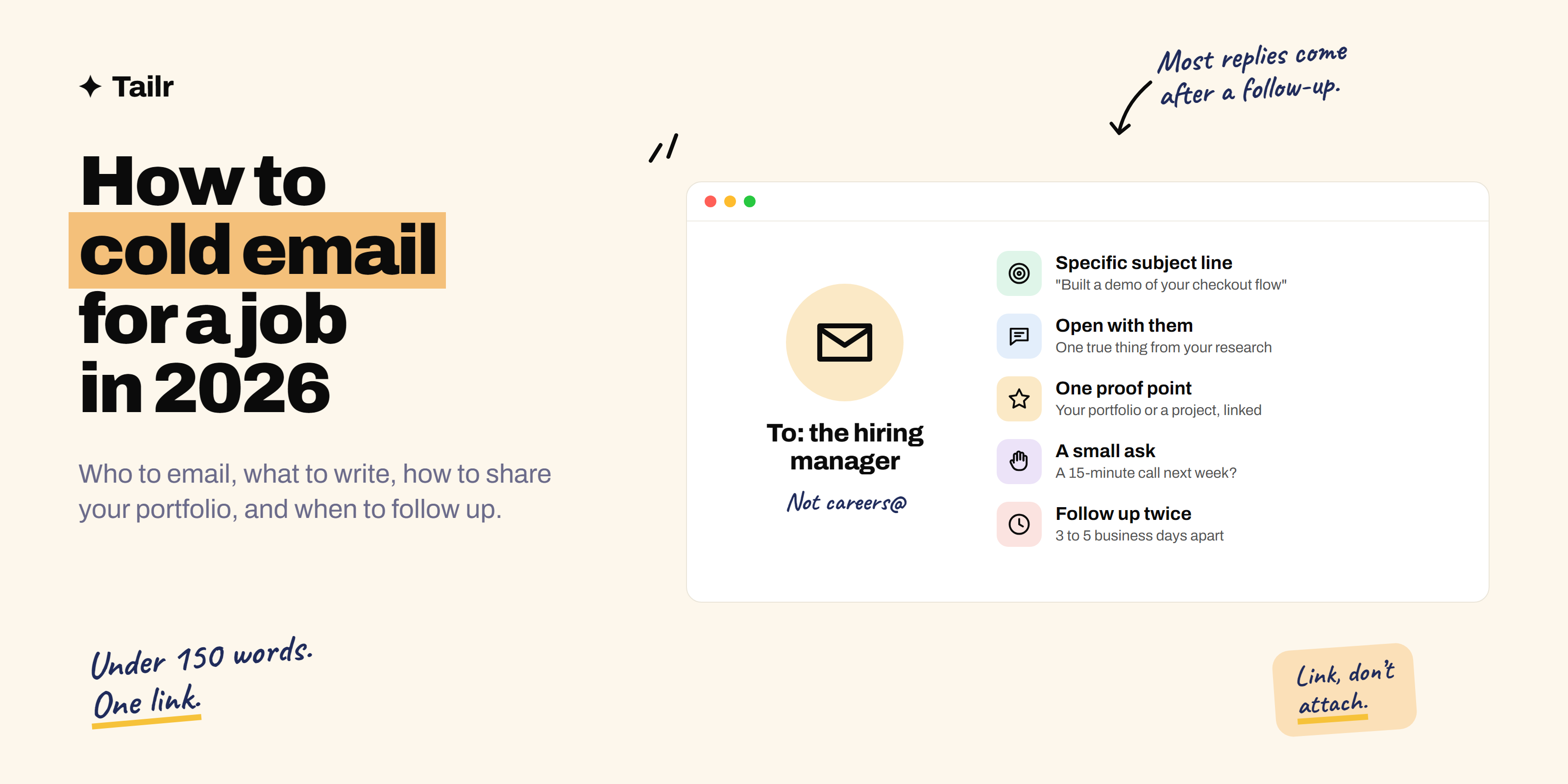
When a job gets 500 applications in a day, most of them written with the same AI tools, the application form is the hardest way in. A short, specific email to the person who actually needs to hire is one of the easiest. Cold emailing isn’t spam and it isn’t pushy when it’s done well: it’s showing a busy person that you’ve done the homework and can help. This guide covers who to email, how to find their address, what to write, how to share your portfolio, when to follow up, and six templates you can adapt.
The short answer: To cold email for a job in 2026:
- Pick 20–30 target companies and find the hiring manager or team lead for your role (a founder at small startups).
- Find their email from the company site, their posts, or the company’s email pattern.
- Write a subject line that’s specific to them.
- Keep the email under 150 words: why them, one proof point with a link to your portfolio or a project, and one small ask like a 15-minute call.
- Send from a personal or professional address, one at a time, on a weekday morning.
- Follow up twice, three to five business days apart, adding something new each time.
Personalise every email by hand. Mass-sent AI emails get ignored or flagged.
Why cold emailing works (better) in 2026
- Applications are flooded. AI makes it easy to apply to hundreds of jobs, so recruiters are buried and screening tools do the first pass. An email puts you in front of a human.
- Hiring managers feel the pain. The recruiter fills a req; the manager is the one doing two jobs until it’s filled.
- Many roles are never posted, especially at startups. A good email can create a conversation before the listing exists.
- Proof is easy to send now. A portfolio link, a deployed project, or a demo built for their product is one click away.
Cold email works alongside applying, not instead of it. Often the best move is to apply and email the hiring manager the same day.
Step 1: choose who to email
Best: the hiring manager, meaning the person you’d report to (e.g. “Engineering Manager, Payments” or “Head of Growth”). At startups (under ~50 people): a founder or the CTO/head of the function. Good: a recruiter for that team, particularly at large companies. Also useful: someone doing the job now, for an insight conversation or a referral. Avoid: careers@, info@, hr@. They go to a shared inbox.
Find them on LinkedIn by searching the company plus the team name, on the company’s team or blog page, in engineering blog bylines, conference talks and podcasts.
Step 2: find their email address
In order of reliability:
- They published it: personal site, GitHub profile, blog, conference slides, LinkedIn contact info.
- Company email pattern: most companies use
firstname@company.comorfirstname.lastname@company.com. Find any published address from the company (press, support, a blog post) and apply the pattern. - Email finder tools such as Hunter (hunter.io) and Apollo (apollo.io), which have free tiers that find and verify addresses.
- LinkedIn message if you can’t find an email. Keep it even shorter; how to cold message on LinkedIn for a job has templates.
Don’t guess wildly and send to five variations; it damages your sender reputation.
Step 3: research for 10 minutes
You need one specific, true thing to open with. Look at:
- Their recent LinkedIn posts or the team’s engineering/product blog.
- The company’s latest launch, funding news or job listing.
- Their product itself: use it, and note one thing you’d improve.
- The job description, if there is one: what problem is this hire meant to solve?
Write down one sentence you can say that no one else emailing them could.
Step 4: write the email
The structure (under 150 words)
- Subject line: specific to them, 3–8 words.
- Opening (1–2 sentences): why you’re writing to this person. The specific thing from your research.
- Proof (2–3 sentences): who you are and one piece of evidence relevant to their problem, with one link: your portfolio or the most relevant project.
- Ask (1 sentence): small and easy. “Would you be open to a 15-minute call next week?” or “Could you point me to the right person?”
- Sign-off: name, role you’re targeting, portfolio and LinkedIn links.
Subject lines that get opened
- “Built a demo of your checkout flow”
- “Question about the data team at [Company]”
- “Front-end dev, fixed your mobile nav bug”
- “Your post on [topic], and the [role] opening”
- “[Mutual contact] suggested I reach out”
Avoid: “Job inquiry”, “Looking for opportunities”, “Resume attached”, ALL CAPS, emojis, and anything that looks like a sales email.
How to share your portfolio in a cold email
- Link, don’t attach. Attachments from strangers trigger spam filters and suspicion. One link in the body.
- Link the most relevant thing, not just your homepage. Applying to a data team? Link the dashboard project directly.
- Say what they’ll see: “Here’s a 60-second demo of the tracker I built: [link]”. People click when they know what’s behind the link.
- Make sure it works on a phone. Many people read email on mobile.
- Offer the resume: “Happy to send my resume if useful,” or a link to a PDF on your portfolio site.
Don’t have a portfolio yet? How to build a portfolio to get hired in 2026 walks through it, and weekend projects to build with Claude gives you something to put in it.
Six cold email templates
Replace everything in square brackets, and rewrite at least the opening in your own words for every person.
1. The portfolio email (general)
Subject: [Role] who's been using [Product]

Hi [Name],

I've used [Product] for [time/context], and your recent [launch/post] on
[topic] is what got me writing. I'm a [role] focused on [area].

The closest thing to your team's work I've built is [project], which
[one-line result]. Here's the live version: [link]

Would you be open to a 15-minute chat about the [team] team? Happy to send
my resume if useful.

Thanks,
[Your name]
[Portfolio] · [LinkedIn]
2. The “I built something for you” email (strongest)
Subject: Built a [thing] for [Company]

Hi [Name],

I noticed [specific problem, e.g. your pricing page is hard to use on mobile].
So I spent the weekend building a fix: [link to demo]. It [what it does]
in [how].

I'm a [role] looking for my next team, and [Company] is at the top of my list.
If this is useful, I'd love 15 minutes to talk about how I could help
[team/goal].

[Your name]
[Portfolio] · [LinkedIn]
3. The “I just applied” email
Subject: Applied for [Role], quick note

Hi [Name],

I just applied for the [Role] opening on your team. I'm writing directly
because [specific reason, e.g. the listing mentions migrating to X, which
is exactly what I did at Y].

At [company/project], I [achievement with a number]. More detail here: [link]

If it's helpful, I'd be glad to walk you through it in a quick call.

[Your name]
4. New graduate or career switcher
Subject: New [field] grad, [specific thing] at [Company]

Hi [Name],

I'm finishing [degree/bootcamp/transition from X] and [Company]'s work on
[specific thing] is the kind of problem I want to work on.

To learn it properly, I built [project], [one-line result]: [link]

I know you may not have openings for early-career [role]s, but if you do
(or know who I should ask), I'd be grateful for a pointer.

[Your name]
5. Asking for an informational chat or referral
Subject: Question about [role] at [Company]

Hi [Name],

I saw you've been a [role] at [Company] for [time]. I'm applying for the
[role] opening and wanted to understand what the team values before I do.

Would you have 15 minutes for a call in the next couple of weeks? Here's a
bit about me and what I've built: [portfolio link]

Thanks either way,
[Your name]
6. The follow-up
Subject: Re: [original subject]

Hi [Name],

Following up on my note below. Since then I [new thing: shipped an update,
wrote up findings, fixed another bug], which you can see here: [link]

Still keen to chat if you have 15 minutes.

[Your name]
Step 5: send it the right way
- Send one at a time, personalised. Not through a mass-mailing tool.
- Use a professional address: your name at Gmail or your own domain. Your current work email is a no.
- Weekday mornings in their timezone (Tuesday to Thursday tend to be best). Gmail and Outlook both let you schedule.
- Plain text, minimal formatting, one link (two at most in the signature).
- Proofread their name and company. Getting either wrong ends the conversation.
- Keep volume sensible. Gmail and Yahoo tightened their sender rules in 2024 for bulk senders; a job seeker sending 5–15 personal emails a day is nowhere near that, but sending hundreds of near-identical emails can get your account flagged.
Step 6: follow up (this is where replies come from)
For follow-ups on applications and interviews too, see how to follow up after a job application.
People miss emails. Silence usually means “busy”, not “no”.
- Follow-up 1: 3–5 business days later, reply in the same thread, add something new.
- Follow-up 2: about a week after that, short and gracious.
- Then stop and try a different person at the company, or reapply later with new work.
Track who you emailed, when, and what happened. A simple spreadsheet works; so does a job tracker.
Using AI for cold emails without sounding like AI
Claude and similar tools are useful for research and drafts, but the email must sound like you.
Good uses: summarising a company’s recent news and product, suggesting which of your projects best fits a team, tightening a draft to under 120 words, proofreading.
A prompt that helps:
Here's the job listing and the hiring manager's recent post: [paste].
Here's my portfolio summary: [paste]. Suggest the single most relevant
project to mention and one specific, true opening line. Then tighten my
draft below to under 120 words. Keep my wording where possible, no
buzzwords, no flattery, no "I hope this email finds you well".
Avoid: letting it invent facts about the person, generic flattery (“I’m incredibly impressed by your innovative company”), and sending the first draft unedited. Recipients spot AI-written cold email instantly.
Cold email mistakes that get you ignored
| Mistake | Fix |
|---|---|
| “Dear Sir/Madam” or no name | Use their first name |
| Long life story | Under 150 words |
| Starting with “I” and your needs | Start with them and their work |
| Attaching a resume | One link to your portfolio or project |
| Asking for “any job” | Name the role or team |
| Big ask (“please hire me”) | Small ask (15-minute call, a pointer) |
| Same email to 200 people | Personalise the opening for each |
| No follow-up | Two follow-ups, then move on |
After they reply
When someone says yes to a call, prepare like it’s an interview: know their product, have two or three questions, and be ready to walk through the project you linked. Then send the resume they ask for, tailored to the role you discussed.
That’s where Tailr helps: open the job listing and it tailors your resume to that role using only your real experience, drafts a cover letter, and tracks the application alongside your outreach. For writing the cover letter yourself, see how to write a cover letter.
Try TailrConclusion
Cold emailing for a job in 2026 comes down to the right person, a specific reason, one piece of proof, and a small ask, in under 150 words. Link your portfolio or a project you built for them rather than attaching files, send one personal email at a time, and follow up twice. Do that for 20–30 companies you genuinely want to work for, and you’ll have conversations that no application form would have got you.
Frequently asked questions
01Does cold emailing for a job still work in 2026?
Yes, and arguably better than before, because online applications are flooded with AI-generated resumes and a short, specific email to the right person stands out. It works best when you email the hiring manager rather than a general inbox, reference something real about the team, and include proof such as a portfolio link or a project built for them.
02Who should I send a cold email to for a job?
The person who would be your manager or the head of the team you want to join, because they feel the hiring pain directly. At startups under about 50 people, email a founder. Recruiters are a good second choice, especially for larger companies. Avoid generic addresses like careers@ or info@.
03How long should a cold email for a job be?
Under 150 words, ideally 75 to 125. That's four short paragraphs at most: why you're writing to them, one proof point with a link, and a small, specific ask. Hiring managers read on their phones between meetings, so anything longer tends to get saved for later and forgotten.
04Should I attach my resume or portfolio to a cold email?
Link rather than attach. Attachments from unknown senders can trigger spam filters and many people won't open them. Put one link to your portfolio or the most relevant project in the body, and offer to send your resume, or link a PDF hosted on your portfolio site.
05How many times should I follow up on a cold email?
Follow up twice: once after three to five business days, and again about a week later, each time adding something new such as a project update or a relevant idea. If there's still no reply, stop and try someone else at the company. Most replies to cold outreach come after a follow-up, not the first email.
06What's a good subject line for a cold email for a job?
Short, specific and about them, not you. For example: Built a demo of your onboarding flow, Question about the data team at Acme, or Front-end developer, fixed your mobile nav bug. Avoid vague lines like Job inquiry or Looking for opportunities, which read like mass emails.