Best Cybersecurity Tools for Beginners in 2026
· updated
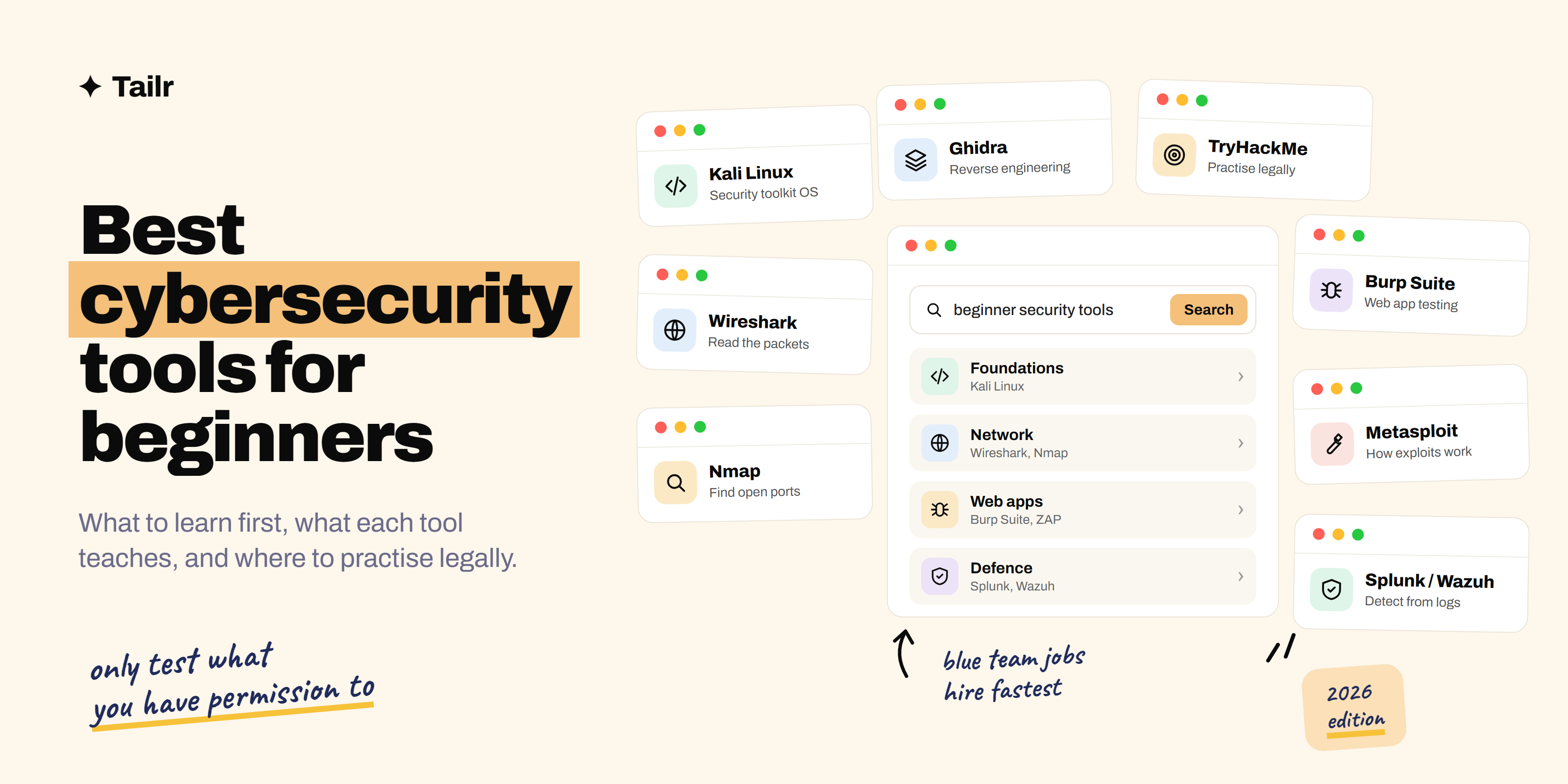
Cybersecurity has a tool for everything, and beginner lists tend to dump fifty of them on you at once. You don’t need fifty. You need a handful that teach you how networks, web apps and attacks really work, plus a safe, legal place to practise them. This guide covers the best cybersecurity tools for beginners in 2026, what each one teaches you, and which ones lead to the jobs that are actually hiring.
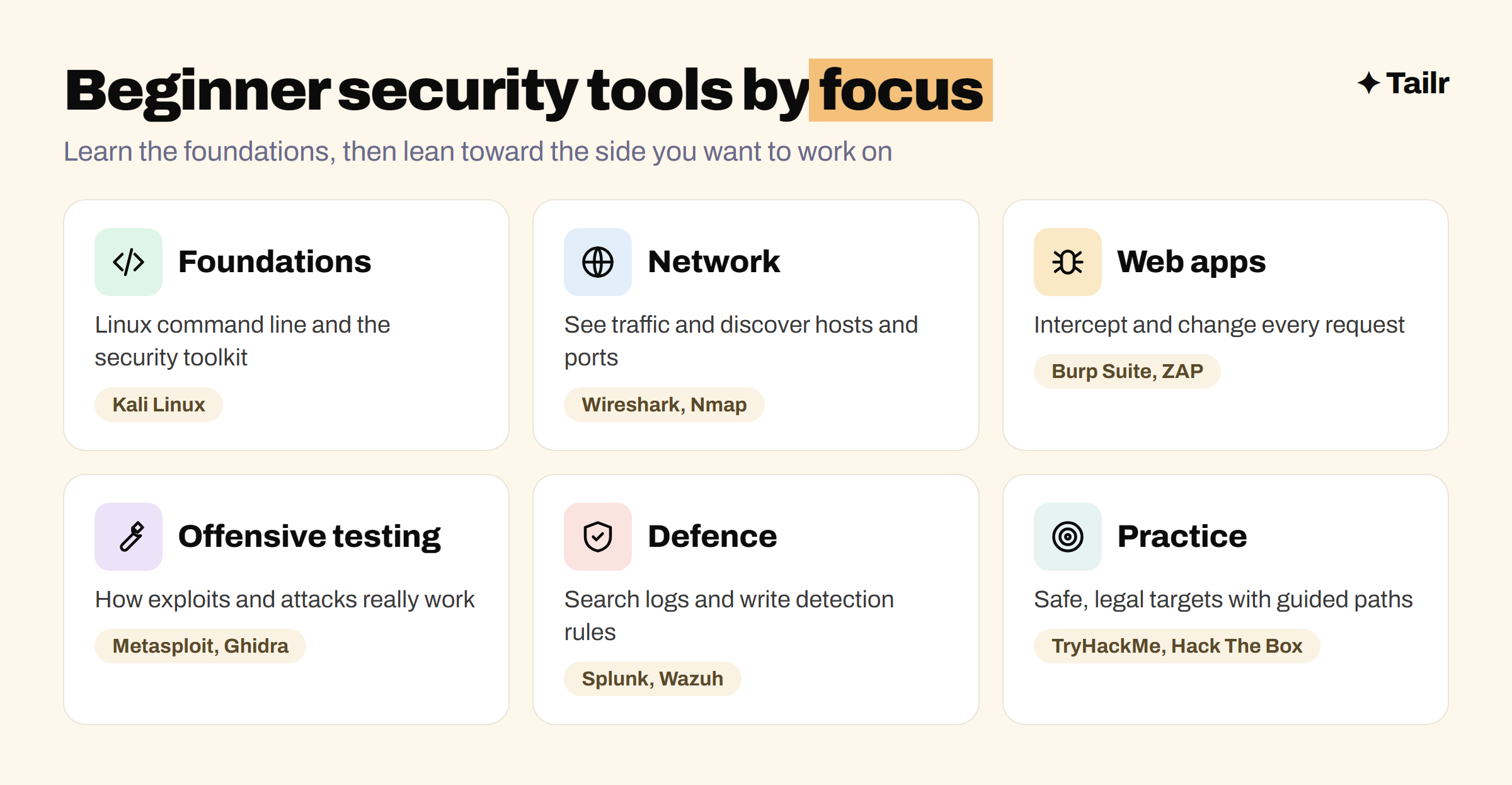
The short answer: the best cybersecurity tools for beginners in 2026 are:
- Kali Linux: the operating system most security tools run on.
- Wireshark: seeing exactly what’s travelling across a network.
- Nmap: discovering hosts, open ports and services.
- Burp Suite Community Edition: testing web apps.
- ZAP: free, open-source web app scanning.
- Metasploit Framework: understanding how exploits work.
- Splunk and Wazuh: detecting attacks from logs, like a SOC analyst.
- Ghidra: taking apart software and malware.
- TryHackMe and Hack The Box: legal places to practise all of the above.
If you want a job quickly, focus on Wireshark, Splunk or Wazuh and TryHackMe’s SOC paths. If you want to go into penetration testing, focus on Nmap, Burp Suite and Hack The Box.
Before you start: practise legally
Every tool on this list is legal to install and learn. Using them against a website, network or device you don’t own, or don’t have written permission to test, can be a crime in many countries, even if you’re “just looking”. Practise on your own home lab, on deliberately vulnerable apps like OWASP Juice Shop (owasp.org/www-project-juice-shop), and on platforms built for it, like TryHackMe and Hack The Box. Professionals work this way too: every penetration test starts with a signed scope.
What to look for in a beginner security tool
Good beginner tools share three traits:
- They teach the fundamentals. A tool that shows you raw packets or raw HTTP requests teaches you more than one that hides everything behind a “scan” button.
- They’re used at work. Wireshark, Nmap, Burp Suite and Splunk show up in real job listings and real security teams.
- They’re free or have a free tier, so you can practise as much as you like.
It also helps to know which side you’re aiming for. The blue team defends: monitoring, detecting and responding to attacks. The red team attacks with permission to find weaknesses first. Most entry-level jobs, like SOC analyst, are blue team.
1. Kali Linux
Website: kali.org
Kali Linux, maintained by OffSec, is a Linux distribution that comes with hundreds of security tools pre-installed, including most of this list. Run it in a virtual machine with VirtualBox or VMware so it’s isolated from your main computer. The real value for beginners isn’t the tools, though; it’s getting comfortable on the Linux command line, which nearly every security role expects.
Why use it:
- Most security tools ready to go in one place.
- Forces you to learn the Linux command line.
- Free, and runs safely in a virtual machine.
Best for: anyone starting out. Set it up first.
2. Wireshark
Website: wireshark.org
Wireshark captures network traffic and lets you inspect every packet: who talked to whom, over which protocol, and what they said. It’s how you learn what DNS, TCP handshakes and HTTP actually look like on the wire, and how analysts investigate suspicious traffic. Capture your own traffic while you browse, then filter it (http, dns, ip.addr == 192.168.1.10) and follow a conversation from start to finish.
Why use it:
- Makes networking concepts concrete.
- A daily tool for network and security analysts.
- Free and open source on every platform.
Best for: everyone, and especially aspiring SOC and network security analysts.
3. Nmap
Website: nmap.org
Nmap discovers what’s on a network: which hosts are up, which ports are open and which services and versions are running. It’s the first step of almost every security assessment, and defenders use it too, to find machines nobody knew were there. Start with your own home network and a lab machine, and learn what the common scan types do and what the results mean.
Why use it:
- The standard tool for network discovery.
- Teaches ports, services and how attackers find targets.
- Free and open source, with a graphical version called Zenmap.
Best for: anyone learning networking or penetration testing.
4. Burp Suite Community Edition
Website: portswigger.net/burp
Burp Suite sits between your browser and a website and lets you see and change every request. That’s how you find web vulnerabilities like broken access control, injection and insecure sessions. The free Community Edition includes the proxy and Repeater, which are what most beginners need; the paid Professional edition adds the automated scanner and faster attack tools. PortSwigger’s free Web Security Academy has hundreds of labs built around it.
Why use it:
- The most widely used tool for web app security testing.
- Free Community Edition with the core manual tools.
- Free labs at PortSwigger’s Web Security Academy.
Best for: anyone interested in web app security, bug bounties or application security roles. If you’ve done API testing, the skills overlap a lot.
5. ZAP
Website: zaproxy.org
ZAP (Zed Attack Proxy, now maintained under the name ZAP by Checkmarx) is a free, open-source alternative to Burp Suite. Like Burp, it’s an intercepting proxy, and unlike Burp’s free edition, it includes an automated scanner and can be run in CI pipelines to catch vulnerabilities on every build. It’s a good way to see what automated scanning finds, and what it misses.
Why use it:
- Free, open source and includes automated scanning.
- Can run automatically in CI/CD pipelines.
- Good for comparing automated and manual findings.
Best for: beginners who want a free scanner, and developers adding security checks to their builds.
6. Metasploit Framework
Website: metasploit.com
The Metasploit Framework, from Rapid7, is a library of exploits and tools for testing whether known vulnerabilities can actually be used against a system. For beginners, its value is understanding the full attack chain: find a vulnerable service, exploit it, and see what an attacker gains. Use it only on lab machines like Metasploitable or on practice platforms. Don’t stop at running modules; read what each exploit does so you’d recognise it from the defender’s side.
Why use it:
- Shows how real attacks work, end to end.
- Huge, well-documented library of known exploits.
- Free open-source framework.
Best for: aspiring penetration testers, in a lab only.
7. Splunk and Wazuh
Website: splunk.com and wazuh.com
Most entry-level security jobs are in a security operations centre (SOC), and SOC analysts spend their day in a SIEM: a system that collects logs from across a company and flags suspicious activity. Splunk, now owned by Cisco, is one of the most common SIEMs in job listings, and its free training and free version let you learn its search language. Wazuh is a free, open-source platform for security monitoring and threat detection that you can run in a home lab.
Why use it:
- The everyday tools of a SOC analyst.
- Teach you to search logs and write detection rules.
- Free training (Splunk) and free self-hosting (Wazuh).
Best for: anyone aiming for a SOC analyst or security analyst job.
8. Ghidra
Website: ghidra-sre.org
Ghidra is a free software reverse-engineering tool released as open source by the US National Security Agency. It takes a compiled program and turns it back into something closer to readable code, which is how analysts work out what a piece of malware does. It’s more advanced than the rest of this list, so treat it as a second-stage tool once you’re comfortable with the basics and a bit of programming.
Why use it:
- Professional-grade reverse engineering for free.
- The starting point for malware analysis.
- Used in many capture-the-flag challenges.
Best for: learners interested in malware analysis and reverse engineering.
9. TryHackMe and Hack The Box
Website: tryhackme.com and hackthebox.com
These are where you practise everything above, legally. TryHackMe teaches through guided “rooms” that run in your browser, with structured paths for complete beginners, SOC analysts and penetration testers. Hack The Box gives you machines to break into with less hand-holding, plus an Academy with structured courses. Both have free tiers. Completing a learning path and writing up a few machines is one of the best ways to show skills without job experience.
Why use it:
- Safe, legal targets for every tool on this list.
- Structured paths from beginner to job-ready.
- Progress you can show on a resume.
Best for: everyone. TryHackMe first if you’re brand new, Hack The Box once you know the basics.
Cybersecurity tools for beginners compared
| Tool | What it teaches | Team | Free option |
|---|---|---|---|
| Kali Linux | Linux and the security toolkit | Both | Yes, open source |
| Wireshark | Network traffic | Both | Yes, open source |
| Nmap | Network discovery | Both | Yes, open source |
| Burp Suite Community | Web app testing | Red | Community Edition |
| ZAP | Web scanning | Red, DevSecOps | Yes, open source |
| Metasploit Framework | Exploitation | Red | Yes, open source |
| Splunk / Wazuh | Log analysis and detection | Blue | Splunk free version, Wazuh open source |
| Ghidra | Reverse engineering | Both | Yes, open source |
| TryHackMe / Hack The Box | Hands-on practice | Both | Free tiers |
How to learn security tools efficiently
The fastest way to learn is to build a small home lab and use each tool for a reason:
- Set up Kali and a vulnerable machine (like Metasploitable or OWASP Juice Shop) in virtual machines on an isolated network.
- Scan it with Nmap and write down what’s open and why it matters.
- Watch the traffic in Wireshark while you scan, so you see what the scan looks like from the network.
- Test the web app with Burp Suite and find one real vulnerability.
- Send the logs to Wazuh or Splunk and write a rule that would have caught what you just did.
- Write it up as a short report: what you found, how you found it, how to fix it and how to detect it.
That last step is what turns practice into a portfolio. Employers hiring junior security staff want proof that you can explain what you found, not just run tools. Our guide on getting experience when every job requires experience has more ideas. Information security analyst is one of the top tech jobs of 2026, and if you’re coming from another field, see how to switch careers into tech.
For cybersecurity job hunting
Security job listings are very specific. A SOC analyst role asks for Splunk, incident response and Security+; an application security role asks for Burp Suite, OWASP Top 10 and secure code review; a penetration testing role asks for Nmap, Metasploit and a hands-on certification. The same home lab can support all three, but the resume has to lead with what each listing cares about.
Tailr is a Chrome extension that tailors your resume to the job listing you’re viewing, putting the tools, labs and certifications that role asks for first, in the listing’s own wording. It also writes a matching cover letter and tracks the application. Try Tailr on your next security application, and see how to tailor your resume to a job description for the full process.
Conclusion
The best cybersecurity tools for beginners in 2026 are the ones that teach you how things really work: Kali Linux and the command line, Wireshark and Nmap for networks, Burp Suite or ZAP for web apps, Metasploit for attacks, Splunk or Wazuh for detection, and Ghidra when you’re ready to go deeper. Practise them legally on your own lab and on TryHackMe or Hack The Box, write up what you find, and point your resume at the side of security you want to work on.
Frequently asked questions
01What cybersecurity tools should a beginner learn first?
Start with Linux (Kali Linux is a common choice), Wireshark for reading network traffic and Nmap for discovering hosts and services. Then add Burp Suite Community or ZAP for web app security, and a SIEM like Splunk or Wazuh if you're aiming for a security analyst role. Practise all of them on TryHackMe or Hack The Box.
02Are cybersecurity tools free to use?
Most beginner tools are free. Kali Linux, Wireshark, Nmap, ZAP, the Metasploit Framework, Wazuh and Ghidra are open source, and Burp Suite has a free Community Edition. TryHackMe and Hack The Box both have free tiers, with paid plans that unlock more content.
03Is it legal to use hacking tools like Nmap and Metasploit?
The tools are legal to install and learn. Using them against systems you don't own or don't have written permission to test can be illegal in many countries. Practise only on your own lab machines, deliberately vulnerable apps, and platforms like TryHackMe and Hack The Box that give you permission.
04Should I learn red team or blue team tools first?
Most entry-level security jobs are on the blue team, as a SOC analyst or security analyst, so SIEM tools like Splunk or Wazuh and traffic analysis with Wireshark lead to jobs faster. Red team tools like Nmap, Burp Suite and Metasploit are still worth learning, because understanding attacks makes you better at detecting them.
05Is TryHackMe or Hack The Box better for beginners?
TryHackMe is usually better for complete beginners because its rooms walk you through each topic step by step in the browser. Hack The Box is more challenge-driven and suits people who already know the basics, though its Academy offers structured courses too. Many learners start on TryHackMe and move to Hack The Box.
06How do I show cybersecurity skills on my resume without experience?
List the tools you've used and prove them with projects: a home lab you built, TryHackMe or Hack The Box paths you completed, a write-up of a capture-the-flag challenge, or a detection rule you wrote in Splunk or Wazuh. Add a certification like CompTIA Security+ if the listings you're targeting ask for it.