Best Tools for Mobile App Developers in 2026
· updated
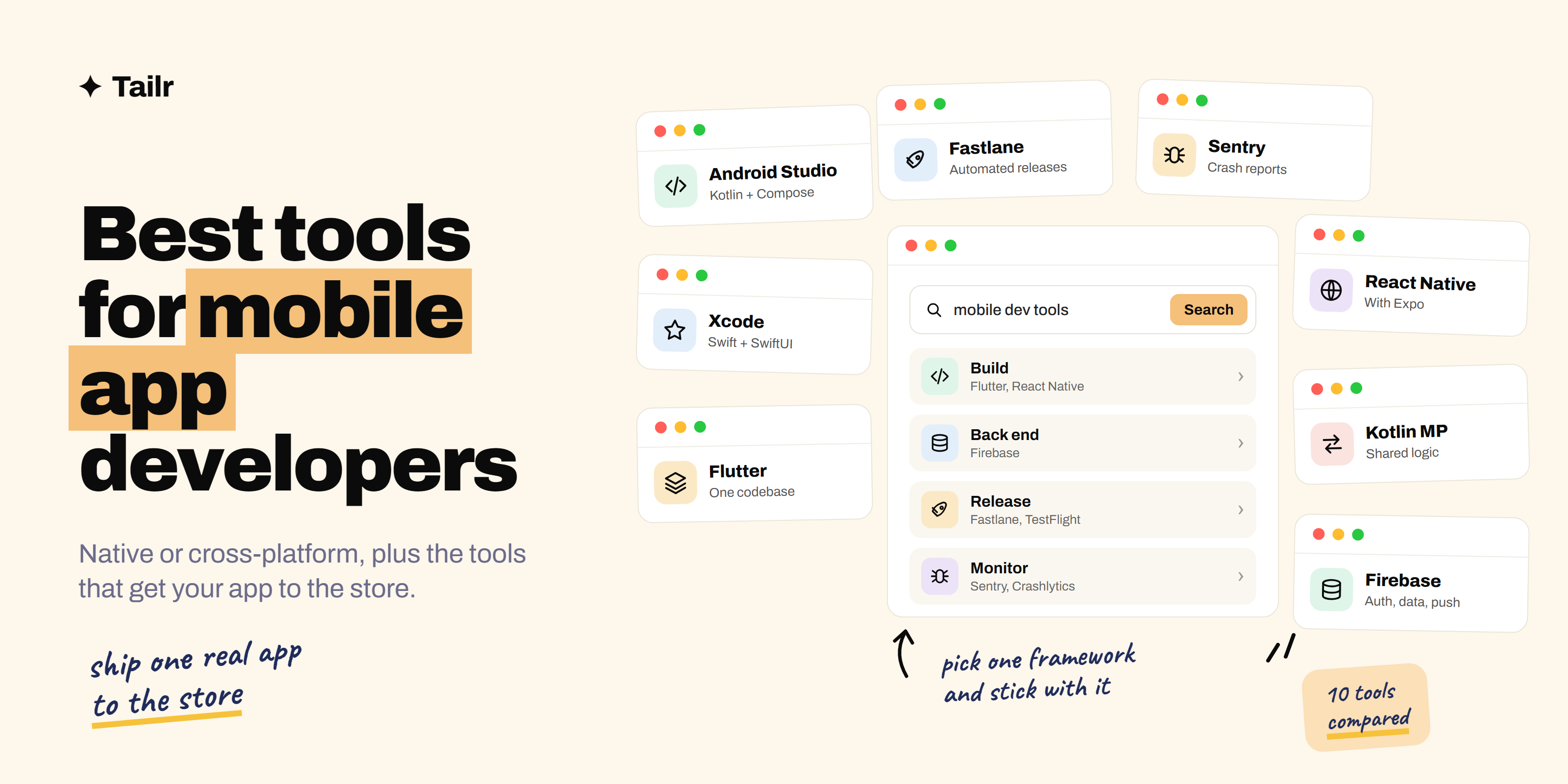
Building a mobile app means making two big decisions before you write much code: native or cross-platform, and which framework. After that come the tools that most tutorials skip, the ones that get an app through review, into testers’ hands and keep it from crashing once it’s live. This guide covers the best tools for mobile app developers in 2026 for every step, from the first screen to the store listing.
The short answer: the best tools for mobile app developers in 2026 are:
- Android Studio: native Android with Kotlin and Jetpack Compose.
- Xcode: native iOS with Swift and SwiftUI.
- Flutter: one codebase for iOS, Android and more.
- React Native with Expo: cross-platform apps with JavaScript and React.
- Kotlin Multiplatform: shared code with native interfaces.
- Firebase: backend, auth, database and analytics without running servers.
- Fastlane: automating builds, screenshots and store releases.
- TestFlight and Google Play Console: beta testing and publishing.
- Sentry and Firebase Crashlytics: crash and error reporting.
- Maestro: simple, reliable mobile UI tests.
If you know React, start with React Native and Expo. If you’re starting fresh, Flutter is the easiest way to ship to both stores. Learn native Kotlin or Swift if you’re aiming for large-company mobile teams.
Native or cross-platform?
This is the decision that shapes everything else:
- Native (Kotlin on Android, Swift on iOS) gives you the best performance, immediate access to new platform features and the most polished feel, but you build and maintain two apps.
- Cross-platform (Flutter, React Native, Kotlin Multiplatform) lets one team ship to both platforms from mostly shared code, which is why it’s the default at many startups and for most business apps.
There’s no wrong answer, but there is a wrong reason. Don’t choose a framework because a blog said it was fastest; choose the one that matches your team’s existing skills and the jobs you want. Job listings near you are the best guide.
1. Android Studio
Website: developer.android.com/studio
Android Studio is Google’s official IDE for Android development, built on JetBrains’ IntelliJ. Modern Android apps are written in Kotlin with Jetpack Compose, a declarative UI toolkit that replaced the older XML layouts for new projects. Android Studio includes emulators for many devices, a layout preview for Compose, profilers for memory and performance and built-in tools for signing and publishing. You also need it for Flutter and React Native Android builds.
Why use it:
- The official, free tool for Android.
- Emulators, Compose previews and profilers built in.
- Needed even for many cross-platform projects.
Best for: native Android developers, and anyone building for Android.
2. Xcode
Website: developer.apple.com/xcode
Xcode is Apple’s IDE for every Apple platform and the only way to build and submit iOS apps yourself. New iOS apps are mostly written in Swift with SwiftUI, Apple’s declarative UI framework. Xcode includes the iOS simulator, Instruments for performance profiling, SwiftUI previews and the tools to sign, archive and upload builds to App Store Connect. It only runs on macOS.
Why use it:
- Required for building and submitting iOS apps.
- Simulator, previews and Instruments for profiling.
- First access to new Apple platform features.
Best for: native iOS developers, and anyone shipping to the App Store.
3. Flutter
Website: flutter.dev
Flutter is Google’s open-source framework for building apps for iOS, Android, web and desktop from one codebase in the Dart language. Because Flutter draws every pixel itself, apps look identical on every device, and hot reload shows your changes in under a second. It has a large package ecosystem and is popular with startups and agencies that need to ship to both stores with a small team.
Why use it:
- One codebase for iOS, Android, web and desktop.
- Consistent UI everywhere and fast hot reload.
- Strong documentation and widget library.
Best for: developers starting fresh who want to ship to both platforms quickly.
4. React Native with Expo
Website: reactnative.dev and expo.dev
React Native, created by Meta, lets you build native mobile apps with JavaScript or TypeScript and React. It renders real native components, so apps feel at home on each platform. Expo is the framework the React Native docs recommend for new projects: it handles project setup, gives you a large set of ready-made native modules, and its cloud services (EAS) build, sign and submit your apps, including iOS builds without a local Mac, and push updates over the air.
Why use it:
- Reuse JavaScript, TypeScript and React skills from the web.
- Expo removes most of the native setup pain.
- Cloud builds and over-the-air updates.
Best for: web developers moving into mobile, and teams sharing code between web and mobile.
5. Kotlin Multiplatform
Website: kotlinlang.org/multiplatform
Kotlin Multiplatform, from JetBrains, takes a different approach: share the parts of the app that don’t need to differ, like business logic, networking and data storage, and keep the interface native on each platform. If you want to share the UI too, Compose Multiplatform extends Jetpack Compose to iOS, desktop and web. It’s growing quickly, especially among Android teams that want to reach iOS without a full rewrite.
Why use it:
- Share logic while keeping native UI and performance.
- Adopt gradually inside an existing native app.
- Natural next step for Kotlin and Android developers.
Best for: Android developers and native teams that want to share code without switching frameworks.
6. Firebase
Website: firebase.google.com
Most apps need sign-in, a database, file storage, push notifications and analytics. Firebase, from Google, provides all of these as managed services with SDKs for iOS, Android, Flutter and React Native, so you can ship a real app without running a server. Supabase (supabase.com) is a popular open-source alternative built on PostgreSQL, if you’d rather have a relational database.
Why use it:
- Auth, database, storage, push notifications and analytics in one place.
- SDKs for every major mobile framework.
- Generous free tier for small apps.
Best for: solo developers and small teams who want a backend without managing servers.
7. Fastlane
Website: fastlane.tools
Releasing a mobile app involves a lot of tedious steps: incrementing build numbers, managing signing certificates, building, taking store screenshots in every language and uploading to TestFlight or Google Play. Fastlane is an open-source tool that automates all of it with simple scripts called lanes, and it runs in any CI system. Combine it with GitHub Actions or another CI tool and a merge to main can ship a beta build automatically. Our guide to the best DevOps and CI/CD tools covers the CI side.
Why use it:
- Automates building, signing, screenshots and uploads.
- Works for both iOS and Android.
- Runs in any CI pipeline.
Best for: any team releasing more than occasionally, especially native apps.
8. TestFlight and Google Play Console
Website: developer.apple.com/testflight and play.google.com/console
Before an app reaches the public, you need real people testing it on real devices. TestFlight is Apple’s beta testing service: you upload a build and invite testers by email or a public link. The Google Play Console offers internal, closed and open testing tracks, plus the store listing, release management, crash and performance reports for your published app. Both are free with a developer account.
Why use it:
- Get builds onto real testers’ phones quickly.
- Staged rollouts to catch problems before everyone updates.
- Store listings, reviews and release management in one place.
Best for: every developer publishing to the App Store or Google Play.
9. Sentry and Firebase Crashlytics
Website: sentry.io and firebase.google.com/products/crashlytics
Users rarely report crashes; they just uninstall. Crash reporting tools catch every crash and error, group them, and show you the stack trace, device, OS version and what the user did just before it happened. Firebase Crashlytics is free and simple to add. Sentry covers mobile, web and backend in one place, with performance monitoring and session replay, which helps when a bug spans the app and the server.
Why use it:
- See every crash with the context to fix it.
- Track which releases introduced problems.
- Alerts when crash rates spike.
Best for: every app with real users.
10. Maestro
Website: maestro.mobile.dev
Mobile UI tests have a reputation for being slow and flaky. Maestro is an open-source framework where you write tests as simple YAML flows, like “tap Sign in, type the email, check the home screen appears”, and it handles waiting and retries for you. It works with native, Flutter and React Native apps. Appium (appium.io), Espresso (Android) and XCUITest (iOS) are the established alternatives; see the best tools for QA and software testing for more on those.
Why use it:
- Simple YAML tests anyone on the team can read.
- Built-in waiting makes tests less flaky.
- Works across native and cross-platform apps.
Best for: teams that want end-to-end mobile tests without a big framework.
Mobile development tools compared
| Tool | Step | Platforms | Free option |
|---|---|---|---|
| Android Studio | Build | Android | Yes |
| Xcode | Build | iOS and Apple | Yes (macOS only) |
| Flutter | Build | iOS, Android, web, desktop | Yes, open source |
| React Native with Expo | Build | iOS, Android, web | Yes, open source |
| Kotlin Multiplatform | Build | Android, iOS, desktop, web | Yes, open source |
| Firebase | Back end | All | Free tier |
| Fastlane | Release | iOS, Android | Yes, open source |
| TestFlight / Play Console | Test and release | iOS / Android | With developer account |
| Sentry / Crashlytics | Monitor | All | Free tiers |
| Maestro | Test | iOS, Android | Yes, open source |
How to learn mobile development efficiently
The best mobile portfolio piece is a real app in a real store. It doesn’t have to be big, but it has to be finished:
- Pick one framework based on your existing skills and local job listings, and stick with it.
- Build a small app that solves a real problem, like a habit tracker for one specific habit or a tool for a club you’re in. Design the screens first; the best tools for UI/UX designers can help.
- Add Firebase or Supabase for sign-in and data.
- Add Crashlytics or Sentry before you invite anyone.
- Ship a beta through TestFlight or a Play testing track to ten real people, and fix what they find.
- Publish it, and automate the next release with Fastlane or Expo’s build service.
“I shipped an app to the store and fixed the crashes real users hit” is a much stronger interview story than a tutorial clone. Put the code on GitHub with screenshots and a store link, and use our guide to building a portfolio to get hired to present it.
For mobile developers job hunting
Mobile listings are split by platform and framework more than almost any other engineering role. An iOS role wants Swift, SwiftUI and Combine; an Android role wants Kotlin, Compose and coroutines; a cross-platform role wants Flutter or React Native, and they’re rarely interchangeable in a recruiter’s eyes. A resume that leads with the wrong one gets skipped.
Tailr is a Chrome extension that tailors your resume to the job listing you’re viewing, so the platform, framework and shipped apps that role cares about come first, in the listing’s own wording. It also writes a matching cover letter and tracks the application. Try Tailr on your next mobile application, and see the best job boards for tech jobs for where to find them.
Conclusion
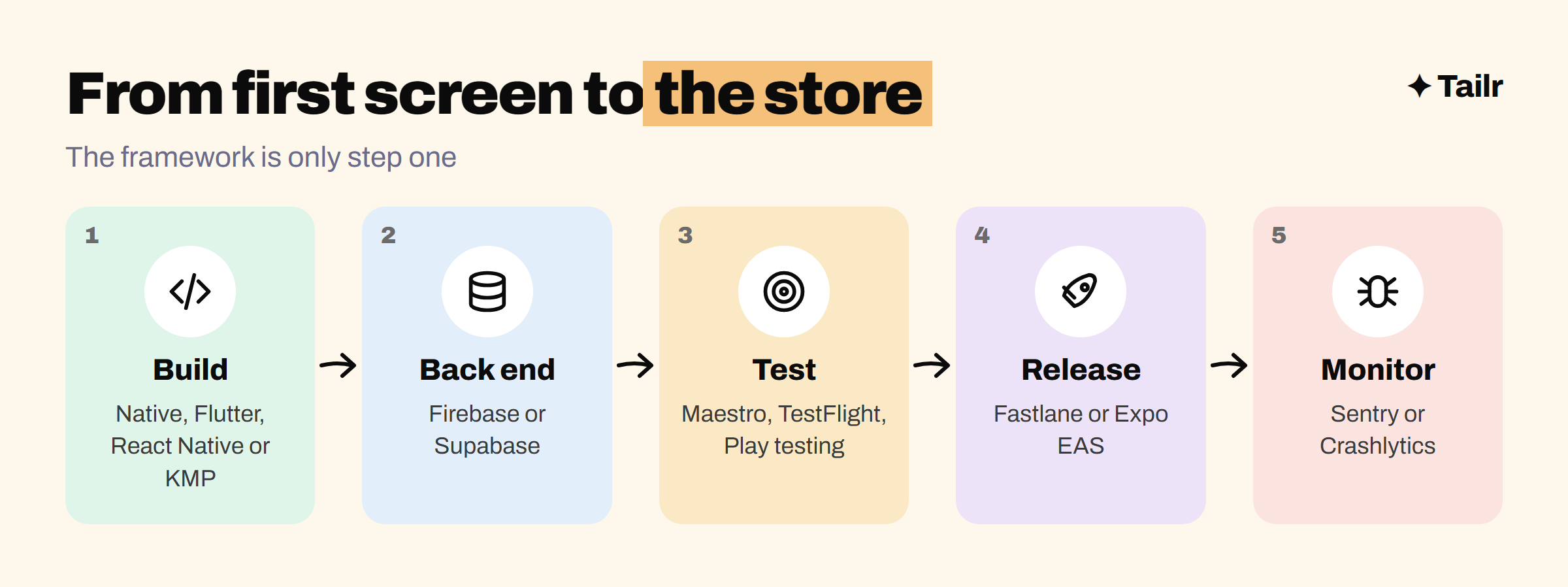
The best tools for mobile app developers in 2026 start with one decision: native with Android Studio and Xcode, or cross-platform with Flutter, React Native and Expo, or Kotlin Multiplatform. Around that, Firebase handles the backend, Fastlane, TestFlight and the Play Console handle releases, Sentry or Crashlytics catch crashes and Maestro keeps the app working. Pick one framework, ship one real app all the way to the store, and you’ll have learned the whole toolchain along the way.
Frequently asked questions
01What tools do mobile app developers use?
Mobile developers use Android Studio and Xcode to build native Android and iOS apps, or a cross-platform framework like Flutter, React Native with Expo or Kotlin Multiplatform to share code. Around that, they use Firebase or a similar backend, Fastlane or Expo's build service to automate releases, TestFlight and Google Play for beta testing, Sentry or Crashlytics for crash reporting and Maestro for UI tests.
02Should I learn Flutter or React Native in 2026?
Both are strong choices with plenty of jobs. Pick React Native with Expo if you already know JavaScript, TypeScript or React, since your web skills carry over. Pick Flutter if you're starting fresh and want consistent, pixel-perfect UI across platforms. Check which one appears more in job listings where you want to work.
03Do I need a Mac to build iOS apps?
To build and submit iOS apps yourself, yes, because Xcode only runs on macOS. Cross-platform tools help: Expo's cloud build service can build iOS apps without a local Mac, and Flutter or React Native let you develop most of the app on Windows or Linux. You'll still want an iPhone or a Mac for real testing.
04Is native development still worth learning?
Yes. Native Android with Kotlin and Jetpack Compose and native iOS with Swift and SwiftUI are still in demand, especially at larger companies and for apps that need the best performance or deep device features. Even cross-platform developers benefit from knowing enough native code to write a plugin or debug a platform issue.
05What is Kotlin Multiplatform?
Kotlin Multiplatform, from JetBrains, lets you share code such as business logic, networking and data storage between Android, iOS and other platforms while keeping each app's interface native. With Compose Multiplatform you can also share the UI. It's popular with Android teams that want to reach iOS without rewriting everything.
06How do I get my first mobile developer job?
Publish one or two real apps to the App Store or Google Play, even small ones, and keep the code on GitHub with a clear README. Show you can handle the full cycle: building, testing, releasing and fixing crashes. Then tailor your resume to each listing's platform and framework, since mobile roles vary a lot.