Best Tools for Data Analysts in 2026
· updated
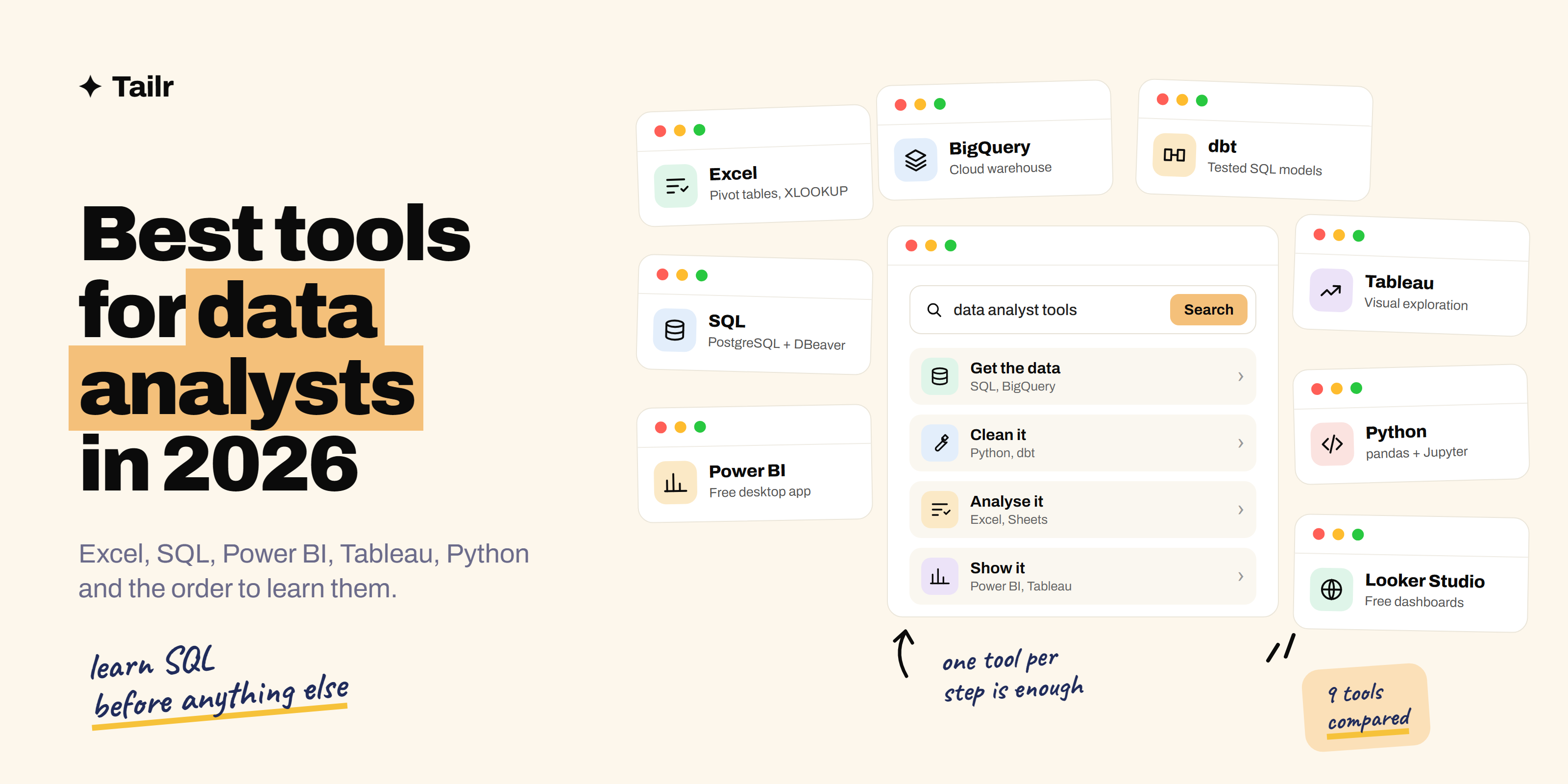
Data analyst job listings can read like a shopping list: Excel, SQL, Power BI, Tableau, Python, dbt, Snowflake. You don’t need all of them. You need a small stack that covers the four jobs every analyst does: get the data, clean it, analyse it and show it to someone who has to make a decision. This guide covers the tools that do each of those jobs best in 2026, and the order to learn them in.
The short answer: the best tools for data analysts in 2026 are:
- Excel and Google Sheets: quick analysis and the tool every team still uses.
- SQL (PostgreSQL with DBeaver): pulling data out of databases.
- Power BI: dashboards at Microsoft companies.
- Tableau: visual exploration and polished dashboards.
- Python with pandas and Jupyter: cleaning, automation and bigger data.
- Looker Studio: free dashboards on Google data.
- BigQuery and Snowflake: cloud data warehouses.
- dbt: turning raw tables into clean, tested ones with SQL.
- Metabase: open-source dashboards anyone on the team can use.
If you’re starting out, learn them in that order: spreadsheet, SQL, one BI tool, then Python.
What to look for in a data analyst tool
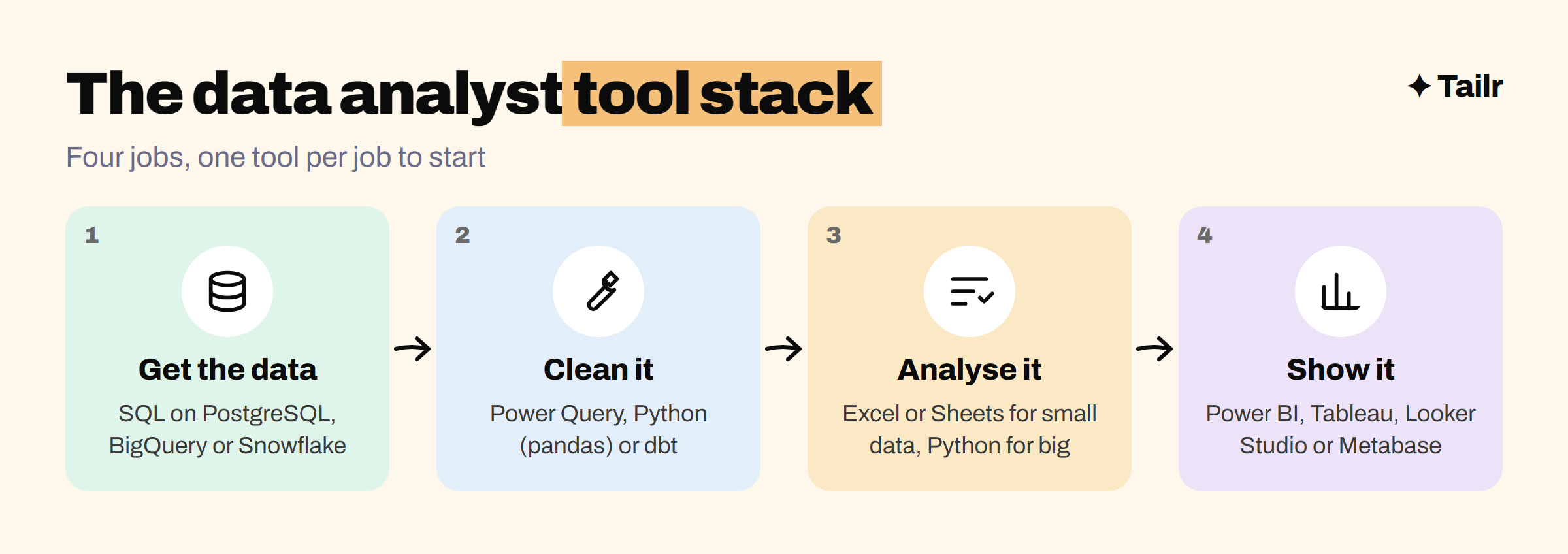
Every tool on this list does one of four jobs:
- Getting data. SQL and a warehouse like BigQuery or Snowflake.
- Cleaning and shaping it. Spreadsheets for small data, Python or dbt for anything bigger or repeated.
- Analysing it. Spreadsheets, SQL and Python, depending on size.
- Showing it. Power BI, Tableau, Looker Studio or Metabase.
When you pick between two tools for the same job, check three things: what the companies you want to work at already use (it’s in their job listings), whether there’s a free version you can practise on, and whether the skill transfers. SQL transfers everywhere. A niche reporting tool doesn’t.
1. Excel and Google Sheets
Website: microsoft.com/excel and sheets.google.com
Spreadsheets are still where most business questions get answered first. Excel is the standard at most companies, and Google Sheets is the default at startups and anywhere that runs on Google Workspace. If a manager sends you a file and asks “what happened last month?”, you’ll open it in one of these.
The skills that matter aren’t the basics. They’re pivot tables, XLOOKUP (or VLOOKUP at older companies), conditional formulas like SUMIFS, and cleaning messy data with text functions. Excel’s Power Query is worth learning too: it lets you record cleaning steps once and rerun them on next month’s file.
Why use it:
- Every team already has it, so your work is easy to share.
- Pivot tables answer most quick questions in minutes.
- Google Sheets is free and works in the browser.
Best for: quick analysis, small datasets and anything a non-technical manager needs to open.
2. SQL (PostgreSQL with DBeaver)
Website: postgresql.org and dbeaver.io
SQL is the one skill that shows up in almost every data analyst job listing, and it’s the language you’ll use to pull data out of the company database. The dialect changes a little between databases, but SELECT, JOIN, GROUP BY and window functions work nearly everywhere.
To practise, install PostgreSQL (postgresql.org), which is free and open source, and query it with DBeaver (dbeaver.io), a free database client that connects to almost any database. Load a public dataset and answer real questions with it. Our 50 SQL interview questions are a good list of what you should be able to write without looking anything up.
Why use it:
- Works on data far too big for a spreadsheet.
- Asked for in almost every analyst interview.
- The skill transfers to every database and warehouse.
Best for: everyone. Learn it before any BI tool.
3. Power BI
Website: powerbi.microsoft.com
Power BI is Microsoft’s business intelligence tool, and it’s the most common dashboard tool at companies that already run on Microsoft 365. It connects to Excel, SQL databases and cloud warehouses, and lets you build interactive reports that update when the data does.
Power BI Desktop, the app you build reports in, is free for Windows. Sharing reports with colleagues needs a paid licence, but you don’t need one to learn. The two skills that separate good Power BI users from beginners are data modelling (setting up relationships between tables properly) and DAX, Power BI’s formula language for measures like year-on-year growth.
Why use it:
- Free desktop app for learning and building.
- Tight fit with Excel, Teams and the rest of Microsoft 365.
- Very common in analyst job listings.
Best for: analysts at Microsoft-based companies, and anyone who wants the most widely requested BI skill.
4. Tableau
Website: tableau.com
Tableau, owned by Salesforce, is known for visual exploration: you drag fields onto a canvas and the chart appears, which makes it fast to find patterns you didn’t know to look for. It’s popular at larger companies and data-heavy teams, and its dashboards tend to look polished with little effort.
Tableau Public is the free version. It’s fully capable for learning, with one catch: everything you save is published publicly, so only use public data. That catch is also a feature, because your Tableau Public profile doubles as a portfolio. Paid licences are needed to work with private data.
Why use it:
- Fast, visual way to explore data.
- Polished dashboards with little design work.
- Tableau Public gives you a free, shareable portfolio.
Best for: analysts who present to leadership, and anyone building a public data portfolio.
5. Python with pandas and Jupyter
Website: python.org, pandas.pydata.org and jupyter.org
Python is what analysts reach for when a spreadsheet gets too slow or a task gets too repetitive. With pandas you can load a few million rows, clean them, join them and summarise them in a handful of lines. Jupyter notebooks let you mix code, charts and notes in one document, which is how most analysts share exploratory work.
You don’t need to become a software engineer. Learn to read files, filter rows, group and aggregate, merge tables and make a basic chart with matplotlib or seaborn. That covers most analyst work. Polars (pola.rs) is a newer, faster alternative to pandas worth knowing once you’re comfortable.
Why use it:
- Handles data too big or messy for a spreadsheet.
- Automates the report you rebuild every Monday.
- Opens the door to statistics and data science.
Best for: analysts working with big or messy data, and anyone planning to move toward data science.
6. Looker Studio
Website: lookerstudio.google.com
Looker Studio (formerly Google Data Studio) is Google’s free dashboard tool. It connects directly to Google Sheets, Google Analytics, Google Ads and BigQuery, which makes it the default reporting tool for marketing teams and startups on Google. It’s not as powerful as Power BI or Tableau, but it’s free, it runs in the browser and it’s easy to share.
Why use it:
- Completely free with a Google account.
- Native connections to Google’s marketing and data tools.
- Easy to share a live link with anyone.
Best for: marketing analysts, startups and anyone who wants a free dashboard tool to practise with.
7. BigQuery and Snowflake
Website: cloud.google.com/bigquery and snowflake.com
At most mid-size and large companies, the data you query doesn’t live in a single database. It lives in a cloud data warehouse, and BigQuery (Google) and Snowflake are two of the most common. As an analyst, you’ll mostly use them through SQL, so the learning curve is small once you know SQL.
BigQuery has a free sandbox and public datasets you can query without a credit card, which makes it the easiest way to practise on genuinely large data. Snowflake offers a free trial.
Why use it:
- Query billions of rows with plain SQL.
- Free BigQuery sandbox and public datasets for practice.
- Common at data-mature companies.
Best for: analysts at larger companies, and anyone who wants “worked with a cloud warehouse” on their resume.
8. dbt
Website: getdbt.com
dbt is a tool for turning raw tables into clean, documented, tested tables using SQL. Instead of every analyst rewriting the same messy query, you write it once as a dbt model, add tests (for example, “this ID is never empty”), and everyone queries the clean version. It’s the core of the “analytics engineer” role, which sits between data analyst and data engineer.
Why use it:
- Turns one-off queries into reusable, tested models.
- Uses SQL, so analysts can pick it up quickly.
- A clear path into analytics engineering.
Best for: analysts who want to move toward analytics engineering, and teams with lots of repeated SQL.
If you find you enjoy building pipelines more than analysing their output, the best tools for data engineers is the natural next step.
9. Metabase
Website: metabase.com
Metabase is an open-source BI tool built so non-technical people can ask their own questions. Analysts set up the data and a few dashboards; product managers and marketers then filter and explore without writing SQL. You can self-host it for free or pay for the hosted version. It’s popular at startups that don’t want to pay for Power BI or Tableau seats.
Why use it:
- Free and open source when self-hosted.
- Simple enough for anyone on the team to use.
- Lets you write SQL when the point-and-click builder isn’t enough.
Best for: startups and small teams that want self-serve dashboards.
Data analyst tools compared
| Tool | Job it does | Free option | Learn it when |
|---|---|---|---|
| Excel / Google Sheets | Quick analysis | Google Sheets | First |
| SQL (PostgreSQL, DBeaver) | Getting data | Yes, open source | First |
| Power BI | Dashboards | Desktop app (Windows) | After SQL |
| Tableau | Dashboards, exploration | Tableau Public | After SQL |
| Python (pandas, Jupyter) | Cleaning, automation | Yes, open source | After a BI tool |
| Looker Studio | Dashboards on Google data | Yes | Any time |
| BigQuery / Snowflake | Cloud warehouse | BigQuery sandbox | When you need big data |
| dbt | Clean, tested SQL models | Open-source core | Moving to analytics engineering |
| Metabase | Self-serve dashboards | Self-hosted | At a startup |
How to learn these tools efficiently
The fastest way to learn analyst tools is to answer one real question end to end, not to finish five courses. Pick a public dataset you actually care about, like your city’s transport data or a sports league’s results, and take it through every step:
- Load it into PostgreSQL or BigQuery and answer three questions with SQL.
- Pull a summary into Excel or Sheets and build a pivot table.
- Build one dashboard in Power BI or Tableau Public with the two or three numbers that matter most. If you’re not sure which numbers matter, our guide to KPIs helps.
- Write a short summary: what you found, and what someone should do about it.
That one project uses four tools, gives you something to show in interviews, and is a better portfolio piece than a certificate. Do two or three of these and you have the core of a portfolio; our guide to building a portfolio to get hired covers how to present them. Not sure if analyst is the right role? Compare it in data analyst vs. data scientist vs. data engineer.
For data analysts job hunting
Analyst job listings vary more than the title suggests. One wants SQL and Tableau, the next wants Power BI and DAX, another wants Python and dbt. If you send the same resume to all three, at least two of them will think you’re missing what they asked for, even if you have it.
Tailr is a Chrome extension that tailors your resume to the job listing you’re viewing, so the tools and projects that posting asks for come first, in its own wording. It also writes a matching cover letter and tracks the application, so you can apply to more of the right analyst roles without rewriting your resume each time. Try Tailr on your next application, and see how to tailor your resume to a job description for the full process.
Conclusion
The best tools for data analysts in 2026 haven’t changed as much as the job listings make it seem. Excel and SQL are still the foundation, one BI tool (Power BI or Tableau) is how you show your work, and Python is what takes you further. Learn them in that order, practise on real data, and add warehouses and dbt when the job calls for them. Being great at four tools beats listing ten.
Frequently asked questions
01What tools do data analysts use most?
Most data analysts use a spreadsheet (Excel or Google Sheets), SQL to pull data from a database, one business intelligence tool like Power BI or Tableau for dashboards, and increasingly Python for cleaning and automation. Many teams also use a cloud warehouse such as BigQuery or Snowflake to store the data.
02Which data analyst tool should I learn first?
Learn Excel and SQL first. Excel teaches you to think in rows, columns and formulas, and SQL is asked for in almost every data analyst job listing and interview. Once you're comfortable with both, add one BI tool and then Python.
03Is Power BI or Tableau better for a data analyst?
Both are good, and the skills transfer. Power BI is the more common pick at companies that already run on Microsoft 365 and has a free desktop app for Windows. Tableau is strong on visual exploration and is popular at larger and data-heavy companies. Check which one shows up more in job listings near you and learn that one.
04Do data analysts need to know Python?
Not for every entry-level role, but it helps a lot. Plenty of analyst jobs only need Excel, SQL and a BI tool. Python with pandas becomes important when data is too big for a spreadsheet, when you repeat the same cleaning every week, or when you want to move toward data science.
05Can I learn data analyst tools for free?
Yes. Google Sheets, Power BI Desktop, Tableau Public, Looker Studio, Python, Jupyter, PostgreSQL and the BigQuery sandbox are all free to use. That's enough to build a full portfolio of projects without paying for anything.
06What should I put on my resume as a data analyst?
List the tools you've actually used, then prove them in your project and experience bullets: what data you worked with, which tool you used, and what changed because of your analysis. Match the tool names to the exact wording in each job listing so both the recruiter and the applicant tracking system see them.