Best Tools for Data Engineers in 2026
· updated
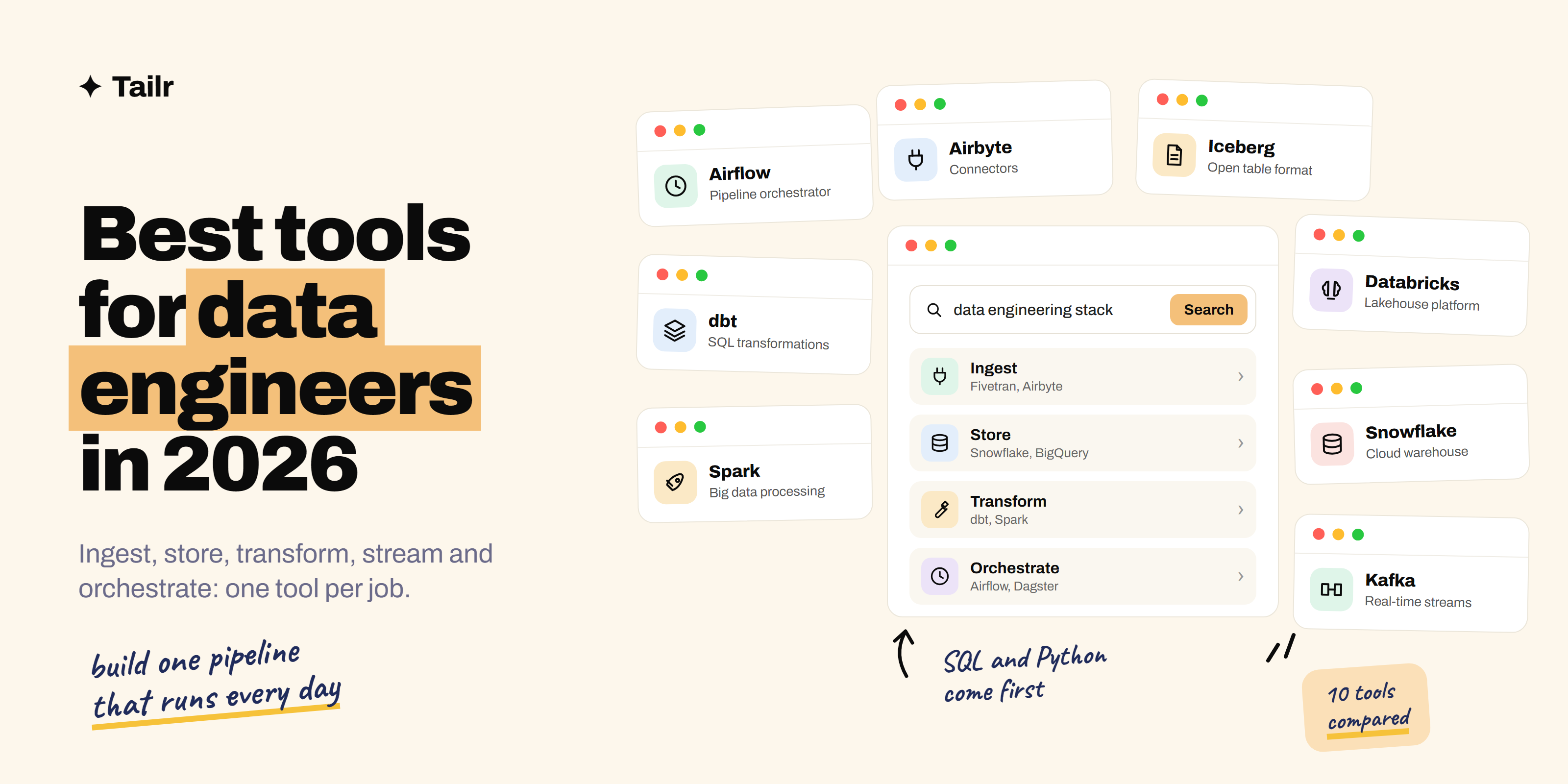
Data engineers build the pipes that every dashboard, report and machine learning model depends on. The tooling has a reputation for being overwhelming, and the “modern data stack” diagrams with hundreds of logos don’t help. In practice, most teams run a small set of tools that each do one job: pull data in, store it, transform it, move it in real time and keep the whole thing running on schedule. This guide covers the best tool for each of those jobs in 2026.
The short answer: the best tools for data engineers in 2026 are:
- Apache Airflow: the most widely used pipeline orchestrator.
- Dagster: a modern, asset-based orchestrator.
- dbt: transforming data with SQL, with tests and documentation.
- Apache Spark: processing very large datasets.
- Databricks: a lakehouse platform built around Spark.
- Snowflake and BigQuery: cloud data warehouses.
- Apache Kafka: real-time data streaming.
- Fivetran and Airbyte: pulling data in from apps and databases.
- Apache Iceberg: an open table format for data lakes.
- DuckDB: fast analytics on a laptop.
A solid starting stack is Airbyte or Fivetran, a cloud warehouse, dbt and Airflow. Add Spark, Kafka and Iceberg as your data gets bigger or faster.
What a data engineering stack needs to do
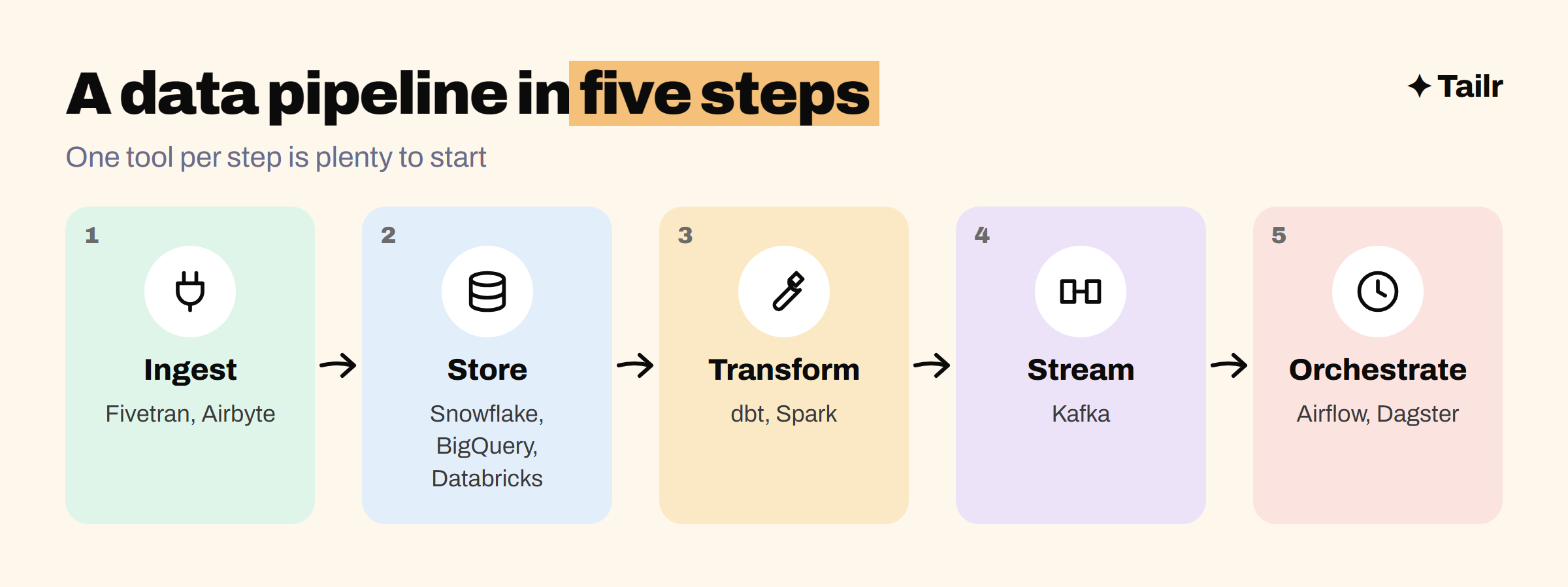
Every data pipeline does some version of the same five jobs:
- Ingest: copy data from apps, databases and APIs into one place.
- Store: keep it in a warehouse or data lake that can handle analytical queries.
- Transform: clean, join and model raw tables into tables people can trust.
- Stream: move events in real time when batch updates aren’t fast enough.
- Orchestrate: run everything in the right order, retry failures and alert someone when it breaks.
When you compare two tools for the same job, ask how much of it you’d have to run yourself, whether it fits your company’s cloud and warehouse, and how often it shows up in job listings. If you’re still deciding whether data engineering is the right role, compare it in data analyst vs. data scientist vs. data engineer.
1. Apache Airflow
Website: airflow.apache.org
Airflow is the open-source orchestrator that most of the industry runs on. You define pipelines as Python code (called DAGs), and Airflow schedules them, runs tasks in the right order, retries failures and shows you what happened in a web UI. Airflow 3, released in 2025, brought a refreshed interface and better support for event-driven and asset-aware scheduling. Managed versions are available on every major cloud.
Why use it:
- The most common orchestrator in data engineering job listings.
- Pipelines as Python code, with a huge library of integrations.
- Managed options on AWS, Google Cloud and Azure.
Best for: almost every data team. Learn it after SQL, Python and dbt.
2. Dagster
Website: dagster.io
Dagster is a newer orchestrator built around data assets, meaning the tables and files your pipelines produce, rather than tasks. That makes it easier to see what data exists, where it came from and whether it’s fresh. It has a strong local development experience and first-class dbt support. Prefect (prefect.io) is another popular modern alternative.
Why use it:
- Asset-based view of your pipelines and their outputs.
- Easy to test and run locally.
- Tight integration with dbt.
Best for: newer data teams and engineers who want a cleaner developer experience than Airflow.
3. dbt
Website: getdbt.com
dbt turns SQL into a proper engineering workflow. You write each transformation as a SQL select statement, and dbt builds the tables in the right order, runs tests (like “this column is never empty”), and generates documentation and lineage. It’s become the default way to transform data inside a warehouse. dbt Labs merged with Fivetran in 2026; dbt Core remains open source.
Why use it:
- SQL transformations with version control, tests and docs.
- Works with every major warehouse.
- Shows up in a large share of analytics and data engineering listings.
Best for: anyone transforming data in a warehouse. If you know SQL, learn dbt next.
4. Apache Spark
Website: spark.apache.org
Spark is the open-source engine for processing data that’s too big for one machine. It splits work across a cluster and lets you write jobs in Python (PySpark), SQL or Scala. It’s the backbone of Databricks and of many data lakes, and it handles batch processing, streaming and machine learning workloads.
Why use it:
- Processes terabytes of data across many machines.
- PySpark and Spark SQL feel familiar if you know Python and SQL.
- Runs everywhere, from Databricks to every major cloud.
Best for: engineers working with very large datasets or data lakes.
5. Databricks
Website: databricks.com
Databricks is a data and AI platform built by the original creators of Spark. It combines a data lake with warehouse-style features, an approach it calls the lakehouse, and gives teams notebooks, SQL, scheduled jobs, governance and machine learning in one place. It’s especially common at companies with heavy data science and machine learning work.
Why use it:
- Spark, SQL, notebooks and ML in one platform.
- Strong for large-scale and mixed analytics and AI workloads.
- A free edition for learning.
Best for: data engineers at companies with big data or a strong data science team.
6. Snowflake and BigQuery
Website: snowflake.com and cloud.google.com/bigquery
Cloud data warehouses are where most analytics data ends up. Snowflake runs on AWS, Azure and Google Cloud and is known for being easy to operate and for separating storage from compute, so different teams can query without slowing each other down. BigQuery is Google’s serverless warehouse: there’s no cluster to size, and it has a free sandbox for practice. Amazon Redshift (aws.amazon.com/redshift) is the AWS-native alternative.
Why use it:
- Query huge datasets with plain SQL.
- No servers to manage.
- The most common place for dbt to run.
Best for: every data engineer. Pick the one your target companies use.
7. Apache Kafka
Website: kafka.apache.org
Kafka is the standard platform for streaming data: it moves events, like clicks, payments or sensor readings, between systems in real time and stores them so many consumers can read them. Kafka 4.0, released in 2025, removed the old dependency on ZooKeeper, which makes it simpler to run. Confluent (confluent.io) offers a fully managed version.
Why use it:
- Real-time data movement at very large scale.
- Decouples the systems that produce data from those that use it.
- A core skill for streaming and platform roles.
Best for: teams that need data in seconds, not hours.
8. Fivetran and Airbyte
Website: fivetran.com and airbyte.com
Writing and maintaining your own connectors to Salesforce, Stripe, Postgres and dozens of other sources is a lot of work. Fivetran is a fully managed service with hundreds of prebuilt connectors that keep data synced into your warehouse with almost no maintenance. Airbyte is an open-source alternative you can self-host or use as a cloud service, and it’s easier to extend with custom connectors.
Why use it:
- Prebuilt connectors instead of hand-written ingestion scripts.
- Handles schema changes and incremental syncs.
- Fivetran for zero maintenance, Airbyte for open source and control.
Best for: any team pulling data from many SaaS apps and databases.
9. Apache Iceberg
Website: iceberg.apache.org
Iceberg is an open table format: a way of storing data in files on cheap cloud storage while getting warehouse features like reliable updates, schema changes and “time travel” to older versions of a table. Because it’s open, Spark, Snowflake, Databricks, Trino and other engines can all read the same tables. It’s one of the fastest-growing topics in data engineering because it lets companies avoid locking their data into one vendor.
Why use it:
- Warehouse-like reliability on open files in cloud storage.
- Many engines can read and write the same tables.
- Reduces lock-in to any one platform.
Best for: teams building data lakes or lakehouses, and engineers who want an in-demand skill.
10. DuckDB
Website: duckdb.org
DuckDB is a fast analytical database that runs inside your process, with no server to set up. It can query CSV, Parquet and Iceberg files directly with SQL, and it’s remarkably quick on datasets that fit on one machine, which covers more work than people expect. It’s ideal for local development, testing pipelines and small-to-medium jobs that don’t need a warehouse.
Why use it:
- Zero setup, runs in Python or the command line.
- Queries Parquet and CSV files directly.
- Very fast on a single machine.
Best for: local development, testing and learning SQL on real files.
Data engineering tools compared
| Tool | Job it does | Open source | Learn it when |
|---|---|---|---|
| Apache Airflow | Orchestrate | Yes | After dbt |
| Dagster | Orchestrate | Yes | Instead of Airflow at newer teams |
| dbt | Transform | Core, yes | Right after SQL |
| Apache Spark | Process big data | Yes | When data outgrows a warehouse |
| Databricks | Lakehouse platform | No (free edition) | If your target companies use it |
| Snowflake / BigQuery | Store and query | No (free tiers) | Early, alongside dbt |
| Apache Kafka | Stream | Yes | For real-time roles |
| Fivetran / Airbyte | Ingest | Airbyte, yes | Any time |
| Apache Iceberg | Open table format | Yes | Building a lakehouse |
| DuckDB | Local analytics | Yes | From day one |
How to learn data engineering tools efficiently
Courses that teach one tool at a time miss the hardest part of the job: making tools work together reliably. Build one end-to-end pipeline instead:
- Pick a public API that updates daily, like weather, transport or a sports league.
- Ingest it with a Python script or Airbyte into BigQuery, Snowflake or DuckDB.
- Model it with dbt, with at least three tests on the key columns.
- Schedule it in Airflow or Dagster so it runs every day and retries on failure.
- Add a small dashboard on top so there’s a visible result. Our guide to the best tools for data analysts covers the options.
- Write a README explaining your design choices and what you’d change at ten times the data.
That last point is what interviewers dig into. Data engineering interviews lean heavily on SQL, so work through our 50 SQL interview questions, and for pipeline design questions, see how to prepare for a system design interview. Many data teams also use the same CI/CD and infrastructure tools as software teams, covered in the best DevOps and CI/CD tools.
For data engineers job hunting
Data engineering listings are stack-specific. One company wants Airflow, Snowflake and dbt; another wants Spark, Databricks and Kafka; another wants AWS Glue and Redshift. Recruiters often filter on those exact tool names, so the same resume can look like a perfect match for one listing and a miss for the next.
Tailr is a Chrome extension that tailors your resume to the job listing you’re viewing, putting the tools and pipelines that role asks for first, in the listing’s own wording. It also writes a matching cover letter and tracks your applications. Try Tailr on your next data engineering application, and see how to tailor your resume to a job description for the full process.
Conclusion
The best tools for data engineers in 2026 cover five jobs: Fivetran or Airbyte to ingest, Snowflake, BigQuery or Databricks to store, dbt to transform, Kafka to stream and Airflow or Dagster to orchestrate, with Spark, Iceberg and DuckDB for scale, openness and speed. Learn SQL and Python first, then dbt, a warehouse and Airflow, and build one pipeline that runs every day without you touching it. That pipeline is worth more in an interview than any list of tools.
Frequently asked questions
01What tools do data engineers use?
Data engineers use ingestion tools like Fivetran or Airbyte to pull data in, a warehouse or lakehouse like Snowflake, BigQuery or Databricks to store it, dbt to transform it with SQL, Spark for very large processing jobs, Kafka for streaming, and an orchestrator like Airflow or Dagster to schedule and monitor everything.
02Which data engineering tool should I learn first?
Learn SQL and Python first, then dbt and one cloud warehouse such as BigQuery or Snowflake, then Airflow for orchestration. That combination covers the most common batch pipeline and shows up in a large share of data engineering job listings. Add Spark and Kafka once you're comfortable.
03Is Airflow still used in 2026?
Yes. Apache Airflow is still one of the most widely used orchestrators and appears in many data engineering job listings. Airflow 3, released in 2025, modernised its interface and scheduling. Dagster and Prefect are popular alternatives, especially at newer companies.
04What is the difference between Snowflake and Databricks?
Snowflake started as a cloud data warehouse built around SQL and is known for being easy to run. Databricks started from Apache Spark and is a lakehouse platform that's strong for large-scale processing, data science and machine learning. Both now overlap heavily, and many companies use one as their main data platform.
05Do data engineers need to know Spark?
Not for every role, but it's common. Many teams now do most work in SQL with dbt on a cloud warehouse. Spark matters when you work with very large datasets, data lakes or Databricks, so it's worth learning the basics of PySpark once you know SQL and Python well.
06Can I practise data engineering tools for free?
Yes. Airflow, Dagster, dbt Core, Spark, Kafka, Airbyte, Iceberg and DuckDB are all open source and run on a laptop. BigQuery has a free sandbox, and Snowflake and Databricks offer free trials or free editions for learning.