Best Documentation Tools for Technical Writers in 2026
· updated
Good documentation is one of the most underrated parts of a software product. Developers judge an API by its docs before they write a line of code, and support teams lean on help articles every day. In 2026, docs also have a new audience: AI assistants that read your docs to answer questions about your product. The tools have caught up, and this guide covers the best documentation tools for technical writers, from writing and linting to publishing and API reference.
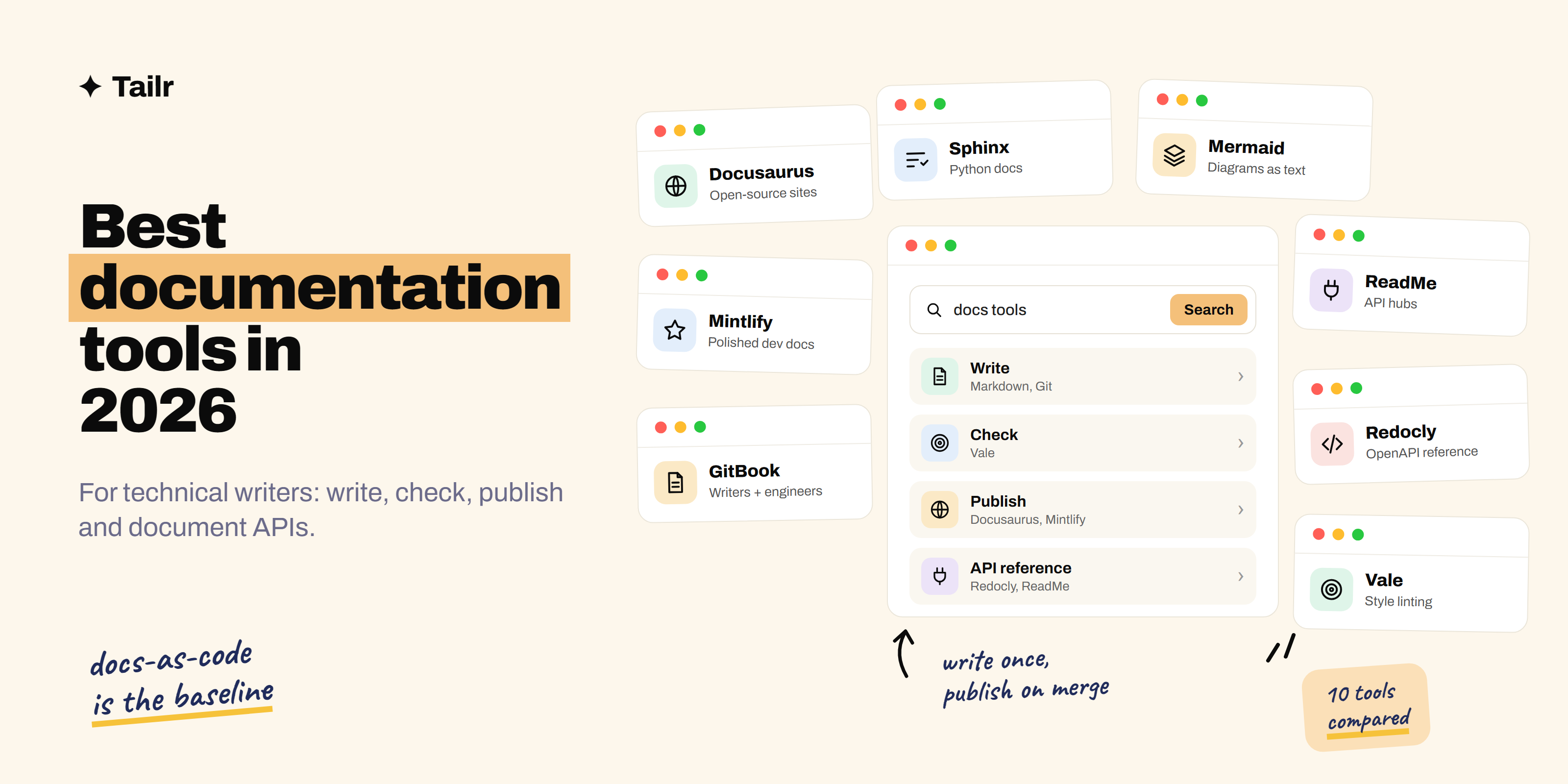
The short answer: the best documentation tools for technical writers in 2026 are:
- VS Code with Markdown and Git: the docs-as-code foundation.
- Docusaurus: free, open-source docs sites.
- Mintlify: polished hosted developer docs.
- GitBook: easy docs for mixed teams of writers and engineers.
- ReadMe: interactive API documentation hubs.
- Redocly and Swagger UI: API reference from OpenAPI files.
- Sphinx and Read the Docs: docs for Python and open-source projects.
- Vale: automated style and grammar checks.
- Confluence and Notion: internal documentation.
- Mermaid and Excalidraw: diagrams that live with your docs.
For public developer docs, a common stack is Markdown in Git, Docusaurus or Mintlify, Redocly for the API reference and Vale for style. For internal docs, Confluence or Notion.
What to look for in a documentation tool
Before comparing platforms, decide who writes and who reads:
- Who contributes? If engineers write some of the docs, they’ll want Markdown in Git and pull requests. If product managers and support staff contribute, a visual editor matters more.
- What are you documenting? APIs need a generated reference from an OpenAPI file and a “try it” console. Products need tutorials and how-to guides. Internal teams need searchable runbooks and decisions.
- Where does it live? Public docs need good design, search and SEO. Internal docs need permissions and integration with the team’s other tools.
- Can machines read it? Clean structure, plain-text sources and features like llms.txt files make it easier for AI assistants to give correct answers from your docs.
1. VS Code with Markdown and Git
Website: code.visualstudio.com and git-scm.com
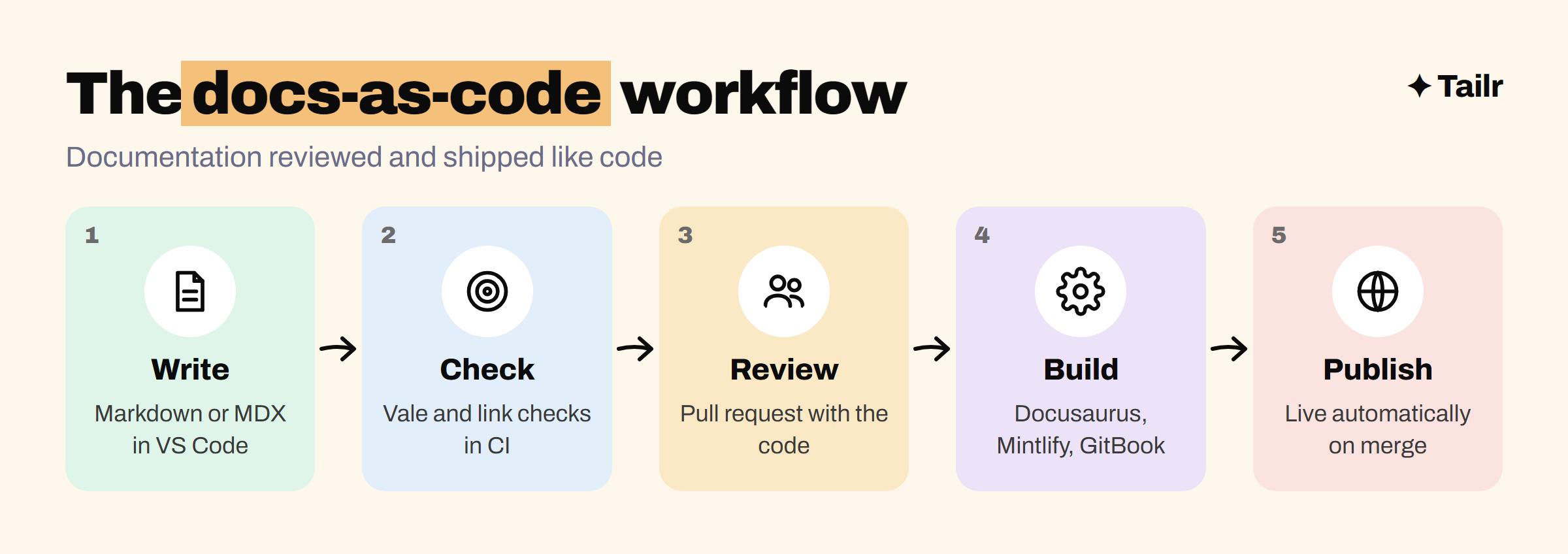
Most modern technical writing happens in plain text. You write in Markdown (or MDX, which lets you drop components into Markdown) in a code editor like VS Code, keep the files in a Git repository next to the product code, and propose changes through pull requests. This is the “docs-as-code” approach, and it’s now the baseline expectation at most software companies. It means engineers can fix docs as easily as code, reviews happen in one place, and docs ship with the features they describe.
Why use it:
- Free, and the foundation for most of the tools below.
- Docs reviewed and versioned like code.
- Easy for engineers to contribute.
Best for: every technical writer. If Git is new to you, our guide to your first open source contribution is a good way to practise.
2. Docusaurus
Website: docusaurus.io
Docusaurus, created by Meta, is a free, open-source framework for building documentation sites from Markdown and MDX. It handles navigation, versioned docs, translations, search integration and blogs, and because it’s built on React, front-end developers can customise almost anything. It’s one of the most popular choices for open-source projects and developer products. MkDocs (mkdocs.org) is a simpler, Python-based alternative; its popular Material theme went into maintenance mode in late 2025 while its maintainers build a successor called Zensical.
Why use it:
- Free and open source, with full control over design.
- Versioning and translations built in.
- Large community and plugin ecosystem.
Best for: teams with front-end skills who want a free, flexible docs site.
3. Mintlify
Website: mintlify.com
Mintlify is a hosted documentation platform popular with developer-focused startups. You write in MDX in Git (or in its web editor), and Mintlify gives you a polished, fast site with built-in API reference from OpenAPI files, interactive code examples, analytics and search. It’s also leaned into AI readers: it generates llms.txt files that give AI tools a clean map of your docs, and can generate an MCP server so assistants can search your docs directly. Read what MCP is if that’s new.
Why use it:
- Beautiful docs with very little setup.
- API reference and interactive examples built in.
- Features for AI assistants that read your docs.
Best for: developer-tool and API companies that want great-looking docs fast.
4. GitBook
Website: gitbook.com
GitBook combines a friendly visual editor with Git sync, so writers and product people can edit in the browser while engineers work in Markdown in a repository, and both stay in sync. It covers public product docs, API docs and internal knowledge bases, with search, versioning and an assistant that answers readers’ questions from your content. It has a free plan for small and open-source projects.
Why use it:
- Visual editor plus two-way Git sync.
- Works for public and internal docs.
- Quick to set up without any front-end work.
Best for: mixed teams where both writers and engineers contribute.
5. ReadMe
Website: readme.com
ReadMe is built for API documentation. It turns your OpenAPI file into interactive reference pages where developers can make real API calls from the browser with their own keys, and it shows you which endpoints people use and where they hit errors. It also hosts guides, changelogs and a discussion forum, making it a full developer hub rather than just a docs site. If you’re new to APIs, our guide to what API testing is covers the basics.
Why use it:
- Interactive “try it” API reference.
- API usage metrics linked to the docs.
- Guides, changelog and forum in one hub.
Best for: API-first companies that want an interactive developer hub.
6. Redocly and Swagger UI
Website: redocly.com and swagger.io/tools/swagger-ui
An API reference should be generated from the API’s OpenAPI description, not written by hand, so it never drifts from the real API. Swagger UI is the classic open-source tool that renders an OpenAPI file into interactive documentation. Redocly offers clean, three-panel reference docs, plus a widely used command-line tool for linting and bundling OpenAPI files, which helps keep large API descriptions consistent. Both slot into docs-as-code pipelines.
Why use it:
- Reference docs that always match the API.
- Linting catches inconsistent or incomplete API descriptions.
- Open-source options available.
Best for: anyone documenting a REST API.
7. Sphinx and Read the Docs
Website: sphinx-doc.org and readthedocs.org
Sphinx is the long-standing documentation generator for the Python world. It can pull reference documentation straight from code docstrings, handles cross-references well and outputs HTML and PDF. Read the Docs builds and hosts Sphinx and MkDocs sites automatically from your repository, with versioned docs for every release, and it’s free for open-source projects. If you want to document Python libraries, you’ll meet both.
Why use it:
- Generates API reference from Python code.
- Strong cross-referencing for large docs.
- Free hosting for open-source projects on Read the Docs.
Best for: Python projects and open-source libraries.
8. Vale
Website: vale.sh
Vale is an open-source prose linter: it checks your writing against a style guide the way a code linter checks code. You can use ready-made rules based on well-known style guides from Google and Microsoft, or write your own for product names, banned words and terminology. Run it in VS Code as you write and in CI on every pull request, and style feedback stops depending on who reviews the change.
Why use it:
- Enforces your style guide automatically.
- Ready-made rule packages to start from.
- Runs in the editor and in CI.
Best for: any docs team that wants consistent style without nitpicky reviews.
9. Confluence and Notion
Website: atlassian.com/software/confluence and notion.com
Not every document is public. Runbooks, architecture decisions, onboarding guides and product requirement documents usually live in an internal wiki. Confluence, from Atlassian, is the standard at companies that use Jira, with templates, permissions and page trees for large organisations. Notion is popular at startups for its flexible pages and databases. Technical writers are often asked to bring structure to whichever one their company uses.
Why use it:
- Easy editing for the whole company.
- Permissions, templates and search for internal knowledge.
- Integrates with the team’s planning tools.
Best for: internal documentation and knowledge bases.
10. Mermaid and Excalidraw
Website: mermaid.js.org and excalidraw.com
Diagrams make complex systems understandable, but image files go stale fast. Mermaid lets you write diagrams as text (flowcharts, sequence diagrams, entity relationships) right inside Markdown, and many platforms render it natively, including GitHub, Docusaurus, GitBook and Mintlify. Because the diagram is text, it’s reviewed and updated like everything else. Excalidraw is a free whiteboard for quick, hand-drawn-style diagrams when you need something more visual.
Why use it:
- Diagrams as text, versioned with your docs.
- Rendered natively by many platforms.
- Excalidraw for quick, friendly sketches.
Best for: architecture, flow and sequence diagrams in technical docs.
Documentation tools compared
| Tool | Job | Free option | Best for |
|---|---|---|---|
| VS Code, Markdown, Git | Write and review | Yes | Every writer |
| Docusaurus | Publish | Yes, open source | Flexible, self-hosted docs |
| Mintlify | Publish | Free tier | Polished developer docs |
| GitBook | Publish | Free plan | Mixed teams |
| ReadMe | API hub | Free tier | Interactive API docs |
| Redocly / Swagger UI | API reference | Open-source tools | OpenAPI-based reference |
| Sphinx / Read the Docs | Publish | Yes, for open source | Python projects |
| Vale | Style checks | Yes, open source | Consistent style |
| Confluence / Notion | Internal docs | Free plans | Company knowledge |
| Mermaid / Excalidraw | Diagrams | Yes | Diagrams in docs |
How to build a docs workflow efficiently
A docs workflow should make the right thing easy: writing in one place, getting automatic feedback and publishing without a manual step.
- Put the docs in Git, ideally in the same repository as the product, in Markdown or MDX.
- Add Vale and a broken-link checker to CI so every pull request gets style and link feedback.
- Generate the API reference from the OpenAPI file with Redocly, Swagger UI or your docs platform.
- Publish automatically on merge with Docusaurus, Mintlify, GitBook or Read the Docs.
- Write diagrams in Mermaid so they’re updated with the text.
- Review analytics and search queries every month to find what readers can’t find.
If you’re aiming for a technical writing job, build a portfolio the same way: document a real open-source project or public API, publish it on Docusaurus or GitBook and link the merged pull requests. Our guide to building a portfolio to get hired has more on presenting it, and technical writing is one of the roles in our list of non-coding jobs in tech. Writers who enjoy talking to developers might also like developer advocacy.
For technical writers job hunting
Technical writing listings range from API documentation for developers to help-centre articles for end users to internal process docs, and each asks for different tools and samples. One wants Docusaurus, OpenAPI and Git; another wants Zendesk, screenshots and plain-language writing; another wants Confluence and diagrams. Your resume should lead with the kind of writing each listing needs.
Tailr is a Chrome extension that tailors your resume to the job listing you’re viewing, so the tools, doc types and writing samples that role asks for come first. It also writes a matching cover letter, which is a writing sample in itself, and tracks the application. Try Tailr on your next technical writing application, and see how to tailor your resume without lying for keeping it honest.
Conclusion
The best documentation tools for technical writers in 2026 are built around docs-as-code: Markdown in Git, a platform like Docusaurus, Mintlify, GitBook or ReadMe to publish, Redocly or Swagger UI for API reference, Sphinx for Python projects, Vale for style and Mermaid for diagrams, with Confluence or Notion for internal knowledge. Pick the platform that matches who writes and who reads, automate the checks, and spend your time on what tools can’t do: understanding the product well enough to explain it clearly.
Frequently asked questions
01What tools do technical writers use?
Technical writers usually write in Markdown or MDX in a code editor like VS Code and keep docs in Git. They publish with a docs platform such as Docusaurus, Mintlify, GitBook or ReadMe, generate API references from OpenAPI files with Redocly or Swagger UI, check style with Vale, and draw diagrams with Mermaid or Excalidraw. Internal docs often live in Confluence or Notion.
02What is docs-as-code?
Docs-as-code means treating documentation like software: writing it in plain-text formats like Markdown, storing it in Git next to the code, reviewing changes in pull requests, running automated checks like style linting and broken-link tests, and publishing automatically when changes are merged. It keeps docs in sync with the product and lets engineers contribute easily.
03Which is better, Docusaurus or Mintlify?
Docusaurus is free and open source, very flexible, and you host it yourself, which suits teams with front-end skills who want full control. Mintlify is a hosted, paid platform with polished design, built-in API reference, search and AI features out of the box. Choose Docusaurus for control and cost, and Mintlify for speed and polish.
04Do technical writers need to know how to code?
Not deeply, but some technical skill helps a lot. Most technical writing jobs expect comfort with Markdown, Git, the command line and reading code samples, and API documentation roles expect you to understand REST APIs and OpenAPI files. You don't need to build software, but you need to understand what you're documenting.
05What is the best free documentation tool?
Docusaurus, Sphinx and MkDocs are free, open-source documentation site generators, and Read the Docs hosts open-source projects' docs for free. Vale, Mermaid and Excalidraw are free too. GitBook and several hosted platforms also have free plans for small or open-source projects.
06How do I build a technical writing portfolio?
Write real documentation for real software: contribute docs to an open-source project, document a public API with a getting-started guide and reference, or write a tutorial for a tool you use. Publish samples on a simple docs site you built with Docusaurus or GitBook, and link the pull requests where your changes were merged.